
Introduction — How to Know If Your Phone Has Been Hacked and What You Can Do About It 🔒📱
Have you ever noticed your phone acting strange — slowing down for no reason, showing random pop-ups, or draining battery faster than usual?
If you have, then it’s possible you’re seeing the first phone hacked symptoms.
In today’s hyper-connected world, our smartphones are more than just communication tools — they’re digital wallets, private diaries, and gateways to our personal lives.
From social media accounts to online banking apps, everything we do is stored in this tiny device — making it a prime target for hackers and cybercriminals.
According to recent cybersecurity reports, over 25% of smartphone users worldwide have experienced at least one form of hacking or malware attack in the past year.
And the scary part? Most people don’t even realize their phone has been compromised until it’s too late.
That’s why learning how to spot early warning signs, remove malware, and apply effective phone security tips has become absolutely essential in 2025.

Why Hackers Target Smartphones in 2025 🧠💻
Hackers no longer just go after big companies — they’re now focusing on everyday users who store valuable data on their phones.
Modern smartphones contain a goldmine of personal information such as:
- Saved passwords
- Banking credentials
- Private messages and photos
- GPS location history
- Social media access tokens
This information can easily be used for identity theft, blackmail, or financial scams.
With the rapid rise of mobile payments, AI apps, and IoT integration, phones are now more connected — and more vulnerable — than ever before.
Some malware can even secretly record audio, capture screenshots, or track your every move without you knowing it.
The Shocking Reality of Modern Cyber Threats ⚠️
Cyberattacks have become smarter.
Today’s mobile malware hides behind what looks like innocent apps, fake updates, or even text messages from trusted contacts.
You might unknowingly click a link or install a “security app” that is actually spyware.
Once installed, it can steal sensitive data, slow your system, or flood you with malicious ads.
Even worse, hackers can remotely control your phone, monitor your messages, and access your camera — all without your permission.
That’s why it’s crucial to know the most common phone hacked symptoms and how to act before real damage occurs.
Why Detecting Phone Hacked Symptoms Early Matters ⏰
Early detection can make the difference between minor inconvenience and total data loss.
When you notice something off — like unexplained battery drain, data usage spikes, or unfamiliar apps — that’s your phone sending distress signals.
Ignoring these signs gives hackers more time to collect your data, lock you out of your accounts, or spread malware to other devices connected to your network.
In many cases, quick action can completely remove malware and restore your phone’s performance without losing your files.
That’s why understanding the subtle phone hacked symptoms can help you act fast — before the hacker does.
What You’ll Learn in This Guide 📘
In this comprehensive guide, you’ll discover:
✅ The 7 most common signs that your phone has been hacked
✅ Step-by-step instructions to remove malware safely
✅ Practical phone security tips to protect your device from future attacks
✅ Expert insights on how to keep your personal data private and secure
Each section is designed to give you clear, actionable steps that even non-technical users can follow.
Whether you’re using Android or iPhone, these methods are up-to-date with modern cybersecurity practices and tested against the latest mobile threats of 2025.
Stay One Step Ahead — Protect What Matters Most 🔐
Hackers evolve every day, but so can you.
By learning to recognize the earliest phone hacked symptoms and applying strong phone security tips, you’ll be able to stop threats before they can even begin.
Don’t wait until your private data is stolen or your accounts are compromised.
Take control of your phone’s safety right now.
👉 Click here to get the best mobile antivirus and malware removal app that keeps your device protected 24/7 and ensures total privacy.
Quick Recap
- Your phone is an open door to your digital identity — protect it.
- Hackers are smarter, but awareness gives you the upper hand.
- Knowing how to remove malware fast can save your data.
- Stay updated with the latest phone security tips and protect your peace of mind.
Don’t ignore strange behavior on your phone — take action now!
Run a full security scan, check for suspicious apps, and strengthen your privacy settings today.
Because when it comes to your smartphone, prevention is always more powerful than cure.
1. Unusual Battery Drain — The First Warning Sign Your Phone Might Be Hacked 🔋⚠️
Have you ever wondered why your fully charged phone suddenly dies halfway through the day — even when you’re not using it much?
If your battery drains much faster than usual, it could be one of the most common phone hacked symptoms that often go unnoticed.
Malware, spyware, and other malicious apps constantly run in the background, secretly transmitting data, tracking your location, or recording your activity — all of which consume large amounts of power.
While natural battery wear happens over time, a sudden or unexplained drop in battery life is a red flag that shouldn’t be ignored.
Why Battery Drain Happens When Your Phone Is Hacked 🔍
When hackers compromise your phone, they often install hidden programs or scripts that work silently in the background.
These programs can:
- Collect personal data such as messages, passwords, or browsing habits.
- Send data back to the hacker’s server using your mobile data.
- Keep your phone’s CPU active even when it’s idle.
All of this continuous background activity forces your phone’s battery to work harder, draining power much faster than normal.
If you notice your phone heating up or losing power rapidly — especially while idle — it’s time to investigate.
How to Identify Abnormal Battery Usage 🔦
Modern smartphones (both Android and iPhone) come with built-in tools that let you check which apps are consuming the most power.
Here’s how you can quickly diagnose potential problems:
For Android Users:
1️⃣ Go to Settings → Battery → Battery Usage.
2️⃣ Look for apps that consume unusually high amounts of power.
3️⃣ Tap on suspicious apps and check their permissions.
For iPhone Users:
1️⃣ Go to Settings → Battery.
2️⃣ Review the “Battery Usage by App” section.
3️⃣ Note any unfamiliar or recently installed apps using excessive battery.
If you see apps you don’t recognize or those you rarely use consuming excessive battery power, it could be malware.
Quick Fix — How to Stop Battery Drain and Remove Malware ⚙️
Once you’ve identified suspicious activity, take these immediate steps to stop the drain and secure your phone:
✅ Step 1: Put your phone in Safe Mode — this prevents third-party apps from running.
✅ Step 2: Uninstall any unfamiliar or newly installed apps.
✅ Step 3: Use a trusted anti-malware tool to perform a full system scan.
✅ Step 4: Clear cache and temporary files.
✅ Step 5: Restart your device and observe if the battery drain continues.
If your phone’s performance improves, you’ve likely found and removed the culprit.
If not, proceed with a deeper cleanup using a premium security app such as Recommended Mobile Security App Here to ensure no hidden malware remains.
Advanced Tip — Monitor Battery Health Regularly 🔋
Battery analytics can reveal patterns that hint at hidden malware.
Use trusted tools or apps that show:
- Battery temperature
- Average charging/discharging speed
- Real-time power consumption per app
Some advanced phone security apps also integrate battery monitoring with malware detection.
This gives you an early warning system to catch phone hacked symptoms before they escalate.
When to Seek Professional Help 🧰
If you’ve done everything and your battery is still draining abnormally fast, your phone might be infected with deep system-level malware.
This kind of malware embeds itself within the OS, making it almost impossible to remove manually.
In this case:
- Backup your data immediately.
- Perform a factory reset (after backing up important files).
- Update your operating system to the latest version.
- If possible, visit an authorized service center to have your phone professionally checked.
It’s better to lose a few files than to lose your personal information entirely.
Preventive Phone Security Tips to Avoid Battery Drain Hacks 🛡️
To ensure this doesn’t happen again, follow these smart phone security tips:
✅ Download apps only from trusted stores (Google Play, App Store).
✅ Avoid clicking on unknown links or downloading attachments from suspicious emails.
✅ Turn off background app refresh for unused apps.
✅ Keep your operating system and security patches updated.
✅ Use a reliable mobile antivirus for real-time threat protection.
By doing this, you not only stop hackers in their tracks but also prolong your phone’s battery life.
Don’t Ignore the Warning Signs 🚨
Unusual battery drain is often your phone’s silent cry for help.
It’s one of the first and most critical phone hacked symptoms that signal something isn’t right.
Don’t brush it off as “just an old battery.”
Investigate it immediately — because every minute your phone stays infected, you risk losing private data, money, and control.
Protect your phone now — don’t wait until your privacy is stolen!
Run a full malware scan with Best Phone Security App for Android/iPhone and take back control of your digital life today.
2. Slow Performance or Lagging — Another Key Sign Your Phone Has Been Hacked 🐢📱
Has your once lightning-fast phone suddenly turned sluggish — freezing between apps, taking ages to open messages, or crashing randomly for no reason?
If this sounds familiar, it could be another major red flag among common phone hacked symptoms.
While storage overload or outdated software can sometimes cause lag, a consistently slow performance even after updates or clearing space may point to something more dangerous — malware or spyware running silently in the background.
Why a Hacked Phone Becomes Sluggish ⚙️
When your phone is hacked, malicious software often embeds itself deep inside the system.
It uses your device’s CPU and RAM to perform hidden operations such as:
- Sending your personal data to remote servers.
- Mining cryptocurrency in the background.
- Tracking your keystrokes or recording your calls.
- Duplicating files or contacts to create backdoor access.
All this hidden activity eats up processing power, causing your phone to lag, freeze, or overheat — even during simple tasks like texting or browsing.
You may also notice your phone taking longer to start up, apps crashing frequently, or the screen becoming unresponsive — all of which are clear performance-based phone hacked symptoms.
How to Diagnose a Slow or Hacked Phone 🔍
Before jumping to conclusions, it’s important to confirm whether your device is being overloaded by malware or other causes.
Here’s a quick diagnostic checklist:
✅ Check background apps: Go to your phone’s settings and review which apps are running or consuming high memory.
✅ Monitor CPU usage: Some security or system monitoring apps show real-time CPU and RAM activity.
✅ Look for unknown processes: If you spot apps or services you don’t recognize, it could indicate hidden malware.
✅ Observe app permissions: Apps requesting excessive permissions (like access to camera, microphone, or contacts) could be suspicious.
✅ Test performance in Safe Mode: If your phone runs smoothly in Safe Mode, that’s a strong sign that third-party malware is behind the problem.
Steps to Fix a Slow, Hacked, or Malware-Infested Phone 🛠️
Once you’ve identified that malware might be the cause of your phone’s lag, it’s time to act fast.
Here’s how to remove malware and reclaim your phone’s speed and performance:
Step 1: Restart your phone in Safe Mode — this limits app activity to only system apps.
Step 2: Go through your installed apps list and uninstall anything unfamiliar or suspicious.
Step 3: Use a trusted anti-malware scanner like Recommended Security App to perform a full system scan.
Step 4: Clear cache and unnecessary background data to free up memory.
Step 5: Delete temporary or duplicate files that malware might have created.
Step 6: Update your operating system — updates often contain security patches that neutralize hidden threats.
Once complete, your phone should feel noticeably faster and smoother.
If it doesn’t, the malware may have rooted itself deeply into the system, requiring a factory reset.
Advanced Insight — Hidden Malware and Background Scripts 🧠
Some of the most dangerous mobile malware hides as system files or fake updates.
These often operate invisibly, making it difficult for average users to detect them.
You might also experience:
- Frequent “App Not Responding” messages.
- Increased mobile data usage.
- Random reboots or shutdowns.
These are symptoms of root-level malware, which often requires professional help or advanced tools to remove.
In such cases, consider using Advanced Mobile Cleaner and Security App that can scan system partitions for deep infections.
Smart Phone Security Tips to Prevent Lag-Causing Malware 🧩
To prevent future performance issues caused by hacking attempts or malicious software, follow these expert-level phone security tips:
✅ Avoid third-party app stores. Always download apps only from Google Play or Apple App Store.
✅ Review app permissions regularly. Deny permissions that seem unnecessary for the app’s function.
✅ Install an advanced antivirus. Use a reputable app that offers real-time protection and automatic malware detection.
✅ Keep your system updated. Updates patch known vulnerabilities that hackers exploit.
✅ Don’t click random links. Phishing messages often install malware disguised as downloads.
✅ Avoid “phone booster” or “cleaner” apps from unknown developers — they often hide adware or spyware.
Implementing these security measures ensures your device remains fast, responsive, and safe from cyber threats.
When Lag Indicates Something Serious ⚠️
If your phone still struggles even after optimization, malware may not be the only problem.
Advanced spyware or “stalkerware” could be secretly tracking your every move.
In this case:
- Perform a factory reset (after backing up safe data).
- Change all passwords (email, social media, banking).
- Enable two-factor authentication on all major accounts.
- Reinstall apps only from trusted sources.
You can also contact your phone manufacturer or an authorized service center for professional malware removal.
Don’t Ignore the Lag 🧨
A sluggish phone is more than just an inconvenience — it’s a potential security breach warning.
Many users dismiss slow performance as “normal aging,” but hackers rely on that assumption to keep operating undetected.
If your phone has become slow, hot, or unresponsive, don’t wait another day.
👉 Install a trusted malware removal tool now to scan, clean, and secure your smartphone before it’s too late.
Your phone’s performance is your first line of defense — keep it clean, fast, and secure!
Take 5 minutes today to run a deep malware scan and apply the latest phone security tips to stay ahead of hackers.
3. Unexpected Data Usage Spikes — Hidden Malware Consuming Your Internet 📶💀
Have you noticed your mobile data disappearing faster than usual — even when you’re barely browsing or streaming?
If your data plan is vanishing overnight without any logical reason, it could be one of the strongest phone hacked symptoms you shouldn’t ignore.
Unexplained data usage spikes often mean that malware or spyware is secretly running in the background, constantly connecting to remote servers and sending your personal information without your permission.
This hidden communication between your phone and a hacker’s network uses your mobile data — and sometimes even Wi-Fi — to upload stolen files, images, passwords, and contacts.
In other words, your internet plan is literally being drained by a cyber thief.
Why Hackers Use Your Data Connection to Steal Information 💻
When a phone is infected with malware, it doesn’t just affect performance — it also becomes a tool for hackers to collect and transmit sensitive data.
Here’s what’s happening behind the scenes:
- Malware continuously syncs data such as your browsing history, keystrokes, and GPS location.
- Spyware apps upload photos, videos, and messages to hidden servers.
- Adware floods your phone with unwanted ads that consume data even when you’re offline.
- Botnets use your device as part of a hacker network, using your internet connection to attack other systems.
All this secret activity happens without your knowledge, but you’ll feel its effect — skyrocketing data usage, lagging performance, and higher phone bills.
How to Detect Abnormal Data Usage on Your Phone 🔎
Luckily, most modern smartphones include tools to help you track and analyze which apps are consuming the most data.
For Android Users:
1️⃣ Go to Settings → Network & Internet → Data Usage.
2️⃣ Check the chart for any unusual spikes in mobile data.
3️⃣ Tap App Data Usage to see which apps used data recently.
4️⃣ Look for apps that used data while you weren’t actively using them.
For iPhone Users:
1️⃣ Navigate to Settings → Cellular.
2️⃣ Scroll down to view each app’s data consumption.
3️⃣ Reset your statistics at the start of the month to monitor usage more accurately.
If you find unknown apps or background processes consuming hundreds of MBs or even GBs of data, there’s a good chance your phone has been compromised.
Immediate Actions to Take When You Notice Data Spikes ⚡
Here’s what to do immediately if you notice strange data consumption patterns:
✅ Step 1: Turn off mobile data and Wi-Fi to stop malware from communicating with servers.
✅ Step 2: Put your phone in Safe Mode to isolate malicious apps.
✅ Step 3: Review your app list and uninstall suspicious or recently downloaded apps.
✅ Step 4: Use a powerful anti-malware or antivirus scanner like Recommended Malware Removal Tool to perform a full device scan.
✅ Step 5: Change your online passwords (email, banking, and social media) to prevent account compromise.
✅ Step 6: Clear browser cache and app permissions to block unauthorized access.
These steps can drastically reduce data leakage and stop hackers from using your phone’s connection to spread or steal data.
Advanced Tip — Track Background Data in Real Time 📲
To stay one step ahead of hackers, use advanced monitoring tools that give you real-time insights into data consumption.
Many reputable phone security apps include built-in data usage trackers that show hidden processes or malware activity.
These tools let you:
- Monitor network traffic live.
- Identify apps connecting to unknown IP addresses.
- Set limits or alerts when an app exceeds normal usage.
A few extra minutes of monitoring can prevent days of frustration — or worse, total data theft.
Hidden Apps and Fake Updates You Should Watch Out For 🚫
Hackers are getting smarter.
They often disguise malware as harmless apps or fake system updates with names like “System Booster,” “Battery Saver Pro,” or “Update Service.”
Once installed, these malicious apps use your data connection non-stop — often sending gigabytes of your personal files without you ever noticing.
Pro tip:
If you ever see a system update prompt outside of your phone’s official settings menu, do not click it.
Always update your OS manually through Settings → Software Update.
How to Prevent Future Data Leaks — Smart Phone Security Tips 🧠
Once your phone is clean, prevention becomes your strongest shield.
Here are professional phone security tips to stop future attacks and data loss:
✅ Install a premium security app that includes real-time network monitoring.
✅ Disable background data for non-essential apps in your phone settings.
✅ Turn off auto-downloads in browsers and messaging apps.
✅ Avoid using public Wi-Fi — hackers often set up fake networks to steal data.
✅ Keep your OS updated and enable automatic app updates only for trusted apps.
✅ Review permissions regularly — revoke internet access for apps that don’t need it.
When you maintain these habits, your phone stays fast, your privacy remains intact, and your data stays where it belongs — with you.
When to Take It Seriously 🚨
If your data bill keeps climbing, or your carrier reports massive data usage even when you’re not online, you might be dealing with a high-level spyware infection.
In that case:
- Backup your important files.
- Perform a factory reset to remove any hidden system-level malware.
- Reinstall essential apps only from trusted sources.
- Enable a mobile firewall for extra protection.
Taking these steps immediately can prevent hackers from stealing sensitive data or using your phone as part of a larger cyberattack.
Don’t Let Hackers Steal Your Data and Bandwidth 💥
Unexplained data usage isn’t just an inconvenience — it’s your phone screaming for help.
If your data drains rapidly without reason, take it as a serious phone hacked symptom.
Act fast, scan your device, and block the leak before it grows worse.
Stop wasting data and risking your privacy — secure your phone today!
Run a complete malware scan with Top-Rated Mobile Security Tool Here and lock down your connection before hackers do.
Because when it comes to mobile security, every megabyte matters, and every second counts.
4. Pop-Ups and Strange Ads Everywhere — A Sign of Hidden Adware Infection 📲🚨
Have you started noticing pop-up ads or strange banners appearing on your phone — even when you’re not browsing the internet?
If yes, then your phone might be infected with adware, one of the most irritating yet dangerous forms of mobile malware.
This is another major phone hacked symptom that millions of users unknowingly experience every day.
Adware can do far more harm than just showing you annoying ads — it can secretly track your online behavior, redirect your searches, and open hidden tabs that lead to phishing or malicious websites.
If left unchecked, these endless pop-ups can drain your data, slow down your phone, and even lead to more serious infections like spyware or ransomware.
What Exactly Is Adware and How Does It Work? 🧠
Adware (short for advertising-supported software) is designed to flood your phone with unwanted ads.
At first, it may seem harmless — a few pop-ups here and there.
But over time, these ads can become aggressive, intrusive, and even dangerous.
Here’s how it usually gets into your phone:
- Downloading free apps from unverified sources.
- Clicking on fake “update” or “security alert” pop-ups.
- Visiting compromised websites that automatically install scripts.
- Installing apps that hide malicious advertising SDKs inside them.
Once inside, the adware integrates deeply into your system.
It starts showing pop-ups over other apps, hijacks your browser, and sometimes even locks your screen with fake security warnings.
These “Your phone is infected — click here to clean it” messages are classic tricks hackers use to make you download even more malware.
Signs That Pop-Ups on Your Phone Are Actually Malware ⚠️
It’s normal to see ads inside free apps or browsers.
But if you notice ads appearing when you’re on your home screen or messaging app — that’s a red flag.
Here are clear phone hacked symptoms linked to adware infection:
✅ Ads appearing outside of normal apps or browsers.
✅ Random redirects when you click on legitimate links.
✅ “Phantom apps” — icons that appear briefly and then vanish.
✅ Frequent notifications claiming your device is infected or outdated.
✅ Browser homepage or search engine changing automatically.
✅ Phone overheating or battery draining while idle.
If any of these sound familiar, your phone is most likely compromised by adware or a hidden background service sending data to advertisers.
How to Remove Adware and Stop Pop-Ups Permanently 🧹
Fortunately, removing adware is possible — but it requires careful steps.
Follow this detailed remove malware process to clean your phone safely:
Step 1: Switch your phone to Safe Mode to disable all third-party apps temporarily.
Step 2: Go to Settings → Apps and uninstall any unfamiliar or recently installed apps.
Step 3: Clear browser data and cache (especially Chrome, Firefox, or Safari).
Step 4: Reset your browser settings to default — this removes malicious redirects.
Step 5: Install a reputable anti-malware or adware cleaner such as Recommended Adware Removal App and perform a full scan.
Step 6: Restart your phone and check if the ads have disappeared.
If pop-ups persist, the malware may have deeper access.
In that case, back up your important files and perform a factory reset.
Advanced Tip — Stop Adware Before It Starts 🔒
The best way to protect your phone from adware is prevention.
Here are powerful phone security tips to help you avoid infection:
✅ Download only from official app stores like Google Play or the Apple App Store.
✅ Read reviews and check app permissions before installing.
✅ Avoid clicking pop-up alerts that claim your phone has viruses.
✅ Disable “Install Unknown Apps” from your settings.
✅ Update your OS regularly — new patches often block adware exploits.
✅ Use an ad blocker within your browser for safer browsing.
Even simple awareness can save you from hours of frustration and protect your personal data from being sold to shady networks.
Common Adware Tricks You Should Watch Out For 🕵️♂️
Hackers are constantly inventing new ways to disguise adware.
Some of the latest tactics in 2025 include:
- “Click-to-win” or “claim your reward” pop-ups that automatically download malware.
- Fake antivirus apps that show false warnings to make you install paid versions.
- Hidden advertising SDKs inside wallpaper, keyboard, or flashlight apps.
- Push notifications pretending to be system updates or security alerts.
Always question sudden ads, especially those that promise quick fixes or free prizes.
Legitimate security tools will never show warnings through random browser pop-ups.
When Pop-Ups Are More Than Just Ads 🧨
Some adware infections are gateways to something worse — spyware or trojans that use the ad network as a disguise.
If your pop-ups open adult content, gambling sites, or phishing pages without your input, it’s not just adware — it’s full-blown malware.
In this case:
- Run an immediate deep scan using a trusted anti-malware app.
- Change your passwords in case credentials were leaked.
- Reset your phone if the infection persists.
- Avoid reconnecting to compromised Wi-Fi networks.
Your data privacy is far more valuable than ignoring an inconvenient reset.
Don’t Let Pop-Ups Take Control of Your Phone 💥
Pop-ups are more than just digital annoyances.
They’re often the first signs of a hacked or infected phone that’s leaking your personal data without your consent.
If you’re constantly closing ads or seeing fake security warnings, don’t take chances.
Act now — stop pop-ups before they take over your device!
Use Top-Rated Adware & Malware Removal App to clean your phone and reclaim full control today.
Because once adware takes root, your privacy, battery life, and even security are all at risk.
Stay alert, stay secure — and make your phone a no-ad zone again.
5. Unknown Apps or Files You Didn’t Install — Hidden Spyware at Work 🕵️♀️📱
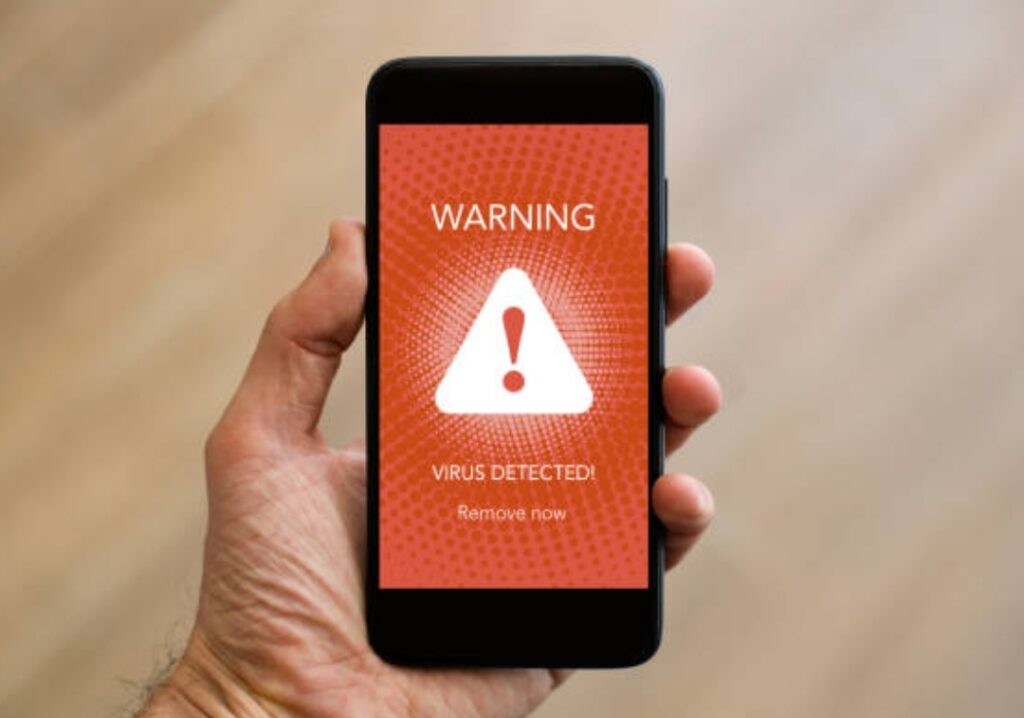
One of the clearest phone hacked symptoms is when you suddenly notice unknown apps or strange files on your device — ones you never installed or even recognized.
These mysterious apps might look harmless, but in reality, they could be spyware, keyloggers, or other forms of malicious software designed to secretly monitor your activity and steal your data.
If your phone has started to behave oddly — such as turning on by itself, freezing randomly, or showing system errors — there’s a good chance that a hidden background app is running without your knowledge.
This is more common than you might think, especially with the rise of fake productivity tools, cloned apps, and “free” system cleaners that secretly track users behind the scenes.
What Is Spyware and How Does It Get Into Your Phone? 🧠
Spyware is a stealthy form of malware that operates silently.
Its goal is simple yet dangerous — to collect information from your phone without your consent.
This could include your messages, photos, browsing habits, passwords, and even live location data.
Here’s how spyware often sneaks into your phone:
- Downloading apps from unofficial or third-party app stores.
- Clicking on malicious links in SMS, emails, or pop-ups.
- Using public Wi-Fi networks where hackers inject malware.
- Installing cracked or modded apps that carry hidden payloads.
- Falling for fake “security” or “cleaner” apps pretending to optimize your device.
Once installed, spyware usually hides under generic names like “System Service,” “App Update,” or “Device Info,” making it hard to spot.
It can even disguise its icon to blend in with legitimate system apps.
Common Signs That Spyware or Hidden Apps Are on Your Device ⚠️
If your phone has been compromised, you’ll likely notice these telltale phone hacked symptoms:
✅ Unfamiliar apps that you don’t remember downloading.
✅ Files or folders appearing in your storage without reason.
✅ Phone overheating or battery draining fast — even when idle.
✅ Data usage increasing rapidly without explanation.
✅ Microphone or camera activating on their own.
✅ Your phone screen lighting up randomly or restarting.
✅ Apps requesting excessive permissions like location, camera, or contacts.
These are clear red flags that spyware or malicious apps could be operating silently in the background.
How to Identify and Remove Spyware or Unauthorized Apps 🧹
If you suspect that your phone has been compromised, don’t panic — but act fast.
Here’s a proven, step-by-step remove malware process that helps you clean your device safely:
Step 1: Enter Safe Mode.
This disables third-party apps temporarily and helps you identify suspicious ones.
Step 2: Go to Settings → Apps or Application Manager and carefully review every installed app.
Uninstall anything that looks suspicious, especially those you didn’t install or that have generic names.
Step 3: Open Settings → Security → Device Admin Apps and check if any unknown apps have admin access.
If they do, disable and remove them immediately.
Step 4: Install a reliable anti-spyware app such as Recommended Spyware Remover App and run a full scan.
Step 5: Clear app cache and temporary files.
Spyware often hides traces here.
Step 6: If spyware persists, factory reset your phone to remove all hidden threats permanently.
(Backup important data first.)
Extra Phone Security Tips to Prevent Spyware Infection 🔐
Once you’ve cleaned your device, it’s vital to strengthen your defenses so this doesn’t happen again.
Follow these expert phone security tips to keep your data safe:
✅ Download apps only from trusted stores like Google Play or Apple’s App Store.
✅ Regularly review app permissions — deny access to anything unnecessary.
✅ Avoid public Wi-Fi or use a VPN when connecting to unknown networks.
✅ Never click suspicious links from messages, pop-ups, or social media.
✅ Keep your operating system and apps updated — security patches fix vulnerabilities.
✅ Enable biometric locks like fingerprints or Face ID for better protection.
✅ Use a password manager to keep login credentials secure.
These simple habits significantly reduce your risk of spyware attacks and other malware infections.
Hidden Spyware Threats You Might Not Know About 🕶️
Many people assume spyware only comes from shady apps — but in 2025, it’s getting much more sophisticated.
Here are the latest spyware tactics that even tech-savvy users fall for:
- Clone apps: Copies of popular tools (like WhatsApp or TikTok) injected with malware.
- Stalkerware: Spy apps used by partners or employers to secretly monitor activity.
- Remote Access Trojans (RATs): Hackers use these to control your device remotely.
- Browser hijackers: Malicious extensions that record every site you visit.
- System “update” scams: Pop-ups claiming to install important updates that are actually malware.
Spyware has evolved — it’s not just about stealing passwords anymore.
It can now record audio, track GPS location, and even capture live screen activity.
That’s why proactive protection is non-negotiable.
Quick Way to Check If Your Phone Is Being Spied On 🧩
Here’s a simple test:
Go to your Settings → Battery → Battery Usage.
If you see apps using power that you don’t recognize — especially ones running 24/7 — it could be spyware.
Also, check your data usage statistics.
Spyware often consumes background data to send stolen information to hackers.
If something looks unusual, don’t ignore it.
It’s better to investigate and remove the threat before it escalates.
Don’t Let Hidden Spyware Control Your Privacy 🚫
Your smartphone is an extension of your life — storing your messages, photos, contacts, and memories.
Letting hidden spyware invade it means giving strangers access to your most private moments.
If you notice unknown apps or suspicious files, take action immediately.
Use Trusted Spyware and Malware Removal App today to secure your phone, protect your data, and reclaim your privacy.
Don’t wait until it’s too late — one quick scan can save you from weeks of digital damage.
Your privacy is priceless — protect it before spyware steals it.
6. Overheating, Battery Draining, or Unusual Lag — Hidden Processes Running in the Background 🔥📉
Does your phone heat up for no reason, even when you’re not using it?
Or maybe your battery percentage drops faster than usual — sometimes within minutes?
If you’re noticing this, it could be more than just a hardware issue.
It’s one of the most common phone hacked symptoms that indicates malware or spyware running secretly in the background.
When hackers install hidden apps or scripts on your device, they consume your phone’s resources — CPU, memory, and battery power — without your consent.
This causes your phone to overheat, lag, and slow down significantly.
And the worst part?
You may not even notice it happening until your phone starts behaving abnormally.
Why Malware Causes Overheating and Battery Drain ⚙️
When your phone is infected with malware, several malicious processes start working behind the scenes.
These processes might include:
- Sending stolen data to remote servers.
- Tracking your GPS location in real-time.
- Recording keystrokes or screen activity.
- Displaying ads or pop-ups constantly.
- Mining cryptocurrency using your phone’s hardware (yes, this happens!).
All these background activities put a heavy load on your phone’s processor and RAM.
As a result, your battery drains faster, the device heats up, and you experience lag or sudden freezing.
These are not just technical problems — they are warning signs that your phone might be hacked.
Real-World Example — How Hidden Crypto Mining Apps Work 💸
One of the latest hacking trends is cryptojacking, where malware uses your phone’s power to mine cryptocurrency.
It usually comes from fake apps disguised as games, wallpapers, or system boosters.
Once installed, these apps secretly use your CPU and GPU to mine crypto coins for the attacker.
You’ll notice your phone heating up even when idle, performance dropping, and your battery draining unusually fast.
This type of malware doesn’t just waste your power — it can also shorten your phone’s lifespan due to excessive heat.
Clear Signs of Malware Causing Overheating and Lag ⚠️
If your phone feels like it’s working overtime, check for these red flags:
✅ Your phone heats up even when you’re not using it.
✅ Battery life drops rapidly, even in standby mode.
✅ Apps take longer to open or crash unexpectedly.
✅ Your device feels sluggish or freezes during basic tasks.
✅ Data usage spikes suddenly without explanation.
✅ The cooling fan (for some gaming phones) activates more often.
✅ The back of your phone feels hot during calls or texting.
These are strong indications that malware, spyware, or adware is running stealthily in the background.
How to Fix an Overheating or Lagging Phone (Remove Hidden Malware) 🧹
If your phone is constantly overheating or lagging, don’t ignore it.
Follow this step-by-step remove malware guide to restore your phone’s performance safely:
Step 1: Put your phone in Safe Mode.
This temporarily disables third-party apps so you can identify suspicious ones.
Step 2: Go to Settings → Battery → Battery Usage and check which apps are consuming power abnormally.
If you see apps you don’t recognize, uninstall them immediately.
Step 3: Head to Settings → Apps → Permissions and revoke access for any suspicious app.
Step 4: Clear your cache and temporary files — these often store malicious scripts.
Step 5: Run a full system scan using a trusted mobile security app like Recommended Malware Cleaner.
Step 6: If overheating and lag persist, factory reset your phone after backing up your data.
This will remove all malware and restore your phone to peak performance.
Advanced Phone Security Tips to Prevent Future Infections 🛡️
Once you’ve cleaned your phone, it’s time to strengthen your defenses.
Here are expert phone security tips to prevent malware from hijacking your system again:
✅ Always update your operating system — new updates fix known security flaws.
✅ Avoid downloading cracked or modded apps.
✅ Monitor app permissions regularly to prevent unauthorized access.
✅ Use a reputable antivirus or anti-malware app that provides real-time protection.
✅ Avoid public Wi-Fi networks or use a VPN to stay anonymous.
✅ Keep background apps to a minimum to reduce risk exposure.
✅ Check battery and performance stats weekly to catch issues early.
Being proactive is the key to keeping your phone secure and efficient.
The Hidden Danger — When Overheating Means You’re Being Watched 👁️
In more severe cases, overheating isn’t just about energy drain.
Some spyware tools activate your phone’s microphone or camera in the background, causing it to warm up.
If your phone’s temperature increases while idle or charging, or if you hear faint noises during calls, it could mean someone is remotely accessing your phone.
To stay safe, take these extra precautions:
- Turn off your camera and mic permissions for apps that don’t need them.
- Enable app activity logs to track background usage.
- Use airplane mode or disconnect from Wi-Fi when not using your device.
- If suspicious activity continues, reset your device immediately.
Don’t Ignore the Heat 🔥
Your phone overheating is not just a performance issue — it’s a cry for help.
Hidden malware, spyware, or even cryptojacking software could be overworking your device from behind the scenes.
Take back control now — use Trusted Mobile Malware Removal App to scan, clean, and optimize your phone before it’s too late!
A cool, fast, and responsive phone isn’t just convenient — it’s a sign that your device is healthy and your data is safe.
Stay smart.
Stay secure.
And never underestimate the power of prevention.
7. Unexpected Charges or Strange Account Activity — Financial Theft in Progress 💳⚠️
Have you ever checked your bank account or mobile bill and spotted charges you didn’t make?
Or maybe you’ve received alerts about new logins or transactions from locations you’ve never been to.
If that’s happening, your phone might already be compromised by malware or hackers.
This is one of the most serious phone hacked symptoms, as it directly impacts your financial security and personal data protection.
When cybercriminals gain access to your phone, they can intercept text messages, steal banking credentials, or even make unauthorized purchases using your saved payment information.
The good news?
You can stop this — if you act fast.
How Hackers Use Your Phone to Steal Money 💰
Hackers use several sneaky methods to exploit mobile devices for financial theft.
Here are the most common tactics used in 2025:
- Phishing links disguised as delivery updates or password reset messages.
- Fake banking or wallet apps that collect login details.
- SMS interceptors that steal one-time passcodes (OTP).
- Screen overlay attacks that trick you into entering data into fake forms.
- Malicious browser extensions that record every transaction.
Once they have your information, hackers can initiate unauthorized payments, transfer money, or sell your financial data on the dark web.
That’s why even a small suspicious charge should be treated as an urgent warning sign.
Signs of Financial Hacking and Account Compromise 🕵️♂️
If your phone has been hacked, the symptoms may show up in your financial activity first.
Watch out for these red flags:
✅ Unfamiliar app store purchases or subscription renewals.
✅ Text messages or emails confirming transactions you didn’t make.
✅ Sudden withdrawals or transfers from your bank account.
✅ Alerts from your financial institution about login attempts.
✅ Locked or restricted access to payment apps like PayPal, GPay, or Apple Pay.
✅ New devices linked to your account without permission.
If you’re noticing even one of these, your phone security has likely been breached — and immediate action is needed.
What to Do Immediately if You Notice Strange Charges or Account Activity 🚨
If your financial accounts are showing suspicious activity, don’t panic — but act fast.
Here’s exactly what you need to do right now:
Step 1: Disconnect your phone from the internet.
Turn off Wi-Fi and mobile data to prevent ongoing data theft.
Step 2: Call your bank or credit card provider immediately.
Report the fraudulent transactions and request a temporary freeze on your account.
Step 3: Change all your passwords — especially for email, banking, and payment apps.
Use strong, unique passwords that include upper/lowercase letters, numbers, and symbols.
Step 4: Scan your phone for malware or spyware using a trusted app like Recommended Anti-Malware App.
This step is critical for identifying malicious software that’s stealing your credentials.
Step 5: Remove any unknown or suspicious apps that may have been installed recently.
Step 6: Enable two-factor authentication (2FA) on all your financial and email accounts for extra security.
Step 7: If problems persist, perform a factory reset after backing up important data.
These steps can quickly contain the damage and prevent future attacks.
Advanced Tips to Protect Your Financial Data from Hackers 🔐
Once you’ve secured your phone, take proactive steps to prevent future incidents.
Here are powerful phone security tips that every smartphone user should follow:
✅ Use biometric authentication (fingerprint or Face ID) for financial apps.
✅ Never click links in SMS or emails from unknown senders.
✅ Keep your banking apps updated — outdated apps are vulnerable.
✅ Avoid saving card details in browsers or unsecured apps.
✅ Monitor your bank statements regularly for unusual charges.
✅ Install a mobile firewall app to block unauthorized data transfers.
✅ Use a VPN when accessing sensitive accounts, especially on public Wi-Fi.
Remember, cybersecurity starts with awareness.
Most financial hacks happen not because of advanced technology, but because users unknowingly grant access through fake links or apps.
Common Scams Targeting Mobile Users in 2025 🧠
Hackers are constantly evolving their tactics — and modern scams are more convincing than ever.
Here are the latest types of fraud to be aware of this year:
- Bank impersonation scams: Fraudsters call or message you pretending to be your bank.
- Fake refund or prize alerts: You’re told you’ve won money or are owed a refund — just click the link.
- Subscription scams: Free trial apps that automatically charge high renewal fees.
- QR code scams: Codes that redirect you to phishing pages instead of legitimate sites.
- Fake crypto wallet updates: Malware disguised as “security upgrades” for crypto users.
The easiest way to avoid these traps is to verify everything before acting — even if it looks official.
What to Do if Your Money Was Already Stolen 🧾
If hackers already took money from your account, here’s what you must do:
1️⃣ Contact your bank immediately and dispute the charges.
Most financial institutions have a limited window (often 24–48 hours) to reverse unauthorized transactions.
2️⃣ File a police report for documentation — this helps during fraud investigations.
3️⃣ Change every password associated with your phone, including email, social media, and cloud accounts.
4️⃣ Inform your mobile carrier — hackers sometimes exploit SIM cards for identity theft.
5️⃣ Run a complete malware scan using a trusted anti-malware tool like Top-Rated Security App to remove hidden threats.
6️⃣ Enable fraud alerts with your credit bureau to prevent new accounts from being opened under your name.
Acting within hours can make the difference between minor inconvenience and major financial loss.
Protect Your Wallet, Protect Your Phone 💼💪
Your phone is more than a communication tool — it’s your digital wallet, identity card, and personal assistant.
If hackers compromise it, your entire financial life is at risk.
But the good news is, you have full control to stop them.
Secure your phone today with Recommended Mobile Security App — scan, clean, and lock out intruders before they drain your account!
Stay alert, stay smart, and always question the unexpected.
Because in today’s digital age, security isn’t an option — it’s your first line of defense.
Conclusion — Protect Your Phone, Privacy, and Peace of Mind 🔒📱
Smartphones are more than just gadgets — they are central hubs for your personal information, financial data, and digital identity.
Ignoring phone hacked symptoms can have serious consequences, from slow performance and data theft to financial fraud and spyware infections.
Throughout this guide, we’ve explored the 7 most common signs your phone may have been hacked:
1️⃣ Slow performance or lagging due to hidden malware.
2️⃣ Unexpected spikes in data usage caused by background spyware.
3️⃣ Pop-ups and strange ads indicating adware infections.
4️⃣ Unknown apps or files running without your permission.
5️⃣ Overheating, battery draining, or unusual lag from hidden processes.
6️⃣ Unauthorized charges or strange account activity signaling financial theft.
7️⃣ Overall system instability and suspicious behavior.
By recognizing these signs early, you can take decisive action to remove malware, secure your device, and restore control over your digital life.

Key Takeaways — How to Stay Safe and Secure 📌
Here’s a quick recap of essential phone security tips to protect yourself in 2025 and beyond:
✅ Always download apps from trusted sources like Google Play or Apple App Store.
✅ Review app permissions regularly and remove suspicious apps immediately.
✅ Keep your operating system updated to patch security vulnerabilities.
✅ Install a reputable anti-malware or security app for real-time protection.
✅ Monitor your data usage, battery, and performance to catch hidden malware early.
✅ Enable two-factor authentication (2FA) on financial and important accounts.
✅ Avoid clicking on suspicious links, pop-ups, or “free” downloads.
Implementing these strategies helps prevent hackers from stealing your data, slowing your phone, or accessing your financial accounts.
Don’t Wait Until It’s Too Late ⚡
Your phone is an extension of your life.
Every lag, pop-up, or unusual activity could be a sign that malware is hiding in your device.
The sooner you act, the better your chances of avoiding serious consequences.
Download Top-Rated Mobile Security App today to scan for malware, remove hidden threats, and lock down your phone with the latest security features.
Protect your privacy, personal data, and financial safety before hackers take advantage of your device.
Remember — a secure phone means a secure life.
Stay vigilant, follow the phone security tips outlined in this guide, and keep your smartphone fast, safe, and stress-free.
You might also like :