

🕹️ Introduction: Why Choosing the Right Gaming Router Is a Game-Changer
In today’s ultra-competitive gaming environment, the line between winning and losing often comes down to milliseconds.
If you’re tired of lag spikes, dropped connections, or buffering right when the match is on the line, it might be time to upgrade to a router built specifically for gaming.
Enter the gaming router — a powerful, high-performance device designed to eliminate common network bottlenecks and give you a competitive edge.
Whether you’re streaming your gameplay to Twitch, engaging in fast-paced multiplayer combat, or exploring expansive open-world titles, having the right networking gear matters more than ever.
And that’s exactly why understanding the best gaming router features is essential.
💡 In this guide, we’ll break down everything you need to know about choosing a gaming router that keeps you in the fight — not lagging behind.
We’ll explain the critical features to look for, explore emerging technologies, and help you make the most informed decision possible.
From low latency to QoS prioritization and even cutting-edge Wi-Fi 7 support, we’ve got your questions answered.
Because let’s face it — the difference between a generic router and a purpose-built gaming router is night and day.

🎯 What Makes a Gaming Router Different?
A gaming router isn’t just a flashy piece of tech.
It’s engineered with features that matter to gamers:
- Prioritized traffic for gaming packets
- Advanced quality of service (QoS) controls
- Ultra-low latency processing
- Dedicated gaming bands
- Multi-Gig Ethernet ports for wired stability
- Firmware optimized for gaming performance
Most importantly, these routers ensure your gameplay stays smooth even when others in your home are streaming, downloading, or video calling.
Gaming routers are about consistency, speed, and reliability — the holy trinity of competitive performance.
And as online gaming gets more intense with real-time battles, cloud gaming, and VR/AR experiences, the network demands only continue to grow.
🧠 The best gaming router features aren’t just about raw speed anymore — they’re about intelligent network handling.
🔍 What You’ll Learn in This Post
If you’re asking yourself questions like:
- “What is the best gaming router in 2025?”
- “Do I really need a gaming router for console or PC gaming?”
- “What router specs truly matter for low ping and high frame rate stability?”
Then this post is for you.
You’ll learn:
✅ The exact features that set gaming routers apart from regular ones
✅ How features like Wi-Fi 6E, Wi-Fi 7, and adaptive QoS can elevate your gameplay
✅ What specs you should look for based on your gaming habits and household size
✅ Real recommendations of routers that deliver top-tier performance in 2025
✅ Pro tips for optimizing your router settings for uninterrupted online gaming
⚠️ Don’t Settle for Lag: Upgrade for Performance
Let’s be honest.
A laggy connection isn’t just frustrating — it can ruin your entire experience.
No one wants to be the player who gets booted mid-match or whose shots don’t register because of a weak signal.
That’s why choosing a router with dedicated gaming features is more than just a luxury — it’s a necessity.
Whether you’re a casual gamer, a serious streamer, or a competitive esports contender, the right gaming router can transform your gameplay.
👉 Stop settling for basic home routers.
Start dominating the battlefield with gear designed to keep you ahead of the game.
🛒 Ready to Shop? Explore Top Gaming Routers Here 🔗
Before you go out and buy just any router that claims to be “for gamers,” read through this entire guide.
It could save you from spending money on outdated tech or overpriced hype.
We’ve researched the latest models, most trusted brands, and the top-reviewed features gamers actually need.
Stay tuned as we dive deep into the best gaming router features — including those that many buyers overlook.
🔥 PRO TIP: Bookmark this guide — you’ll want to refer back to it as you shop.
🎮 Why Gaming Routers Matter in 2025
The gaming landscape is evolving faster than ever, and so are the demands on your internet connection.
In 2025, online gaming isn’t just about quick reflexes — it’s also about lightning-fast, reliable, and intelligent network performance.
Whether you’re deep into competitive FPS titles like Call of Duty or Valorant, exploring massive multiplayer RPGs, or embracing cloud gaming and VR, one thing is clear:
🛑 Your old, basic router just won’t cut it anymore.
That’s where the best gaming router features come into play — advanced specs that are purpose-built to give you a winning edge in every session.
Let’s explore why a gaming router is no longer a luxury but a must-have upgrade in 2025.

⚡ Speed Isn’t Enough — Latency Rules the Game
You’ve probably heard that speed is everything in gaming.
But here’s the truth:
💡 Latency (or ping) matters far more than sheer download speeds.
Even if your ISP promises 1 Gbps speeds, that won’t help much if your router has a high ping or poor packet prioritization.
And in fast-paced online games, a few milliseconds of delay can be the difference between victory and defeat.
Gaming routers minimize latency by offering:
- Advanced packet prioritization protocols
- Dedicated gaming bands or gaming modes
- Low-latency firmware and hardware processing
- Optimized routing paths for traffic via Dynamic QoS
🎯 Pro Insight: In 2025, more gamers are shifting to cloud gaming (like NVIDIA GeForce Now, Xbox Cloud, and PlayStation Plus Cloud). These platforms are ultra-sensitive to latency. Gaming routers help maintain a seamless, lag-free stream even under heavy network usage.
🧠 Intelligent QoS (Quality of Service) Is a Game Changer
Quality of Service (QoS) is the beating heart of a gaming router.
This feature analyzes and prioritizes traffic, ensuring your gaming data isn’t interrupted by other devices streaming Netflix, Zoom calling, or downloading updates.
🎮 With Adaptive or Dynamic QoS, your router intelligently:
- Detects when you’re gaming
- Prioritizes your traffic automatically
- Adjusts bandwidth in real time to reduce lag
📶 Example: While your sibling is on a Zoom call and your parents are streaming 4K video, you still get the priority to frag enemies in real time without interruption.
👉 This is one of the best gaming router features to look for when choosing a model.
🌐 Wi-Fi 6, Wi-Fi 6E & Wi-Fi 7 — The Future of Wireless Gaming
If your router still operates on Wi-Fi 5 (802.11ac), you’re seriously limiting your gaming potential.
Today’s top gaming routers support:
- Wi-Fi 6 (802.11ax)
- Wi-Fi 6E — introduces a dedicated 6GHz band
- Wi-Fi 7 (802.11be) — the newest evolution with improved speeds, lower latency, and enhanced device handling
These newer standards offer:
✅ Faster throughput
✅ Better multi-device management (OFDMA + MU-MIMO)
✅ Smoother VR/AR and 8K gaming support
✅ Reduced congestion and interference
🎯 Pro Tip: If you have multiple devices connected at once (phones, smart TVs, PCs, consoles), Wi-Fi 6E or Wi-Fi 7 routers handle them flawlessly — making sure your gaming bandwidth never gets choked.
📌 Look for Wi-Fi 6E or Wi-Fi 7 compatibility when selecting a modern gaming router in 2025.
🔐 Security, Firmware & Customization Matter More Than Ever
With more connected devices than ever before, network security is just as important as performance.
Today’s gaming routers come with built-in tools to protect against:
- DDoS attacks (common in online tournaments)
- Port sniffing
- Unauthorized access or bandwidth stealing
✅ Features to look for:
- Built-in VPN support
- Automatic firmware updates
- AI-powered threat detection
- Parental controls & guest networks
Plus, top gaming routers give you deep customization options:
🛠️ From creating custom port forwarding rules to gaming-specific profiles — your router becomes a finely tuned battle station.

💼 Built for Multitasking — Beyond Gaming
Gaming routers aren’t just for gamers anymore.
In 2025, remote work, smart home devices, video conferencing, and 4K streaming are part of everyday life.
If your network can’t handle multitasking, even casual gaming sessions will suffer.
🎮 A modern gaming router ensures:
- Zero interference from other apps and users
- Stable performance across devices
- Simultaneous high-speed connections
📈 With multi-core processors, increased RAM, and tri-band support, gaming routers keep you ahead in both your work and your play.
📊 Real-Time Traffic Monitoring & Mobile App Controls
Another underrated benefit of gaming routers?
🧩 Real-time traffic monitoring and remote controls via mobile apps.
With just a few taps on your phone, you can:
- Monitor connected devices
- Cut off bandwidth-hogging apps
- Check ping and latency stats
- Switch between gaming, streaming, or work modes
- Schedule automatic performance boosts
📲 Brands like ASUS, Netgear, and TP-Link offer excellent control apps for routers like the ASUS ROG Rapture GT-AXE16000 or Netgear Nighthawk XR1000.
🚀 The Competitive Edge You Deserve
Gaming is no longer just a hobby — it’s a lifestyle, a competition, and for many, a career.
Whether you’re grinding ranked leagues or building a Twitch following, a standard router simply won’t deliver the edge you need.
✅ A gaming router is an investment in your competitive performance — just like your keyboard, mouse, GPU, or monitor.
🎯 With intelligent traffic prioritization, cutting-edge wireless tech, and unbeatable reliability, you’ll be ready to take on any opponent.
🔥 Stop Gaming with a Weak Link – Upgrade Now
Don’t let lag hold you back.
Take full control of your online experience with a router designed for gaming domination.
👉 Browse the latest high-performance gaming routers here 🔗
Step up your setup. Crush lag. Win more. Period.
🎯 Key Features That Define the Best Gaming Routers in 2025
If you’re serious about dominating the leaderboard in today’s competitive gaming scene, your choice of router matters more than ever.
But not all routers are created equal.
To truly unleash your gaming potential, you need a router built specifically with gamers in mind — one that offers optimized performance, low latency, and high reliability.
In this section, we’ll break down the best gaming router features that separate powerful gaming routers from average consumer models.
These are the must-have specs, technologies, and tools you should never compromise on when shopping for a high-performance gaming router in 2025.

⚡ Ultra-Low Latency and Dynamic QoS for Lag-Free Gaming
Let’s start with the most critical feature — latency control.
🧠 Your router needs to think like a gamer.
That’s why top-tier routers today are equipped with Dynamic Quality of Service (QoS).
Here’s what that means:
- ⚙️ Prioritize gaming traffic over everything else
- 🧩 Identify applications and devices using AI or manual settings
- 📶 Balance network bandwidth in real time
- 🎮 Eliminate ping spikes during high-traffic moments
💡 Dynamic QoS ensures your gaming packets are fast-tracked through the network, making it one of the most essential gaming router features in 2025.
📝 Pro Tip: Look for routers with Application-aware QoS — they recognize gaming apps (like Steam, Xbox, Discord) and give them top priority without any manual setup.
📶 Next-Gen Wi-Fi Standards — Wi-Fi 6, 6E, and Wi-Fi 7
When it comes to wireless performance, speed isn’t just about numbers anymore.
Today’s best gaming routers offer blazing-fast, future-proof wireless standards like:
- Wi-Fi 6 (802.11ax) — Improves throughput and device handling
- Wi-Fi 6E — Adds a clean, congestion-free 6GHz band
- Wi-Fi 7 (802.11be) — Offers even faster speeds and ultra-low latency for advanced gaming needs
Here’s why it matters:
✅ Wi-Fi 7 supports Multi-Link Operation (MLO) — which means your router can use multiple channels simultaneously for faster, more reliable delivery
✅ Supports up to 46 Gbps, perfect for 8K cloud gaming, AR/VR multiplayer, or LAN party sessions
✅ Wi-Fi 6E’s 6GHz band avoids interference from older devices
📌 If you’re investing in a router now, go with Wi-Fi 6E or Wi-Fi 7 for long-term performance.
🔗 Multiple Ethernet Ports & 2.5G/10G LAN Support
Wireless gaming has come a long way — but wired connections are still king when it comes to stability.
That’s why elite routers in 2025 come with:
- 🎮 2.5G or even 10G LAN ports
- 🔄 Link aggregation support (combine multiple ports for max throughput)
- 🧠 Dedicated gaming ports with traffic priority
Whether you’re on PC, console, or streaming hardware, a wired connection through a 2.5G port ensures zero lag and max stability.
🚀 Streamers and competitive gamers should always use wired ports when possible.
🔒 Built-In Security & Gaming-Focused VPN Integration
Security is no longer optional — it’s built into the DNA of modern gaming routers.
From protecting your data to giving you access to global game servers, these features are a must:
✅ Gaming VPN compatibility — Get lower ping by connecting through optimized gaming VPN tunnels
✅ DDoS protection — Stops direct IP targeting and ping floods
✅ Auto firmware updates — Keeps your router safe from new vulnerabilities
✅ Firewall & intrusion prevention — Built-in threat defense systems
✅ WPA3 encryption — Next-gen wireless security standard
🎯 Look for routers with built-in support for services like WTFast, NordVPN, or ExpressVPN to unlock lag-free, geo-optimized gaming.
🔧 Gamer-Friendly User Interface & Custom Controls
The best gaming router features aren’t just about hardware — they include intuitive software too.
🕹️ Top routers in 2025 include:
- Easy-to-use mobile apps (like ASUS Router, Nighthawk App)
- Customizable dashboards
- Gaming Profiles you can switch on the fly
- Real-time network stats, latency charts, and usage logs
🔄 With a few taps, you can prioritize your console, enable game mode, or shut down bandwidth hogs instantly.
📱 Mobile control gives you full command of your gaming network — from anywhere.
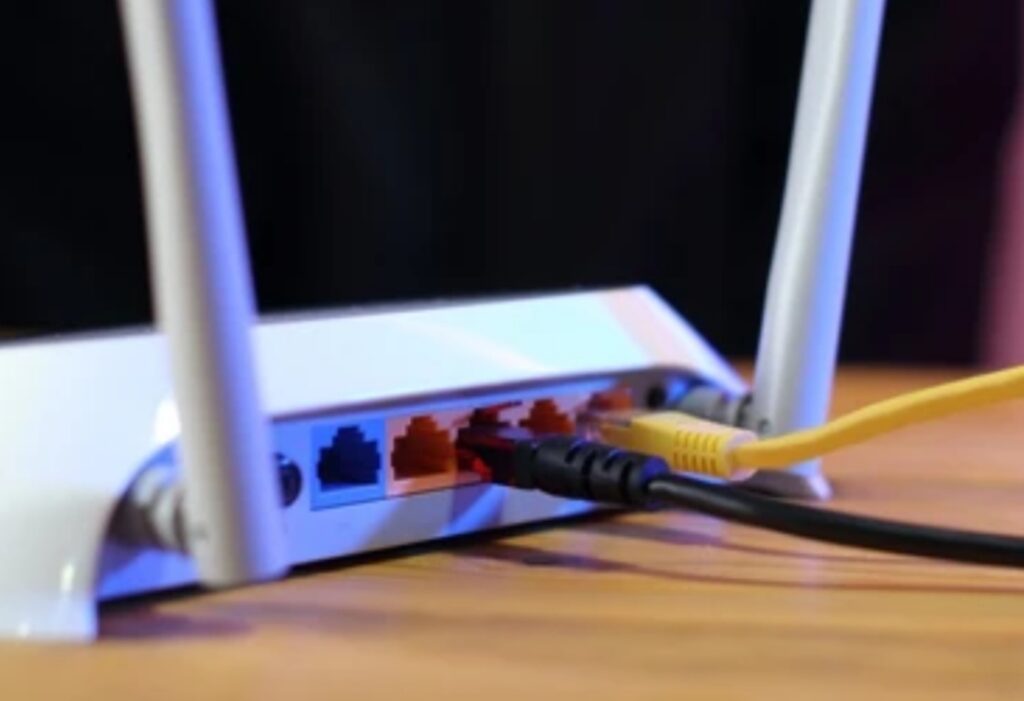
🚨 Tri-Band or Quad-Band Design for Zero Interference
In modern households filled with smart TVs, IoT devices, and multiple gamers, a dual-band router just isn’t enough.
🚦 Tri-band or quad-band routers offer:
- One 2.4GHz band for older devices
- One or two 5GHz bands for modern Wi-Fi traffic
- One 6GHz band (if Wi-Fi 6E or Wi-Fi 7)
This means:
✅ No interference from non-gaming devices
✅ Seamless load balancing across multiple users
✅ Faster speeds for your gaming PC or console
📝 If your network gets crowded during peak hours, a quad-band router will keep your ping rock-solid.
🔄 Beamforming, MU-MIMO & OFDMA for Maximum Stability
Behind the scenes, advanced signal processing tech ensures your connection is rock-solid even at a distance.
These core features supercharge your Wi-Fi:
- Beamforming: Directs signal toward your gaming device instead of broadcasting everywhere
- MU-MIMO: Handles multiple devices simultaneously without slowing down your gaming device
- OFDMA: Breaks bandwidth into smaller sub-channels to improve efficiency
✅ These are must-haves for larger households, especially if you game over Wi-Fi.
📌 Combined, they ensure every packet reaches your device instantly — no jitter, no lag.
🧠 AI-Enhanced Performance Optimization
In 2025, AI-powered routers are no longer sci-fi — they’re real, and they’re powerful.
Top routers now include:
- AI traffic prioritization
- Self-healing networks
- Machine-learning optimized routing paths
- Automatic interference detection and channel switching
🎯 Example: ASUS’s AI Mesh routers can analyze your usage patterns and auto-adjust to maximize performance without you lifting a finger.
🧠 These routers learn how you game — and optimize themselves accordingly.
🏆 Bonus Features That Elevate Gaming Routers
Some routers go above and beyond with elite, bonus-level features:
🚀 RGB lighting & gamer aesthetics – Match your setup and look like a pro
🔄 Cloud game acceleration – Optimizes servers for Stadia, GeForce Now, etc.
🕸️ Mesh support – Expand coverage across large homes
📡 Gaming-specific firmware – Like DumaOS for the Nighthawk Pro series
These features can improve performance and the user experience, making your entire setup feel elite.
💥 Upgrade to Pro-Level Performance Today
Ready to level up your gameplay with cutting-edge router technology?
Don’t settle for lag, drops, or lost matches.
👉 Explore the top-rated gaming routers with advanced features here 🔗
Experience zero-lag, zero-compromise gaming — because every millisecond counts.
🧩 Gaming Router vs. Regular Router — What’s the Real Difference?
Not all routers are built the same — and if you’re a gamer, this difference could make or break your experience.
Many people wonder:
“Is there really a difference between a gaming router and a regular one?”
The short answer: Yes — a huge one.
In this section, we’ll compare gaming routers vs regular routers, break down their key distinctions, and show you why investing in the right one can give you a serious competitive edge.
We’ll also reveal why the best gaming router features can’t be found in your average off-the-shelf device — and what you’ll miss out on if you settle for less.

🔍 Prioritization of Gaming Traffic (QoS)
Gaming routers come equipped with advanced Quality of Service (QoS) tools — a non-negotiable feature for competitive or online gamers.
🛠️ What this means:
- Gaming routers: Prioritize gaming packets over everything (YouTube, Netflix, downloads, etc.)
- Regular routers: Treat all traffic equally — causing lag when someone else in the house streams or downloads
🎮 Imagine losing a ranked match because someone started a Netflix binge.
With a gaming router, that never happens.
✅ Game-first traffic routing ensures low ping and smooth gameplay under any network load.
📶 Wi-Fi Technology & Bandwidth Handling
Gaming routers support the latest wireless standards, like:
- Wi-Fi 6 and Wi-Fi 6E
- Wi-Fi 7 (on premium models)
In contrast, most regular routers are still stuck with Wi-Fi 5 or below, which means:
❌ Lower bandwidth
❌ Less efficient device handling
❌ Higher latency during crowded usage
🎯 Key takeaway:
Gaming routers provide more speed, less interference, and better performance under load.
🔗 Multi-Gig LAN Ports and Gaming Ethernet Support
Let’s talk about wired connections — essential for competitive gaming.
- 🖥️ Gaming routers come with 2.5G or 10G Ethernet ports, perfect for modern PCs and consoles.
- 📺 Regular routers usually have standard 1G ports and no dedicated gaming lanes.
📝 Some gaming routers even offer dedicated “GAMING” ports that automatically prioritize traffic.
✅ If you’re using a wired setup, a gaming router gives you a seriously faster and more stable connection.
🔧 Customization and Gamer-Optimized Software
Most regular routers come with a simple control panel — often basic and outdated.
Gaming routers, however, offer powerful, gamer-friendly interfaces with:
- 🎮 Custom gaming profiles
- 📊 Real-time bandwidth monitoring
- 🧠 AI-based optimization settings
- 📱 Mobile app control
- 🚀 One-click “Game Mode”
💡 With a few taps, you can reduce ping, block distractions, and supercharge your gameplay experience.
✅ These smart tools make your router feel like a command center — built for gamers.
🔒 Enhanced Security Tailored for Gamers
Gamers are uniquely vulnerable to online attacks — especially streamers, content creators, or competitive players.
Gaming routers offer:
- Built-in DDoS protection
- Gaming VPN integrations for lower ping + secure routing
- WPA3 encryption
- Firewall custom rules for total control
🧱 Regular routers often lack these security layers, leaving you exposed.
🎯 Want to stream, compete, and connect globally without fear? A gaming router is your best defense.
🧠 Smart Traffic Management with AI and Machine Learning
AI-powered gaming routers are changing the game in 2025.
Unlike regular routers, they offer:
- Smart channel switching
- Real-time interference detection
- Auto prioritization of devices and apps
- Learning-based optimization over time
🤖 These routers get better the longer you use them.
✅ Regular routers? They just sit there and react — no smarts involved.
🛡️ Firmware & Update Frequency
One of the most overlooked differences:
Gaming routers are updated more frequently, keeping them compatible with new games, apps, and threats.
- 🔄 Auto-updates protect your network
- 🚨 Regular patching adds new features
- 📅 Keeps you ahead of hackers and latency issues
📝 In contrast, budget or ISP-provided routers may go months or years without firmware support.
📊 Summary Table – Gaming Router vs Regular Router
| Feature | Gaming Router | Regular Router |
| QoS (Traffic Prioritization) | ✅ Dynamic + App-Based | ❌ Basic or None |
| Wi-Fi Standards | ✅ Wi-Fi 6/6E/7 | ❌ Usually Wi-Fi 5 |
| LAN Ports | ✅ 2.5G/10G + Gaming Ports | ❌ Standard 1G |
| Gamer UI | ✅ Real-time, Custom | ❌ Basic, Generic |
| Security | ✅ DDoS, VPN, WPA3 | ❌ Minimal Protection |
| AI Optimization | ✅ Machine Learning Tools | ❌ Not Supported |
| Firmware Support | ✅ Frequent + Auto | ❌ Rare or Manual |
🧲 So, Do You Need a Gaming Router?
If you’re:
- Playing online games competitively
- Streaming on Twitch or YouTube
- Hosting game servers or LAN parties
- Sharing your network with heavy users
- Looking to reduce ping and boost speed
Then the answer is a resounding yes.
⚠️ A regular router simply can’t handle modern gaming demands.
Invest in a gaming router, and you’ll instantly notice:
✅ Lower latency
✅ Smoother gameplay
✅ Less lag
✅ Better performance — even during peak hours
💥 Choose Performance. Choose Victory.
Why settle for average when you can dominate?
🎯 Upgrade to a top-tier gaming router today and transform how you play, stream, and win.
Power, precision, and protection — all in one router.
🎯 How to Choose the Best Gaming Router for Your Needs in 2025
When it comes to competitive or immersive gaming, not all routers are created equal.
If you’ve ever suffered from lag spikes, dropped connections, or slow response times, chances are your current router is holding you back.
So how do you make sure you’re investing in a device with the best gaming router features — the kind that truly enhances your performance?
In this detailed guide, we’ll walk you through everything you need to consider when choosing a gaming router in 2025, including expert tips, future-proof technologies, and must-have features that ensure low latency, stable connection, and faster gameplay.
This is your A-Z checklist for picking a gaming router that matches your budget, platform, and play style.
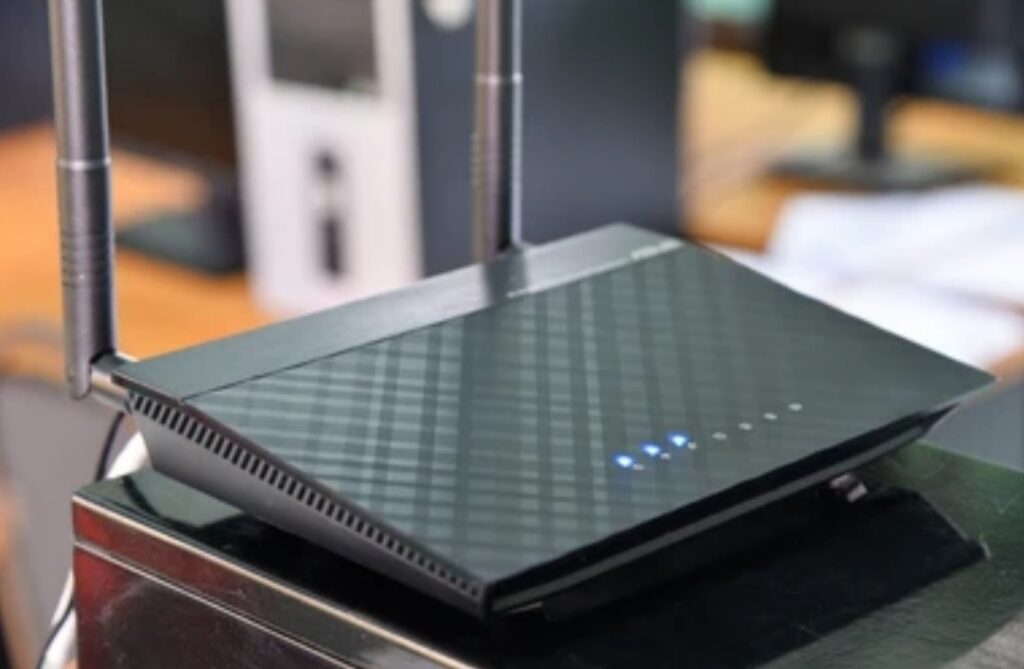
🧠 Identify Your Gaming Priorities First
Before comparing specs and brands, start by asking:
- ❓ Are you a casual, competitive, or professional gamer?
- ❓ Do you game on PC, console, or both?
- ❓ Are there multiple users or gamers in your household?
- ❓ Is your setup wired or wireless?
💡 Why it matters:
Each of these questions affects what kind of network performance and router features you’ll need.
For example:
- Competitive PC gamers might prioritize low latency, 2.5G Ethernet ports, and QoS tools.
- Console gamers may benefit more from wireless stability and MU-MIMO support.
- Streamers need a router with strong upload speeds and DDoS protection.
✅ Knowing your needs prevents overpaying for features you’ll never use—or worse, buying a router that can’t keep up.
📶 Look for the Latest Wi-Fi Standards (Wi-Fi 6/6E/7)
Wireless technology is evolving fast, and in 2025, you should not be buying a router that’s stuck in the past.
- Wi-Fi 6 (802.11ax): Delivers faster speeds, better performance in crowded homes, and improved battery efficiency for devices.
- Wi-Fi 6E: Adds an ultra-fast 6 GHz band for lower latency and less interference.
- Wi-Fi 7 (802.11be): Found in high-end models. Offers double the bandwidth and MU-MIMO on steroids.
🎯 Pro Tip:
If you want your setup to be future-proof for the next 5–7 years, choose a gaming router that supports Wi-Fi 6E or Wi-Fi 7.
✅ These are essential best gaming router features if you want next-gen speed and stability.
🔄 Prioritize Dual-Band or Tri-Band Functionality
- Dual-band routers split your network across 2.4GHz and 5GHz — great for gaming + streaming simultaneously.
- Tri-band routers add an additional 5GHz or 6GHz band, reducing congestion.
💡 In a household with:
- Multiple gamers
- 4K streaming
- Smart devices running in the background
👉 Tri-band routers perform significantly better.
✅ Look for band steering, dynamic frequency selection (DFS), and automatic load balancing for peak performance.
📡 Check for Advanced QoS (Quality of Service)
This is a non-negotiable feature if you care about your ping.
💡 QoS lets you prioritize:
- Gaming apps
- Consoles
- Specific games
- Streaming software (like OBS)
Look for:
- App-based QoS (e.g., Auto-prioritize Fortnite, Warzone, Valorant)
- Device-based QoS (e.g., Prioritize Xbox, PS5, or gaming PC)
- Gaming Mode or Game Boost toggles
✅ The best gaming routers offer adaptive QoS that learns your behavior over time.
🔌 Wired Connectivity & Multi-Gig Ethernet Ports
Serious gamers often prefer wired over wireless for one big reason: zero packet loss and the lowest latency.
Here’s what to look for:
- ✅ At least one 2.5G or 10G LAN port
- ✅ Dedicated gaming Ethernet port with built-in traffic priority
- ✅ Multiple LAN ports for LAN parties or multiple devices
- ✅ Link Aggregation for faster NAS and streaming support
🎮 Even if you mainly use Wi-Fi, it’s smart to have the option to go wired for maximum stability.
🧰 Robust Firmware & Custom Control Panel
Most regular routers offer bland, outdated UIs.
The best gaming routers in 2025 include:
- 📊 Real-time bandwidth stats
- ⚙️ Custom profiles for different game types
- 📱 Mobile app controls
- 🧠 AI-based optimization
- 🔄 Auto firmware updates
✅ Bonus Tip: Look for routers with OpenWRT or DD-WRT support if you want advanced control and customization.

🛡️ Strong Security + Privacy Features
Gaming puts you at higher risk for:
- DDoS attacks
- IP doxing
- Swatting (for streamers)
Look for a router that includes:
- ✅ Built-in DDoS protection
- ✅ Gaming VPN support (like WTFast or NordVPN)
- ✅ WPA3 encryption
- ✅ Parental controls (if you’re sharing the network)
- ✅ Guest network separation for safe gaming sessions
🎯 Security is often the most underrated of the best gaming router features — until you really need it.
📈 AI & Machine Learning Features for Self-Optimization
Top-tier gaming routers in 2025 are AI-enhanced, which means they learn and adapt over time.
Look for:
- ✅ AI Mesh support (for whole-home gaming setups)
- ✅ Intelligent traffic shaping
- ✅ Auto-switch to least crowded channels
- ✅ Smart latency reduction systems
These features provide a “set-it-and-forget-it” experience — perfect for gamers who don’t want to micromanage their network.
🧠 Brand Reputation and Software Ecosystem
Stick to top-rated gaming router brands known for innovation, support, and gamer-first designs:
🏆 Best brands in 2025:
- ASUS ROG (Republic of Gamers series)
- Netgear Nighthawk Pro Gaming
- TP-Link Archer & Deco Gaming
- Linksys Hydra Pro Gaming
- MSI RadiX Gaming Routers
💡 Look for routers that have:
- 🧩 A dedicated gaming dashboard
- 🔁 Frequent firmware support
- 🎧 Gaming community feedback and reviews
🧲 Bonus Features That Add Massive Value
Want to go the extra mile?
Here are powerful features that many top-performing routers include:
- ✅ RGB lighting (aesthetic bonus!)
- ✅ Geo-filtering for local matchmaking
- ✅ Ping heatmaps
- ✅ Cross-platform optimization (PC, console, mobile)
- ✅ Game packet acceleration
- ✅ Built-in Alexa or Google Assistant compatibility
📌 Checklist — What to Look for in a Gaming Router in 2025
✔️ Wi-Fi 6E or Wi-Fi 7 support
✔️ Dual-band or tri-band operation
✔️ At least one 2.5G Ethernet port
✔️ Dynamic QoS or adaptive game prioritization
✔️ DDoS protection + VPN
✔️ Game Mode toggle
✔️ App or game-specific optimization
✔️ Real-time bandwidth monitor
✔️ Firmware support & mobile app
✔️ AI traffic management
✔️ Trusted gaming brand
💡 Ready to Buy a Gaming Router? Here’s Your Power Move.
Why guess when you can level up with confidence?
🎯 Click here to explore the top-rated gaming routers of 2025 — pre-vetted for speed, stability, and gamer satisfaction.
Crush lag. Boost performance. Win more.
🚀 Emerging Technologies in Gaming Routers
As online gaming becomes more competitive and demanding, router technology is evolving at a rapid pace.
If you want to future-proof your setup and stay ahead of the curve, you need to understand the emerging technologies in gaming routers that are shaping 2025 and beyond.
These cutting-edge features go far beyond basic specs. They’re designed to deliver ultra-low latency, lightning-fast speeds, and smarter network optimization that adapts to your gaming habits.
Let’s break down the breakthrough innovations you need to look for when evaluating the best gaming router features in today’s fast-paced digital arena.

🧠 AI-Powered Network Optimization
Artificial Intelligence (AI) is making gaming routers smarter than ever.
Modern gaming routers now use machine learning algorithms to:
- Monitor traffic in real time
- Prioritize gaming packets automatically
- Adjust settings dynamically based on your usage
- Predict network congestion and pre-optimize your channels
💡 This means your router learns how you game and adapts in real time without you lifting a finger.
✅ Look for features like:
- AI Traffic Management
- Smart QoS
- Auto Device Prioritization
- AI-Driven Game Modes
Routers like the ASUS ROG Rapture GT-BE98 or TP-Link Archer BE800 offer advanced AI controls that dramatically reduce ping and stabilize gaming connections—even during peak hours.
📶 Wi-Fi 7 (802.11be) – The Next-Gen Wireless Standard
Wi-Fi 7 is the next evolution in wireless gaming performance—and it’s starting to appear in premium routers in 2025.
Here’s what it brings to the table:
🔥 Faster speeds up to 46 Gbps
📡 320 MHz channel width (2x Wi-Fi 6E)
🔄 Multi-Link Operation (MLO) – lets devices use multiple bands simultaneously for zero interruptions
⚡ Lower latency for smoother gameplay
🛠️ Increased efficiency in crowded environments
🎯 For gamers who stream, multitask, or live in dense housing, Wi-Fi 7 is a game-changer.
✅ If you want the absolute best gaming router features for future-proof performance, Wi-Fi 7 support should be at the top of your checklist.
📡 Multi-Gig Ethernet and 10G LAN Ports
Gone are the days when a standard gigabit Ethernet port was enough.
Emerging gaming routers are equipped with:
- 2.5G and 10G ports for ultra-fast, stable wired connections
- WAN aggregation for combined internet throughput
- Multi-Gig LAN setups for streamers and content creators
These ports ensure no bottlenecks between your high-speed modem and gaming PC or console, allowing your connection to max out your ISP speed and then some.
💡 Perfect for competitive esports players, streamers, and multi-user homes.
🌐 Mesh Gaming Router Systems
Mesh networking isn’t just for smart homes anymore — it’s now optimized for gaming-specific performance.
Modern gaming routers offer AI-driven mesh systems that provide:
- Seamless roaming across rooms
- Lag-free gameplay in every corner of your house
- Smart node switching for uninterrupted multiplayer sessions
- Dedicated backhaul channels that isolate gaming traffic
⚔️ Example: ASUS AiMesh with ROG gaming routers or TP-Link Deco BE series with Game Acceleration.
🎮 No more dead zones, lag spikes, or packet loss during your gaming marathons.
🛡️ Built-in DDoS Protection & Encrypted Gaming VPNs
Cyber threats are on the rise—especially for gamers and streamers. Fortunately, emerging routers are now equipped with powerful, built-in security protocols.
Top security features to look for:
- DDoS protection with packet filtering
- Gaming-optimized VPNs (e.g., WTFast, NordVPN, ExpressVPN routers)
- Geo-fencing & IP masking for matchmaking protection
- Deep packet inspection (DPI) for smarter threat detection
- WPA3 encryption for bulletproof wireless security
✅ These tools don’t just keep your connection stable — they protect your identity and privacy, especially when streaming or joining global matches.
🧠 Dynamic Latency Management
Modern gaming routers now integrate real-time ping monitoring and dynamic latency reduction systems.
This includes:
- Ping Heatmaps – visualize the fastest server locations
- Real-Time Game Boosters – prioritize game data over background downloads
- Low-Latency Routing – smart pathing to avoid congested networks
- One-Click “Game Mode” buttons to instantly boost your network performance
✅ These are now some of the most demanded features among professional gamers.
🔄 Auto Firmware Updates & Cloud-Based Optimization
Outdated firmware is a silent killer of gaming performance.
Top routers in 2025 now feature:
- Cloud-based software updates
- Scheduled maintenance with zero downtime
- Cloud sync for profiles across devices and locations
- Remote control via mobile apps (iOS + Android)
This ensures your router is always up to date — with no manual downloads or restarts.
⚙️ Integration with Smart Assistants and Game Consoles
Gaming routers are no longer just for PCs.
The latest models offer native compatibility with:
- 🎮 Xbox Series X / PS5 / Steam Deck
- 🎧 VR headsets (Oculus Quest, PSVR2)
- 🤖 Voice assistants like Alexa and Google Assistant
- 🕹️ Cloud gaming platforms like NVIDIA GeForce NOW & Xbox Cloud Gaming
✅ Voice-control your bandwidth. Prioritize a console from your phone. Enable Game Mode with a simple voice command.
🧲 Custom Game Profiles & Application Acceleration
High-end routers now allow you to create game-specific profiles for:
- Valorant
- Fortnite
- Call of Duty
- Apex Legends
- League of Legends
- PUBG
- Dota 2
Each profile automatically:
- Prioritizes specific ports
- Allocates optimal bandwidth
- Triggers QoS rules
- Enables custom ping boosters
🎯 These features give you an unbeatable edge over opponents, especially in ranked or tournament gameplay.
📌 Summary – Must-Have Next-Gen Router Tech in 2025
| Feature | Benefit |
| Wi-Fi 7 | Blazing-fast speeds, ultra-low latency |
| AI Optimization | Smart prioritization, less manual setup |
| 2.5G/10G Ports | Ultra-fast, stable wired gaming |
| DDoS + VPN | Maximum protection and privacy |
| Mesh Gaming System | Whole-home lag-free gaming |
| Ping Heatmaps & Boosters | Real-time latency control |
| Cloud Updates | Always up to date, zero effort |
| Custom Game Profiles | Hyper-optimized for specific games |
💥 Ready to Future-Proof Your Setup?
Don’t settle for yesterday’s tech in today’s competitive world.
👉 Explore the most advanced gaming routers with emerging technologies here and give your setup the unstoppable speed, power, and protection it deserves.
⚡ Dominate the competition, not your connection. Upgrade today!
🏆 Top Gaming Routers You Can Buy in 2025 (Ranked & Reviewed)
When you’re aiming for zero lag, unshakable speeds, and unmatched performance, not just any router will do.
Gamers today are looking beyond ordinary specs and want devices engineered specifically for high-performance gaming.
So, what are the top gaming routers of 2025 that combine cutting-edge features, futuristic design, and real-world performance?
We’ve analyzed specs, user reviews, benchmarks, and expert insights to bring you the ultimate list of the best gaming routers—so you can game like a pro with the power of tech on your side.
Let’s dive in. 🎮

🔝 1. ASUS ROG Rapture GT-BE98 – The Future-Proof Powerhouse
✅ Best for: Hardcore gamers, streamers, esports athletes
Key Features:
- Wi-Fi 7 with speeds up to 46 Gbps
- 10G WAN/LAN ports + 2.5G multi-gig LAN
- Quad-band performance with 320 MHz channel
- Game Boost, Ping Heatmap, and VPN Fusion
- Advanced AI-driven QoS and traffic management
- Built-in Triple-Level Game Acceleration
Why It Rocks:
This beast is built to dominate competitive gaming environments.
Whether you’re playing Valorant, Warzone, or League of Legends, the Rapture GT-BE98 delivers lightning-fast, low-latency performance.
With smart AI features, customizable dashboards, and gamer-specific tools, it’s easily one of the top gaming routers with the best gaming router features available today.
👉 Get the ASUS ROG Rapture GT-BE98 now
🚀 2. TP-Link Archer GE800 – Streamlined Speed Meets Smart Tech
✅ Best for: Power users, streamers, multi-device homes
Key Features:
- Wi-Fi 7 with dual 10G ports
- Quad-core 2.2GHz processor
- Game Panel with real-time latency monitoring
- VPN client/server support
- OFDMA and MU-MIMO for multiple devices
- TP-Link Game Accelerator & Device Prioritization
Why It Rocks:
The Archer GE800 is fast, intuitive, and feature-packed.
It’s especially great if you’re juggling high-end gaming with 4K streaming or smart home devices.
The UI is user-friendly, and the gaming panel gives you real-time visibility on latency, device usage, and bandwidth—all in one dashboard.
It’s one of the best gaming routers for families or shared households, where prioritization and balance matter.
👉 Explore TP-Link Archer GE800 deals
🔥 3. Netgear Nighthawk XR1000 – Built for Competitive Online Play
✅ Best for: FPS players, casual to semi-pro gamers
Key Features:
- Wi-Fi 6 (AX5400) speeds
- DumaOS 3.0 with Geo-Filtering
- Ping Heatmaps for real-time latency mapping
- QoS for gaming traffic
- Netgear Armor for added security
- 1.5GHz triple-core processor
Why It Rocks:
The XR1000 is a favorite among console and PC players for its precise geo-filtering and lag-reduction features.
Using DumaOS, you can optimize your matchmaking region, limit high-ping opponents, and minimize bufferbloat—all while tracking performance through intuitive heatmaps.
It’s a budget-friendlier option that still packs pro-grade gaming features.
👉 Check current Netgear XR1000 pricing
🎯 4. ASUS TUF Gaming AX6000 – Rugged Design, Serious Performance
✅ Best for: Gamers on a budget, durable builds
Key Features:
- Wi-Fi 6 dual-band with up to 6000 Mbps
- 2.5G WAN/LAN support
- Mobile Game Mode
- WPA3 security + AiProtection Pro
- Gaming LAN ports with auto prioritization
Why It Rocks:
Built with military-grade durability and a cool, aggressive design, this router is as tough as it looks.
While it doesn’t have Wi-Fi 7 yet, it’s still a beast when it comes to stable, lag-free gameplay and high-throughput downloads.
If you’re upgrading from a basic router and want real gaming perks without blowing your budget, this is a top pick.
👉 Buy ASUS TUF AX6000 at discounted price
🌐 5. Linksys Hydra Pro 6E – Best for Future-Ready Mesh Gaming
✅ Best for: Mesh network users, large homes
Key Features:
- Wi-Fi 6E with 6GHz band
- Supports 75+ devices at once
- Intelligent Mesh support
- 5.4Gbps max speeds
- Simple app-based controls
- Low interference gaming experience
Why It Rocks:
If you’re in a larger home or gaming across multiple floors, the Hydra Pro 6E is a sleek and scalable solution.
Its mesh capabilities ensure that latency stays low across your entire space, and its 6GHz band gives you cleaner, interference-free gaming.
Plus, it’s easy to set up—even for non-techies.
👉 Add Linksys Hydra Pro 6E to your setup here
📌 Quick Comparison Table – Best Gaming Routers of 2025
| Router | Wi-Fi Standard | Speed | Standout Feature | Best For |
| ASUS GT-BE98 | Wi-Fi 7 | 46 Gbps | AI + Game Boost | Esports/Pro Gamers |
| TP-Link GE800 | Wi-Fi 7 | 19 Gbps | Dual 10G Ports | Streamers |
| Netgear XR1000 | Wi-Fi 6 | 5.4 Gbps | Geo-Filtering | FPS Gamers |
| ASUS TUF AX6000 | Wi-Fi 6 | 6 Gbps | Mobile Game Mode | Budget Builds |
| Linksys Hydra Pro 6E | Wi-Fi 6E | 5.4 Gbps | Mesh Support | Large Homes |
💡 Pro Tip: What to Prioritize When Buying
- 🎮 Always choose a router that supports your most-played games
- ⚙️ Look for low-latency technology like QoS, Game Mode, or Geo-Filtering
- 🔐 Don’t ignore security—gaming VPNs and DDoS protection are must-haves
- 🔄 Consider future-proofing with Wi-Fi 7 or multi-gig ports
🛒 Ready to Upgrade Your Gaming Setup Today?
⚡ Pick your router from this elite list of the top gaming routers now and give yourself the competitive edge that serious gamers need.
No more lag. No more dropouts. Just pure, unfiltered gaming dominance.
🎛️ How to Optimize Your Gaming Router Settings for Maximum Performance in 2025
Your gaming router is only as good as its configuration.
Even the most advanced router can bottleneck your connection if not set up properly.
Whether you’re on a budget build or rocking one of the top gaming routers of 2025, optimizing your gaming router settings is the real secret weapon for ultra-low latency, consistent ping, and smooth gameplay.
In this section, we’ll break down the best gaming router features you need to tweak—and show you exactly how to get the most out of them.
This guide will help you minimize lag, boost wireless speed, and create a competitive edge—whether you’re gaming on PC, console, or the cloud.
Let’s dive in. 🎯
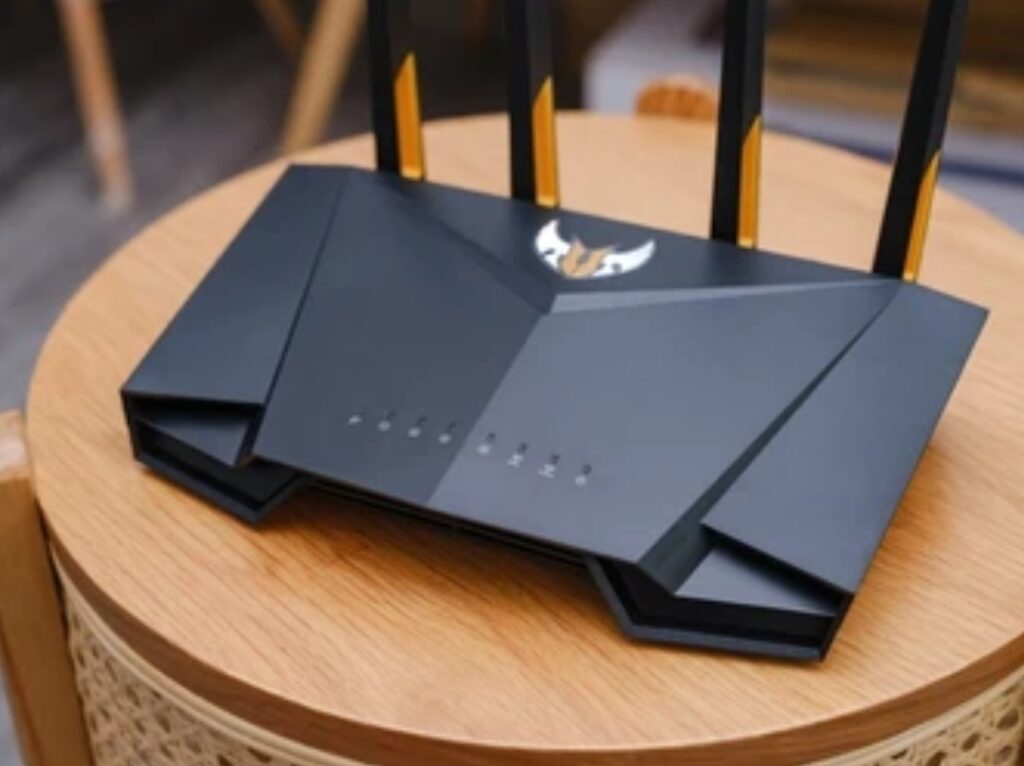
⚙️ 1. Prioritize Your Gaming Devices with QoS (Quality of Service)
QoS is one of the most powerful tools in any modern router.
It allows you to prioritize gaming traffic so that your PC, Xbox, or PlayStation always gets bandwidth preference—even when others are streaming Netflix or downloading large files.
✅ Steps to Enable QoS:
- Log into your router admin panel (usually 192.168.1.1)
- Navigate to “QoS Settings”
- Add your gaming device by IP or MAC address
- Assign it High or Highest Priority
- Save and reboot your router
Pro Tip: Some routers like the ASUS ROG series come with Game Device Acceleration, which auto-detects and prioritizes gaming traffic for you.
🌐 2. Use a Wired Ethernet Connection for Critical Devices
While Wi-Fi 6 and 7 offer lightning speeds, nothing beats a wired Ethernet connection for stability and low latency.
Use a Cat6 or Cat7 Ethernet cable to connect your gaming PC or console directly to your router’s multi-gig LAN port.
Benefits:
- ⚡ Lower ping
- 🚫 Reduced packet loss
- 🔒 Secure connection, no interference
Bonus Tip: Use a high-quality flat Ethernet cable if you’re running it under carpets or doors.
📡 3. Enable Game Mode or Gaming Traffic Boost
Many routers now offer a dedicated Game Mode or Gaming Accelerator feature.
This setting streamlines packets for gaming traffic and reduces jitter and lag spikes.
Where to Find It:
- ASUS routers: “Game Boost” or “Mobile Game Mode” in the ASUS Router App
- TP-Link: “Game Accelerator” in the Tether App
- Netgear: DumaOS → Gaming → Traffic Prioritization
This setting is often one-click and makes a visible difference when you’re playing competitive titles like Fortnite, Apex Legends, or Call of Duty.
🌍 4. Use Geo-Filtering for Server Control (FPS Players Only)
If your router supports it (like the Netgear Nighthawk XR1000 with DumaOS), Geo-Filtering is a game changer.
You can set a physical region for matchmaking, ensuring you only connect to low-ping servers.
Example:
Set your match range to within 1,000 miles to avoid high-ping players and improve consistency.
Ideal for: Call of Duty, Battlefield, Overwatch, and any server-based FPS.
🛡️ 5. Turn On Gaming-Specific Firewall or Security Features
Gaming routers often come with built-in network protection that doesn’t interfere with performance.
Turn on features like:
- AiProtection Pro (ASUS)
- Netgear Armor
- TP-Link HomeShield
These services block malware, phishing attempts, and DDoS attacks without adding ping or latency.
You stay protected—and stay in the game.
📶 6. Optimize Wi-Fi Channels & Band Steering
If you’re stuck using Wi-Fi, make sure you’re getting the cleanest signal.
Actions to Take:
- Use a 5 GHz or 6 GHz band over 2.4 GHz
- Turn on Band Steering so devices connect to the fastest band automatically
- Use a Wi-Fi analyzer app to select the least congested channel
🔄 7. Keep Firmware Updated (It Matters More Than You Think!)
Outdated firmware can introduce security vulnerabilities and performance issues.
Router manufacturers release critical updates to improve performance, reduce bugs, and enhance gaming features.
How to Check:
- Login to router admin panel
- Go to Firmware/Software Update
- Enable Auto-Update, or check weekly manually
👉 Always keep your router up to date to get the latest stability fixes and speed enhancements.
📌 8. Enable IPv6 (If Your ISP Supports It)
IPv6 can offer better routing efficiency and improved performance in online gaming—especially for matchmaking.
While it’s not a game changer for everyone, enabling IPv6 can improve consistency in games like:
- Destiny 2
- Halo Infinite
- World of Warcraft
To enable:
- Login → Advanced Settings → IPv6 → Enable → Save
📱 9. Use Your Router’s Mobile App for Real-Time Monitoring
Modern gaming routers come with powerful mobile apps that allow you to:
- 📊 Monitor latency
- 📱 Prioritize devices
- 📡 Activate game mode instantly
- 🧠 Get AI-powered network suggestions
Examples:
- ASUS Router App
- TP-Link Tether
- Netgear Nighthawk App
Stay in control, even when you’re away from your desk.
💡 Bonus Optimization Tips from Pro Gamers
- 🔋 Disable background downloads and auto-updates during gameplay
- 🚪 Place router in open, central location—avoid corners or metal interference
- 🌙 Reboot your router weekly to flush memory and reset connections
- 🧼 Clear DNS cache on your devices regularly for faster name resolution
🛒 Don’t Just Own a Gaming Router—Make It Perform Like One
Ready to unlock peak performance from your router?
Start by adjusting these settings right now and take control of your latency, bandwidth, and in-game dominance.
It’s not about spending more—it’s about configuring smart.
🚫 Common Mistakes Gamers Make with Router Setup (and How to Fix Them)
You could be using the most expensive, high-end gaming router on the market, yet still suffer from lag spikes, slow speeds, or disconnects—why?
Because too many gamers fall into common router setup traps that silently ruin performance.
This section uncovers the biggest setup mistakes gamers make and shows you exactly how to fix them—step-by-step.
These tips apply to all router models—from budget buys to the best gaming routers with top-tier features.
Let’s help you dodge these mistakes so your router runs like a pro-level performance machine. 🧠⚡

❌ Mistake #1 – Using the Wrong Frequency Band
Most gamers still connect to the default 2.4 GHz Wi-Fi band, unaware of the massive performance boost offered by the 5 GHz or 6 GHz bands.
The 2.4 GHz band is slower and crowded (shared with microwaves, cordless phones, etc.)
✅ Fix:
- Log in to your router
- Rename 2.4 GHz and 5 GHz bands (example: MyWiFi_2G and MyWiFi_5G)
- Connect your gaming device to the 5 GHz or 6 GHz band for faster speeds and lower latency
Best for: Short to medium-range gaming on Wi-Fi
Power Tip: If your router supports tri-band or Wi-Fi 6E, use the 6 GHz band for a dedicated gaming lane with near-zero interference.
🛑 Mistake #2 – Not Prioritizing Gaming Devices with QoS
Most routers come with QoS (Quality of Service), but many users leave it disabled—a big mistake.
Without QoS, your bandwidth is shared equally among all devices. That’s bad news if someone starts a 4K stream mid-match.
✅ Fix:
- Log in → QoS settings
- Add your gaming device by IP or MAC address
- Set it to Highest Priority
- Save changes and reboot
Some routers allow Gaming Mode that automatically detects and prioritizes gaming traffic. Make sure it’s turned on.
📶 Mistake #3 – Poor Router Placement
Routers shoved behind furniture, under desks, or in closed cabinets choke your signal.
Wi-Fi is line-of-sight. Obstructions kill your signal strength, leading to jitter and packet loss.
✅ Fix:
- Place router in a central, open space
- Elevate it on a shelf or wall mount
- Keep it away from metal objects and walls
📍 Ideal Location: Same room as your gaming device, or in the center of your gaming space.
⚡ Mistake #4 – Not Using Ethernet When Possible
Wi-Fi will never be as consistent as a wired connection.
Gaming over wireless is fine in casual play—but if you’re playing competitively or streaming, you must use Ethernet.
✅ Fix:
- Use a Cat6 or Cat7 cable to connect your gaming device to the router
- Use a multi-gig port if your router supports it for speeds over 1 Gbps
💡 Tip: If you’re far from your router, consider a powerline adapter or Wi-Fi 6 mesh extender with Ethernet port.
🔧 Mistake #5 – Not Updating Firmware
Running old firmware is like gaming on an outdated GPU—it just doesn’t perform.
Old firmware = bugs, security holes, and missing performance enhancements.
✅ Fix:
- Log into your router dashboard
- Check for firmware updates under Advanced Settings
- Enable auto-update if available
💡 Some newer routers will even notify you of firmware updates via app notifications.
🔄 Mistake #6 – Using Default DNS Servers
Your ISP’s default DNS may be slow and unreliable.
Faster DNS = faster website resolution, better matchmaking, and fewer disconnects.
✅ Fix:
- Change your DNS to Cloudflare (1.1.1.1) or Google DNS (8.8.8.8)
- Go to Network Settings → Manual DNS → Enter new DNS
- Reboot your router and device
🧠 Bonus Tip: Some gaming routers offer Private DNS settings to add another layer of optimization.
🚷 Mistake #7 – Leaving All Devices on One Network
Too many devices on one Wi-Fi band = congestion.
Smart TVs, phones, tablets, guests—they all compete with your gaming device for bandwidth.
✅ Fix:
- Create a separate SSID just for your gaming devices
- Use guest network for other home devices
- Enable Band Steering to distribute devices across available bands
Router Example: Some ASUS and TP-Link models allow you to dedicate a full band just to gaming!
❗ Mistake #8 – Ignoring DDoS Protection
Online gaming can make you a target for DDoS attacks, especially during ranked matches or tournaments.
✅ Fix:
- Enable DDoS protection in your router settings
- Use routers with built-in security software (e.g., Netgear Armor, ASUS AiProtection)
Gamers using dynamic IPs? Reset your IP address if attacked or use a VPN trusted gaming VPN here.
🚀 Mistake #9 – Not Enabling UPnP or Port Forwarding (When Needed)
Some games require open NAT types to perform best, especially for matchmaking and voice chat.
✅ Fix:
- Enable UPnP (Universal Plug and Play) in your router settings
- If issues persist, configure manual port forwarding for specific games
- Refer to your game’s support page for port numbers
Note: Not all routers manage this well—make sure yours supports gaming port control features.
✅ Fix These Now—Unlock Gaming Greatness
Don’t let these silent mistakes sabotage your skills.
If you want your router to deliver elite-level gaming performance, you’ve got to set it up right.
👉 Go fix at least 3 of these mistakes today—and notice the difference in your next match.
Want to see our top recommended routers with easy setup? Click here
❓ Frequently Asked Questions (FAQs) About Gaming Routers
Gamers are asking a lot of questions before buying or upgrading to a gaming router—and we’ve got clear, expert-backed answers to help them make the right decisions.
Whether you’re a casual player, a hardcore streamer, or someone shopping for the best gaming router features, this FAQ section answers everything you need to know—fast.

💡 What makes a router a “gaming” router?
A gaming router is specifically designed to prioritize gaming traffic, reduce latency, and offer features like QoS, MU-MIMO, high-speed bands, and low ping optimizations.
It differs from standard routers in that it:
- Supports faster processors for real-time packet management
- Has advanced QoS to prioritize games over other activities
- Offers multiple bands like 5 GHz or 6 GHz for reduced interference
- Enables port forwarding, UPnP, and gaming modes
- Often includes RGB lighting and sleek gamer-friendly aesthetics
Looking for the best router for gaming in 2025? Click here to see top-rated options.
⚙️ Do I really need a gaming router to play online games?
Not always, but if you play competitive games (like Warzone, Fortnite, Valorant, or Apex Legends), a gaming router can significantly improve your performance.
If you notice issues like:
- Frequent lag spikes
- High ping in multiplayer games
- Disconnections during streams or downloads
- Network congestion with multiple users
…then yes, investing in a router with the best gaming router features will be worth it.
📶 Is Wi-Fi 6 or Wi-Fi 6E better for gaming?
Yes, both are better than Wi-Fi 5—but Wi-Fi 6E is the top choice for gaming in 2025.
Here’s why:
- Wi-Fi 6E unlocks the 6 GHz band—ultra-fast, low-congestion, perfect for gaming
- Delivers faster download/upload speeds
- Handles more devices with less interference
- Great for 4K/8K streaming, game downloads, and VR gaming
⚠️ Note: Make sure your gaming device supports Wi-Fi 6E to fully utilize this feature.
🧩 What is QoS, and how does it help gamers?
QoS (Quality of Service) is a router feature that lets you prioritize gaming traffic over other activities like streaming or downloading.
Think of it as giving your game VIP access to bandwidth.
By enabling QoS, your router will:
- Allocate more speed and stability to gaming devices
- Reduce ping during peak hours
- Prevent lag caused by other users streaming Netflix or downloading large files
Pro Tip: Use adaptive or dynamic QoS for automatic bandwidth adjustments.
🔌 Is Ethernet better than Wi-Fi for gaming?
Absolutely. Ethernet provides the most stable, fastest, and lowest-latency connection.
Benefits of Ethernet over Wi-Fi:
- No interference from walls or devices
- Near-zero latency and packet loss
- Perfect for esports and competitive play
If possible, connect your console or PC directly to your router using a Cat6 or higher Ethernet cable.
Here are some top-rated gaming Ethernet cables to maximize performance.
🛡️ Are gaming routers more secure than regular routers?
In many cases, yes.
High-end gaming routers often include advanced security features like:
- Built-in firewalls
- DDoS protection
- Automatic firmware updates
- VPN support
- Parental controls
Routers from brands like ASUS (AiProtection) and Netgear (Armor) come with real-time threat detection to keep your network safe while gaming.
🔍 Can a gaming router reduce ping or latency?
Yes. A properly configured gaming router can reduce latency by up to 30–50%, depending on your network setup.
Here’s how it reduces ping:
- Prioritizes gaming traffic with QoS
- Routes data more efficiently with gaming VPN or Geo-Filtering
- Provides faster access to game servers
- Eliminates lag from other users or apps hogging bandwidth
✅ Ping Tip: Always combine your gaming router with wired connections and updated firmware for best results.
📈 Do I need a router with multiple antennas for gaming?
Multiple antennas help with beamforming and signal directionality, improving both range and stability.
Benefits:
- Stronger, more focused signal to your gaming device
- Fewer dead zones in large homes
- Better performance in multi-story setups
4 to 6 antennas is ideal for large homes or multi-device environments.
🌐 Can a VPN slow down my gaming speeds?
Yes—but only if you’re using a low-quality or distant VPN server.
However, some premium VPNs offer gaming-optimized servers that:
- Reduce ping
- Protect from DDoS attacks
- Allow access to geo-restricted games
Look for routers with built-in VPN support or install a fast VPN optimized for gaming here.
🎮 What are the best gaming router brands in 2025?
Based on expert reviews and gamer feedback, the top gaming router brands this year include:
- ASUS ROG (Republic of Gamers)
- Netgear Nighthawk & Nighthawk Pro Gaming
- TP-Link Archer and TP-Link Gaming Series
- Linksys WRT and Hydra series
- Ubiquiti UniFi Dream Machine (advanced setups)
Each of these brands delivers high-speed performance, gaming-specific features, and regular firmware updates.
🔥 Got More Questions? Let’s Answer Them All!
Still unsure which router to choose?
Still confused about setup, specs, or compatibility?
👉 Drop your questions in the comments or check out our detailed buying guide here—we’ll help you get gaming-ready in minutes.
✅ Final Thoughts – Choosing the Right Gaming Router for an Unstoppable Advantage
In 2025, online gaming isn’t just about your skills—it’s about your setup.
And at the center of every high-performance setup is a powerful gaming router that delivers low latency, faster speeds, and elite-level stability.
If you’re still using a standard router, you’re likely leaving performance, speed, and wins on the table.
A router packed with the best gaming router features can:
- Slash ping times dramatically for real-time reaction
- Eliminate game-breaking lag and interruptions
- Support multiple devices with zero performance drops
- Ensure smoother streams, voice chats, and downloads—even during peak usage hours

🚀 The 2025 Advantage – Why Gaming Routers Matter More Than Ever
The online gaming world is evolving rapidly.
With the rise of cloud gaming, 8K streams, VR, and esports, your connection needs to do more than just “stay online.”
It needs to be optimized, prioritized, and fine-tuned—just like your aim.
That’s why 2025 is the year you upgrade.
Today’s routers offer next-gen capabilities like:
- Wi-Fi 6E & Wi-Fi 7
- Game Boosters, Geo-Filters, Multi-Gig WAN
- AI-optimized traffic routing
- Built-in DDoS & malware protection
And they’re no longer reserved for tech geniuses or streamers—they’re for every gamer who wants the edge.
🔍 What to Do Next – Your Action Plan
If you’ve read this far, you’re clearly serious about leveling up your gaming performance.
So here’s your move-by-move plan to make it happen:
- Evaluate your current router – Is it more than 3 years old? Does it lack QoS or Wi-Fi 6?
- Compare top models – Look at the brands and specs we’ve listed.
- Check your internet plan – Your router is only as fast as your ISP allows. Make sure both are in sync.
- Buy a gaming router with the features discussed above – Make sure it has low latency optimization, multi-band support, QoS, and gaming modes.
- Optimize your settings using our tips above – Don’t forget port forwarding, Ethernet setup, and device prioritization.
💥 Pro Tip: Combine your new gaming router with a mesh network or a gaming VPN for next-level performance and security.
🎯 Final Verdict – Is a Gaming Router Worth It?
Yes—without question.
If you’re playing online games competitively, streaming, or even casually gaming with friends, a dedicated gaming router transforms your experience.
The difference is immediate, powerful, and game-changing.
So stop settling for lag, lost packets, or choppy gameplay.
💬 Ready to Dominate? Let’s Make It Happen!
⚡ Upgrade today. Play without limits. Win more.
👉 Click here to explore the best gaming routers of 2025 with unbeatable features and deals
Or check out our full router buying guide and optimization checklist to get started right.
🏁 Summary Checklist – What to Look for in the Best Gaming Router Features
Use this quick reference to spot top-tier routers instantly:
- ✅ Dual-band or Tri-band (Wi-Fi 6 or Wi-Fi 6E)
- ✅ Gaming QoS (Adaptive/Manual)
- ✅ MU-MIMO and OFDMA
- ✅ Fast Processor (1.5 GHz+ Quad Core preferred)
- ✅ Built-in Game Boosting features
- ✅ Advanced Security (Firewall, DDoS, VPN)
- ✅ Port Forwarding, UPnP support
- ✅ Low-latency & jitter reduction tools
- ✅ Mobile App Control and Parental Controls
- ✅ Regular firmware updates
🛒 Choose your router from this curated list of battle-ready devices here.
Your gameplay deserves better. Your wins deserve fewer excuses.
💡 Upgrade to a router designed for domination, not just connection.
Start winning more today with the best gaming router features packed into your setup.
👉 Buy Now | See Our Router Picks | Read the Full Setup Guide
You might also like :