

Introduction — Why AI Automation Is the Future of Productivity ⚡
In today’s fast-paced digital world, time has become the most valuable currency.
Every minute you save through automation translates into more opportunities to grow your business, focus on creativity, or simply reclaim your personal time.
This is where AI workflow automation steps in — transforming the way professionals handle repetitive, everyday tasks.
Artificial Intelligence is no longer a futuristic dream; it’s a practical tool that’s reshaping how we work, communicate, and make decisions.
Among the many powerful automation tools available today, ChatGPT and Zapier stand out as the ultimate duo for anyone looking to simplify daily operations and supercharge productivity.
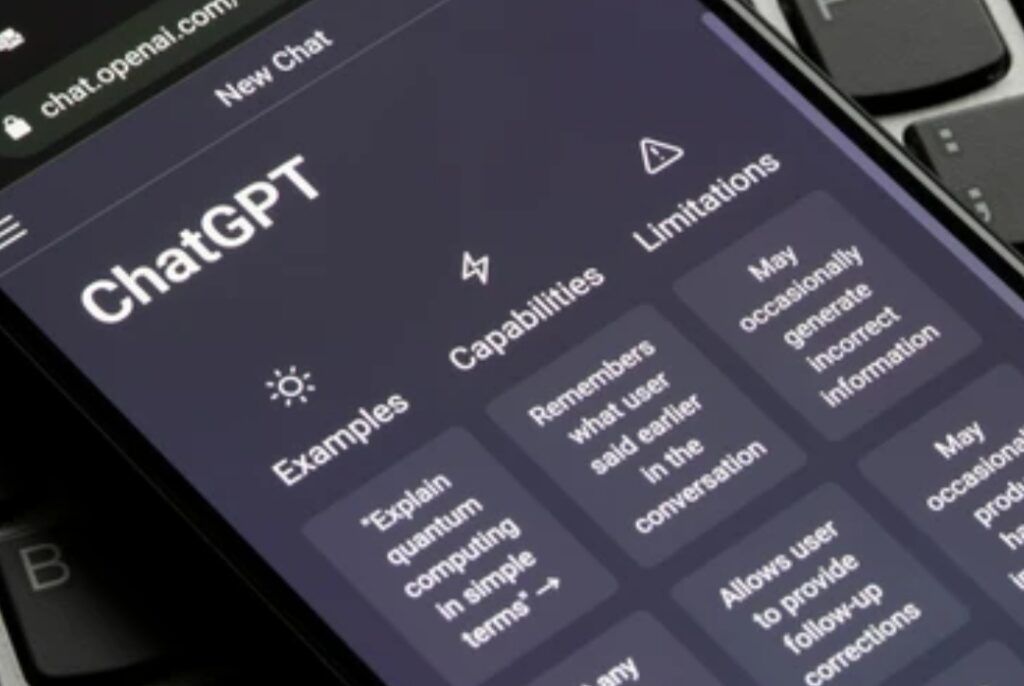
The Rise of Intelligent Automation and How It’s Changing the Game 🤖
Automation is not new.
For years, businesses have used software to handle repetitive work — from sending emails to managing customer data.
But the game has completely changed with the introduction of AI-powered automation tools like ChatGPT and Zapier.
Unlike traditional automation that follows rigid, pre-coded rules, ChatGPT automation adds a layer of intelligence that enables tools to “think,” “write,” and “respond” naturally.
This means you’re no longer just automating tasks — you’re delegating thinking tasks to artificial intelligence.
Think of it as having a virtual team member that can:
- Write emails or content drafts.
- Summarize lengthy reports.
- Generate responses based on context.
- Automate workflows across hundreds of applications.
When paired with Zapier AI integration, ChatGPT becomes a powerful assistant that can connect your favorite apps — like Gmail, Slack, Notion, or Google Sheets — to automate nearly any workflow imaginable.
From content creation to lead management, these automations work silently behind the scenes, ensuring that your digital life stays organized and efficient.
Why AI Workflow Automation Is the Future of Work 💡
We’re living in a time where digital transformation is not optional — it’s essential.
Businesses, freelancers, and even everyday users are embracing AI workflow automation to handle repetitive tasks that drain focus and energy.
According to recent reports, professionals spend nearly 40% of their time on routine digital tasks that could be easily automated.
By integrating tools like ChatGPT and Zapier, you can instantly:
- Save hours every week by automating repetitive communication.
- Eliminate human error in manual data entry or reporting.
- Streamline cross-platform tasks — for example, moving data from email to a spreadsheet automatically.
- Focus on high-value, creative, and strategic work instead of tedious admin tasks.
AI isn’t replacing humans; it’s empowering them to work smarter, not harder.
This evolution marks a shift from traditional task management to intelligent process automation, where creativity and efficiency go hand in hand.
The Power of ChatGPT and Zapier Integration 🚀
Here’s where the magic happens.
While ChatGPT brings the intelligence, Zapier provides the automation backbone.
When you connect them together, you create a seamless ChatGPT automation workflow that can perform multi-step tasks without manual input.
For example:
- 📨 When you receive an email, ChatGPT can summarize it, categorize the topic, and log it in your task app automatically.
- 🗓️ When a new calendar event is created, ChatGPT can send personalized reminders or draft follow-up messages.
- 📝 When new form data is submitted, ChatGPT can instantly generate a report or analysis.
This powerful Zapier AI integration eliminates context-switching — that mental fatigue caused by jumping between apps.
With the right workflow setup, your systems work for you — automatically, accurately, and 24/7.
You no longer need to spend hours on copy-pasting, summarizing, or responding manually.
Instead, you simply set it and forget it, allowing the automation to handle the heavy lifting.
The Benefits of Using ChatGPT Automation in Your Daily Life 🌟
Let’s face it — everyone has a list of time-consuming digital tasks.
Maybe you’re replying to emails, posting updates, organizing documents, or managing customer inquiries.
With ChatGPT automation, those repetitive processes can be fully or partially automated.
Here’s what makes this integration so valuable:
- ✅ Efficiency Boost: Save hours each week with automated workflows.
- ✅ Consistency: Get uniform quality and tone across all communications.
- ✅ Scalability: Handle more clients, projects, or tasks without burnout.
- ✅ Creativity Unlocked: Spend more time brainstorming and innovating.
Plus, with Zapier AI integration, your ChatGPT outputs can automatically trigger actions across over 6,000 connected apps — meaning your AI doesn’t just respond, it acts.
Example:
If you manage a blog, you could set up a Zap that allows ChatGPT to generate article ideas based on trending topics, then send them directly to Google Docs or Notion for review.
No more switching between tabs or wasting creative energy on setup work — everything happens automatically.
What Makes This the Right Time to Start Automating 🔥
We’re in the golden age of AI accessibility.
Just a few years ago, setting up automation required coding knowledge or technical expertise.
Now, thanks to tools like Zapier and platforms powered by ChatGPT, anyone — from entrepreneurs to students — can build smart workflows in minutes.
The setup is intuitive.
The possibilities are endless.
And the results are immediate.
If you’re serious about staying competitive and maximizing productivity, embracing AI workflow automation is no longer optional — it’s a necessity.
👉 Don’t wait until your competitors outpace you — start learning how to automate your tasks with ChatGPT and Zapier today!
Click here to explore the best tools, templates, and integrations that will help you set up your first AI-powered workflow easily.
Key Takeaway 💬
The future of productivity lies in automation that thinks and adapts.
By combining ChatGPT and Zapier, you can transform your workflow from manual and time-consuming to intelligent and effortless.
This integration allows you to work faster, smarter, and with fewer mistakes — freeing up your time for the things that truly matter.
So, if you’re ready to level up your productivity and unlock your full potential, it’s time to embrace AI workflow automation with ChatGPT and Zapier.
💥 Pro Tip: Start small — automate one simple task, such as summarizing your daily emails, and expand gradually as you see the time savings roll in. Within weeks, you’ll wonder how you ever worked without it.
Understanding ChatGPT and Zapier — The Foundation of AI Workflow Automation 🧠
Before diving into how to automate your daily tasks, it’s important to understand the two core technologies driving this revolution — ChatGPT and Zapier.
Together, they form the foundation of modern AI workflow automation, enabling users to connect apps, generate intelligent responses, and execute actions — all without manual effort.
Let’s break down what makes each tool powerful and how their integration can transform your everyday productivity.

What Is ChatGPT and How It Works 🗣️
ChatGPT is an advanced conversational AI model developed by OpenAI that understands, processes, and generates human-like language.
Unlike traditional chatbots that rely on pre-programmed responses, ChatGPT uses deep learning (through GPT models) to analyze context, predict meaning, and generate intelligent responses in real time.
Essentially, it can think, write, and communicate just like a human — but faster and with remarkable accuracy.
From writing blog posts and emails to summarizing complex documents or generating creative ideas, ChatGPT has become a powerful digital assistant for both personal and professional use.
Here’s what makes ChatGPT revolutionary:
- 🧩 Natural Understanding: It processes queries and conversations naturally, understanding tone, context, and intent.
- ⚙️ Adaptive Learning: ChatGPT continuously improves as AI technology evolves, offering more accurate, relevant, and creative outputs.
- 🧠 Versatility: It can perform multiple functions — from content generation and translation to code writing and brainstorming.
- 🔄 Integration Ready: It seamlessly connects with tools like Zapier, allowing it to trigger actions automatically based on your commands or app events.
In short, ChatGPT automation allows users to offload cognitive and creative tasks — freeing up valuable time and mental bandwidth.
What Is Zapier and How It Works ⚙️
Zapier is a no-code automation platform that connects over 6,000 apps and tools — including Gmail, Google Sheets, Notion, Slack, Trello, and even ChatGPT.
It acts as a digital bridge between different applications, enabling them to “talk” to each other and perform actions automatically through a system called Zaps.
Each “Zap” is composed of two main elements:
- Trigger: An event that starts the automation (for example, receiving an email in Gmail).
- Action: What happens next (for example, sending the email content to ChatGPT to summarize).
With Zapier, you don’t need to write a single line of code to automate complex workflows.
Its user-friendly interface allows anyone — even non-technical users — to create powerful automations in just a few clicks.
Example:
- 📨 When a new email arrives in Gmail → Zapier sends it to ChatGPT → ChatGPT summarizes the content → The summary is then automatically sent to Slack or saved in Notion.
This is the magic of Zapier AI integration — it lets AI act on your behalf, not just think.
The Power of Combining ChatGPT and Zapier 🔗
Individually, both tools are impressive.
But when ChatGPT and Zapier are connected, they create something extraordinary — a self-operating digital ecosystem that can write, process, and execute actions across multiple apps.
Imagine this:
You receive a client message on WhatsApp or Gmail.
Zapier automatically forwards it to ChatGPT.
ChatGPT reads the message, understands the context, and instantly drafts a professional reply or logs the information in your CRM.
All of this happens without you even touching your keyboard.
That’s the essence of AI workflow automation — your tasks get done while you focus on what truly matters.
Here’s what makes this integration so impactful:
- ⚡ Seamless Efficiency: Automate repetitive workflows like data entry, report generation, or customer communication.
- 💬 Intelligent Responses: Use ChatGPT to generate human-like answers, summaries, or decisions based on your data.
- 📊 Smart Data Flow: Send ChatGPT’s outputs to any platform — Google Docs, Notion, Trello, or email — via Zapier.
- 🧩 Endless Flexibility: Combine thousands of apps to create custom workflows that fit your exact business needs.
This pairing doesn’t just save time — it revolutionizes how you work, allowing AI to handle routine processes while you handle strategy and growth.
How Zapier AI Integration Works (Step-by-Step Overview) 🔍
To understand how this automation happens behind the scenes, here’s a quick breakdown of how Zapier AI integration connects ChatGPT to your favorite apps:
- Choose a Trigger App – Select the app or event that will initiate your workflow (for example, Gmail, Google Calendar, or Slack).
- Select the Trigger Event – Define what specific action will start the process (like receiving an email or a new form submission).
- Add ChatGPT as the Action Step – Configure ChatGPT to process or respond to the incoming data (e.g., summarize, analyze, generate text).
- Choose the Output Destination – Decide where ChatGPT’s response should go (Google Sheets, Notion, Slack, etc.).
- Activate the Zap – Once you’ve tested and confirmed it works correctly, turn it on — and your AI-powered workflow runs automatically.
This step-by-step integration allows users to build workflows that work intelligently and consistently — even while you sleep.
Popular Use Cases of ChatGPT and Zapier in Everyday Workflows 🧩
Here are some real-world examples of how professionals and entrepreneurs are already using ChatGPT and Zapier together to automate their daily workflows:
1️⃣ Email and Communication Automation
- ChatGPT reads incoming emails and drafts instant replies.
- Zapier routes the response to Gmail, Slack, or WhatsApp automatically.
- Outcome: Faster communication, zero missed messages.
2️⃣ Content Creation and Marketing
- Generate blog post ideas, social media captions, or newsletters automatically.
- Zapier connects ChatGPT with Google Docs, Trello, or Buffer to schedule content.
- Outcome: Save hours of writing and planning every week.
3️⃣ Data Entry and Reporting
- Collect form submissions or customer inquiries.
- ChatGPT processes and summarizes data, while Zapier logs it into Google Sheets or Notion.
- Outcome: Instant, organized records without manual entry.
4️⃣ Task and Project Management
- Automatically create new tasks in Asana or ClickUp when ChatGPT identifies an action item from your emails or messages.
- Outcome: Never forget important follow-ups again.
5️⃣ Customer Service Automation
- ChatGPT analyzes customer messages and drafts empathetic, accurate replies.
- Zapier sends the responses to your support platform (like Zendesk or Freshdesk).
- Outcome: 24/7 intelligent customer engagement.
These examples only scratch the surface — the possibilities are virtually endless once you explore ChatGPT automation through Zapier AI integration.
Why Understanding This Duo Matters for the Future of Work 🚀
AI is not here to replace human intelligence — it’s here to amplify it.
Understanding how to use ChatGPT and Zapier gives you a competitive advantage in an increasingly automated world.
Whether you’re a freelancer, small business owner, or corporate professional, mastering AI tools like these allows you to:
- Work faster with less effort.
- Reduce human errors in repetitive workflows.
- Create scalable systems that run independently.
The future belongs to those who know how to combine human creativity with AI efficiency.
And there’s no better starting point than learning how to automate your daily tasks using ChatGPT and Zapier.
💥 Pro Tip: If you’re new to AI workflow automation, start by exploring Zapier’s ChatGPT Templates — pre-made workflows that you can customize and deploy instantly. It’s the fastest way to experience the power of AI-driven automation without any technical setup.
👉 Ready to explore real-world automation examples?
In the next section, we’ll dive into why combining ChatGPT and Zapier is so powerful — and how it can completely transform how you handle your daily routine.
Why Combine ChatGPT and Zapier for Automation — The Ultimate Productivity Power Duo ⚡
In the age of digital overload, it’s easy to get buried under endless notifications, repetitive admin tasks, and time-draining manual work.
This is where ChatGPT and Zapier come together as the ultimate AI automation power duo, revolutionizing how professionals, entrepreneurs, and businesses operate.
By merging the creative intelligence of ChatGPT with the connective automation of Zapier, you can build workflows that not only execute tasks automatically but also think intelligently while doing so.
This means fewer repetitive clicks and more meaningful, high-impact work.
Let’s explore exactly why this combination has become the go-to solution for smart, efficient, and scalable AI workflow automation.

The Perfect Synergy Between ChatGPT and Zapier 🔗
To understand the power behind this partnership, imagine this simple analogy:
Zapier is like the engine that drives automation, while ChatGPT is the brain that makes intelligent decisions during the process.
- Zapier handles what happens — it connects thousands of apps, moves data between them, and performs specific actions.
- ChatGPT, on the other hand, handles how it happens — it interprets text, generates content, and makes sense of information contextually.
Together, they create a dynamic automation ecosystem capable of:
- Understanding human language.
- Executing complex workflows.
- Adapting intelligently to different scenarios.
This combination marks the evolution from simple automation to smart automation, where AI doesn’t just follow rules — it analyzes, responds, and acts like a human assistant.
The Benefits of Combining ChatGPT Automation with Zapier AI Integration 💡
When you integrate ChatGPT and Zapier, you’re not just saving time — you’re upgrading your entire workflow strategy.
Below are some of the most powerful benefits this duo brings to your daily operations:
1️⃣ End-to-End Workflow Automation
Traditional automation only covers specific steps — like sending an email or creating a spreadsheet entry.
But with ChatGPT automation, you can automate the entire workflow from start to finish.
For example:
- A customer fills out your website form.
- Zapier sends the data to ChatGPT.
- ChatGPT summarizes the request and generates a personalized reply.
- Zapier sends the AI-crafted email back to the customer.
✅ The result: complete automation without manual intervention.
2️⃣ Smarter Decision-Making Through AI
Zapier alone can trigger actions, but it doesn’t “understand” your data.
By adding ChatGPT into the mix, your automations become intelligent.
For instance:
- ChatGPT can analyze email content to decide if it’s urgent or routine.
- It can identify sentiment in customer messages and craft tone-appropriate replies.
- It can interpret spreadsheet data, generate summaries, and even provide insights.
This turns your automations into AI-driven decisions, not just mechanical reactions.
3️⃣ Time-Saving Power and 24/7 Consistency
With ChatGPT and Zapier, your workflows don’t sleep — they run around the clock.
From scheduling posts to drafting responses, they operate tirelessly, ensuring consistency and speed that humans simply can’t match.
This is especially useful for freelancers, marketers, and customer support teams who need to maintain engagement across time zones.
Imagine waking up to find that your AI assistant has already replied to inquiries, generated reports, and scheduled your day’s social content.
That’s real productivity in action.
4️⃣ Elimination of Human Error
Manual tasks, no matter how simple, are prone to mistakes — wrong data entry, missed emails, or forgotten follow-ups.
By using ChatGPT automation with Zapier AI integration, those errors are virtually eliminated.
Every workflow runs precisely as programmed, with ChatGPT’s intelligent processing ensuring the right content, tone, and context in every output.
5️⃣ Customization and Scalability
One of the biggest advantages of this duo is scalability.
You can start with a simple workflow (like summarizing emails) and gradually expand to more complex automations — from marketing to project management.
Plus, with Zapier’s integration to 6,000+ apps, you can connect ChatGPT to tools like:
- Google Sheets, Docs, and Calendar
- Slack, Discord, or Microsoft Teams
- Trello, Asana, or Notion
- Shopify, WooCommerce, or CRM systems
This flexibility means your AI workflow automation grows as your business does — effortlessly and without extra maintenance.
Real-Life Examples of ChatGPT and Zapier in Action 🚀
The best way to understand the power of this combo is by seeing it in action.
Here are a few real-world examples of how users are leveraging ChatGPT and Zapier to automate their daily operations:
🧠 Example 1 — Automated Email Replies
When new emails arrive in Gmail:
- Zapier detects the message and sends it to ChatGPT.
- ChatGPT reads and understands the context, generating a personalized response.
- Zapier sends that reply automatically.
💥 Result: You maintain professional communication without spending hours replying manually.
📅 Example 2 — Meeting Summaries and Action Items
After a meeting recording or transcript is uploaded to Google Drive:
- Zapier triggers ChatGPT to analyze the transcript.
- ChatGPT summarizes key takeaways and creates a to-do list.
- Zapier sends the summary to your email or project management app.
💥 Result: Instant, structured meeting notes ready for distribution.
💬 Example 3 — Social Media Content Creation
When a new blog post is published:
- Zapier sends the blog title and summary to ChatGPT.
- ChatGPT creates short captions for Twitter, LinkedIn, or Instagram.
- Zapier posts them automatically using Buffer or Hootsuite.
💥 Result: Automated, AI-generated social content that keeps your audience engaged without manual effort.
🧾 Example 4 — Lead Management and CRM Updates
When someone submits a lead form on your website:
- Zapier sends the form details to ChatGPT.
- ChatGPT qualifies the lead based on the message content.
- The qualified lead is automatically added to your CRM (like HubSpot or Salesforce).
💥 Result: No more manual lead sorting — your CRM stays organized automatically.
How This Duo Gives You a Competitive Edge ⚙️
In an age where speed and accuracy define success, AI workflow automation provides an undeniable competitive advantage.
While others spend hours performing manual tasks, you can let ChatGPT and Zapier handle them in the background — accurately, instantly, and at scale.
This combination allows you to:
- 💼 Serve more clients without hiring more staff.
- 🕒 Respond faster than competitors.
- 📊 Maintain higher accuracy in data and communications.
- 🧭 Focus on growth, creativity, and strategy instead of routine work.
When your systems are automated, your business gains momentum — and you gain freedom.
Why Businesses and Creators Are Adopting ChatGPT and Zapier Automation 🌍
Across industries, the adoption of AI workflow automation has skyrocketed because it bridges the gap between human creativity and machine efficiency.
- Marketers use it to automate content distribution and reporting.
- Entrepreneurs rely on it to manage leads, emails, and invoices.
- Writers and content creators use it to brainstorm ideas and generate copy faster.
- Customer support teams leverage it to handle FAQs and ticket responses intelligently.
Whether you’re running a solo business or managing a large team, the ability to integrate ChatGPT automation with your daily tools is a game-changer.
Key Takeaway — The Future of Smart Productivity Starts Now ⚡
The combination of ChatGPT and Zapier is more than just a time-saver — it’s a productivity revolution.
It enables users to automate their daily routines, optimize workflows, and delegate cognitive tasks to AI.
In short, it lets you do more in less time, with greater accuracy and creativity.
So if you’re serious about staying ahead in today’s competitive landscape, start building your AI-powered workflows today using Zapier’s ChatGPT integration.
It’s the fastest way to experience how automation can free your schedule and elevate your output.
🔥 Pro Tip: Begin by identifying your most repetitive daily task — like replying to emails or generating content outlines — and build your first automation around that.
Once you see the time savings, you’ll be inspired to automate even more.
➡️ Ready to take the next step? In the following section, we’ll walk through a step-by-step guide showing exactly how to connect ChatGPT and Zapier — from setup to full automation — so you can start transforming your workflow today!
Step-by-Step Guide — How to Automate Tasks Using ChatGPT and Zapier ⚙️
Automating your daily routine doesn’t have to be complicated.
With ChatGPT and Zapier, you can set up powerful, AI-driven workflows that handle repetitive tasks in just a few clicks.
Whether you want to send automated email replies, summarize meeting notes, or update spreadsheets — this ChatGPT automation guide will walk you through everything step by step.
Let’s dive into how you can create your first AI workflow automation with Zapier AI integration — no coding required!

Step 1 — Set Up Your ChatGPT and Zapier Accounts 🧠
Before you start automating, you’ll need to create both accounts:
1️⃣ Sign up for ChatGPT (OpenAI Account)
Go to ChatGPT’s official website and create a free or premium account (ChatGPT Plus or Team for business users).
This gives you access to GPT-4 capabilities — essential for complex, context-aware automations.
2️⃣ Sign up for Zapier
Visit Zapier.com and sign up for a free account.
Zapier offers a generous free plan that’s perfect for beginners experimenting with AI workflow automation.
💡 Pro Tip: Upgrade to Zapier’s professional plan later for access to multi-step automations, premium apps, and conditional logic (useful for advanced ChatGPT automation).
Step 2 — Choose the Workflow You Want to Automate 🔄
Now that you have your accounts ready, it’s time to identify what repetitive task you want to automate.
Here are a few popular automation ideas using ChatGPT and Zapier:
- Automatically summarize new emails and send them to Slack.
- Create blog outlines using ChatGPT when a new Google Doc is added to a folder.
- Generate AI-written customer replies when a new support ticket arrives.
- Send personalized follow-up emails after a customer fills out a form.
- Convert meeting notes into action items and post them to Trello or Notion.
Start with one workflow that consumes most of your time — something repetitive, predictable, and text-based.
That’s the best way to unlock the power of Zapier AI integration without feeling overwhelmed.
Step 3 — Create a New Zap (Automation) in Zapier ⚡
Once you’ve chosen your task, log into Zapier and click “Create Zap.”
A “Zap” is a workflow that connects two or more apps together to perform automated actions.
Here’s the structure:
- Trigger: What starts the automation.
- Action: What Zapier does once triggered.
For example:
- Trigger: A new email arrives in Gmail.
- Action: ChatGPT summarizes the email and sends it to Slack.
This is the foundation of AI workflow automation — connecting everyday apps to smart AI decisions.
Step 4 — Connect ChatGPT to Zapier 🤝
Here’s where the real magic happens.
Zapier now supports ChatGPT as a native integration, meaning you can directly use GPT-4 inside your Zaps.
To connect:
1️⃣ Choose “ChatGPT” or “OpenAI” as your Action app in Zapier.
2️⃣ Click “Connect Account” and sign in using your OpenAI API key (available in your ChatGPT settings).
3️⃣ Once connected, you’ll be able to send prompts, generate responses, and process text automatically through ChatGPT automation.
💬 Example:
- Prompt: “Summarize this email in two sentences and suggest a reply.”
- ChatGPT Output: “Here’s a short summary with a professional reply ready to send.”
That’s the essence of Zapier AI integration — blending automation with human-like intelligence.
Step 5 — Set Up Triggers and Actions 🔁
Now it’s time to define what will trigger your automation and what action ChatGPT will take.
Example Workflow:
- Trigger: A new message in Gmail or Slack.
- Action: ChatGPT reads the message and generates a polite, professional response.
- Follow-Up: Zapier automatically sends the reply or saves it to Google Docs for review.
Other creative workflows you can build include:
✅ Auto-generating LinkedIn or Twitter posts based on new blog articles.
✅ Writing SEO-friendly summaries of new website content.
✅ Generating AI meeting notes from Google Meet transcripts.
With ChatGPT and Zapier, every workflow becomes smarter and faster — all running 24/7 in the background.
Step 6 — Test Your Automation 🧪
Before going live, Zapier allows you to test your “Zap.”
This step ensures that your trigger and action work correctly and that ChatGPT automation responds accurately.
- Check if the AI output is logical and natural.
- Adjust your prompts for better accuracy.
- Review the workflow to ensure it follows the right sequence.
If everything looks good — hit “Turn On Zap.”
From this moment, your automation runs automatically every time the trigger event occurs.
Step 7 — Refine, Scale, and Monitor Your AI Workflows 🚀
Once your first automation is live, it’s time to refine and scale.
Automation isn’t a “set it and forget it” system — it evolves with your needs.
Here’s how to optimize your setup:
✅ Monitor performance: Check Zapier logs to ensure no errors occur.
✅ Optimize prompts: Adjust ChatGPT responses for tone and accuracy.
✅ Add steps: Expand one-step automations into multi-step workflows.
✅ Use filters: Add Zapier filters or conditions so actions only run when needed.
As you grow more confident, you can build advanced systems that combine multiple apps — CRM tools, email marketing platforms, data sheets, and ChatGPT’s intelligence — into one fully automated ecosystem.
That’s true AI workflow automation mastery.
Step 8 — Explore Advanced Zapier AI Integration Features 🔍
Zapier offers more than just triggers and actions.
It has built-in AI tools and “Formatter” utilities that can enhance your automations.
Some powerful add-ons include:
- Code by Zapier: Add custom logic for advanced users.
- Formatter: Clean, split, or modify data before sending it to ChatGPT.
- Paths: Create conditional workflows (if this happens, then do that).
- Webhooks: Connect custom apps or APIs directly.
Combine these with ChatGPT automation, and you can build workflows that mimic real employee tasks — writing, analyzing, responding, and updating data in real time.
Step 9 — Keep Updating and Innovating 🔄
AI technology evolves fast — and so should your automations.
Both ChatGPT and Zapier release new updates frequently that unlock even smarter capabilities.
Stay updated by exploring:
- Zapier’s AI features page for new integrations.
- ChatGPT’s custom GPTs and function-calling tools for deeper logic.
- Zapier’s community and templates for pre-built workflows.
Every new feature you add keeps your AI workflow automation sharp, efficient, and ahead of competitors.
Start Automating Smarter Today 💡
Automation isn’t just a tech trend — it’s your competitive advantage.
By using ChatGPT and Zapier, you can create a digital assistant that works around the clock, saving you time and energy while improving output quality.
If you’re serious about streamlining your life or business operations, now’s the perfect time to take action.
👉 Start your first automation today with Zapier AI integration.
👉 Explore powerful ChatGPT automation templates designed for your industry.
Remember: The future doesn’t belong to those who work harder — it belongs to those who automate smarter.
Real-Life Examples — Powerful ChatGPT and Zapier Automations You Can Try Today ⚙️
The best way to understand the power of ChatGPT and Zapier is to see it in action.
When combined, these two tools can completely redefine how you work, automate communication, and even scale your business operations without lifting a finger.
Let’s explore some real-life, practical automations that show how ChatGPT automation and Zapier AI integration can save time, reduce errors, and supercharge productivity.

1. Automatic Email Summarization and Smart Replies 📧
If your inbox is constantly flooded with messages, this automation is a game changer.
Workflow example:
- Trigger: New email arrives in Gmail or Outlook.
- Action: ChatGPT reads the email content, summarizes it, and generates a smart, context-aware reply.
- Follow-up: Zapier sends the reply automatically or posts it to Slack for your approval.
💡 Why it’s powerful:
This automation reduces your daily email workload by up to 70%.
ChatGPT can even adjust tone and style depending on the sender, making each response feel personalized and human.
Pro Tip: Set up filters in Zapier AI integration so only priority emails are summarized.
👉 Try it now using Zapier’s Gmail + ChatGPT template.
2. Generate Blog Outlines and Drafts Automatically ✍️
As a content creator or blogger, brainstorming topics and writing outlines can be time-consuming.
With ChatGPT automation, you can instantly create SEO-friendly blog outlines the moment an idea pops up.
Workflow example:
- Trigger: New topic added to a Google Sheet or Notion database.
- Action: ChatGPT generates a detailed blog outline with subheadings, keyword suggestions, and meta ideas.
- Follow-up: Zapier sends the outline to Google Docs or Notion for editing.
💬 Bonus Tip: Add a second step to auto-generate a draft post or meta description using GPT-4.
This workflow is perfect for digital marketers, SEO agencies, and freelancers managing content calendars.
👉 Explore ChatGPT content automation templates to get started.
3. Automate Customer Support Responses 🤖
Customer inquiries can pile up fast — but ChatGPT and Zapier can handle them effortlessly.
Workflow example:
- Trigger: New support ticket created in Zendesk or Freshdesk.
- Action: ChatGPT reviews the inquiry, drafts a personalized response, and forwards it for approval.
- Follow-up: Zapier updates the ticket or sends the message directly.
💡 Why it matters:
This AI workflow automation helps you maintain fast response times while ensuring accuracy and brand tone consistency.
Customers receive instant, human-like replies — boosting satisfaction and loyalty.
Pro Tip: Use sentiment analysis in ChatGPT prompts to adjust tone (e.g., more empathetic for frustrated users).
👉 Start with Zapier’s Help Desk + ChatGPT automation template.
4. Auto-Generate Meeting Notes and Action Plans 📝
Tired of manually writing meeting summaries?
Now you can automate it entirely with Zapier AI integration and ChatGPT.
Workflow example:
- Trigger: New meeting transcript from Zoom, Google Meet, or Microsoft Teams.
- Action: ChatGPT summarizes the key discussion points and creates actionable to-do lists.
- Follow-up: Zapier sends the notes to Google Docs, Notion, or Slack.
💡 Power Tip: Combine this with Google Calendar integration to automatically create task reminders for each attendee.
Why it’s a must-have:
You’ll never miss an important detail again — and it saves hours of manual typing.
👉 Try ChatGPT meeting summarizer workflow to simplify your next team meeting.
5. Social Media Post Creation and Scheduling 📱
Creating consistent, engaging content for multiple platforms can be overwhelming.
With ChatGPT automation, you can instantly turn ideas or articles into optimized social media posts — automatically.
Workflow example:
- Trigger: New blog post published on WordPress or Medium.
- Action: ChatGPT generates captions, hashtags, and short summaries for Facebook, X (Twitter), and LinkedIn.
- Follow-up: Zapier schedules the posts in Buffer or Hootsuite.
💬 Why it’s effective:
You get professional, brand-consistent social content without spending hours crafting posts manually.
Pro Tip: Customize prompts so ChatGPT tailors captions by platform (shorter for X, professional for LinkedIn).
👉 Automate your posting with Zapier social media integration + ChatGPT.
6. Auto-Generate Reports and Data Summaries 📊
If you’re constantly analyzing numbers or tracking KPIs, this one’s for you.
Let ChatGPT and Zapier handle your reporting automatically.
Workflow example:
- Trigger: New data added to Google Sheets or Airtable.
- Action: ChatGPT analyzes and generates a natural-language summary (e.g., “Sales increased by 15% this week”).
- Follow-up: Zapier sends the summary to email, Slack, or Google Docs.
💡 Why it’s powerful:
This AI workflow automation transforms raw data into insights instantly — no manual reporting or number crunching.
Pro Tip: Set this up for daily or weekly summaries to keep your team informed in real time.
👉 Get started with Zapier Data Summary + ChatGPT automation.
7. Create AI-Powered Lead Nurturing Sequences 💼
Following up with leads is essential, but doing it manually can drain your time.
That’s where ChatGPT automation truly shines.
Workflow example:
- Trigger: New lead captured from a form or CRM (like HubSpot or Pipedrive).
- Action: ChatGPT crafts a personalized follow-up email sequence.
- Follow-up: Zapier sends the email automatically through Gmail or Mailchimp.
💬 Why it matters:
You stay in constant contact with prospects — automatically nurturing them until they’re ready to convert.
Pro Tip: Add conditional logic in Zapier (e.g., send a different message depending on lead source or engagement level).
👉 Build your first Lead Nurture Workflow with ChatGPT and Zapier.
8. Automatically Translate and Localize Content 🌎
If your audience is global, Zapier AI integration allows ChatGPT to translate and localize your content instantly.
Workflow example:
- Trigger: New content uploaded to Google Docs or Notion.
- Action: ChatGPT translates it into multiple languages with regional tone and cultural adaptation.
- Follow-up: Zapier saves each version in separate folders or sends it to your localization team.
💡 Why it’s important:
It saves businesses thousands in translation costs while ensuring brand consistency across markets.
👉 Try ChatGPT + Google Docs translation workflow.
9. Automate Idea Brainstorming and Task Generation 💡
Need fresh ideas on demand?
Let ChatGPT automation become your creative assistant.
Workflow example:
- Trigger: Add a topic or keyword to a Notion page or Google Sheet.
- Action: ChatGPT generates ideas — blog topics, marketing campaigns, slogans, or product descriptions.
- Follow-up: Zapier saves results into your idea bank or project board.
💬 Why it’s awesome:
You’ll never run out of ideas again — and each one comes from an intelligent AI trained to think creatively.
👉 Explore ChatGPT + Notion Idea Generator workflow.
10. Auto-Send Daily AI Reports and Insights 📅
Keep yourself or your team updated every day with AI-generated summaries.
Workflow example:
- Trigger: Daily at a set time (Zapier Schedule app).
- Action: ChatGPT pulls relevant data — news, KPIs, emails, or social stats — and writes a brief morning report.
- Follow-up: Zapier sends it via Slack or email.
💡 Why it’s brilliant:
It’s like having a personal digital assistant who delivers a custom productivity report every morning — completely automated.
👉 Get started with Zapier Daily Report Automation with ChatGPT.
Let AI Work While You Rest 🌙
The examples above show just how limitless ChatGPT and Zapier can be.
From emails and content creation to reporting and customer support — every workflow can be automated, personalized, and enhanced with intelligence.
This isn’t just about saving time — it’s about multiplying your efficiency and freeing your mind for creative, strategic work.
👉 Try one of these ChatGPT automation templates today.
👉 Explore Zapier AI integration tools to unlock smarter workflows.
The future of productivity is already here — and it’s powered by automation.
Tips to Maximize Your AI Workflow Automation 💡
Creating automations with ChatGPT and Zapier is just the beginning.
The real magic happens when you optimize these systems for long-term performance, accuracy, and efficiency.
Think of your automation setup as a digital employee — one that works tirelessly 24/7.
To get the most out of it, you need to train, refine, and improve it just like a real team member.
Here are proven tips and best practices to help you maximize your AI workflow automation and get unbeatable results.

1. Start Small and Scale Gradually 🚀
When diving into ChatGPT automation, it’s tempting to automate everything at once.
But the smartest approach is to start with one simple workflow and perfect it first.
Pick a repetitive, low-risk task — such as summarizing emails, scheduling social posts, or drafting responses.
Once it runs smoothly, build additional automations on top of it.
This step-by-step scaling ensures each workflow works efficiently without errors or overlaps.
💬 Pro Tip: Use Zapier’s built-in “Task History” feature to review automation performance before scaling up.
👉 Begin with one core automation using Zapier AI integration + ChatGPT and grow from there.
2. Write Clear and Contextual Prompts for ChatGPT ✍️
The quality of your prompt determines the quality of your automation output.
When building ChatGPT automation, always provide clear, detailed, and contextual prompts.
For instance, instead of writing “Summarize this email,” say:
“Summarize this email in 3 sentences and include the sender’s main request and tone of voice.”
ChatGPT performs best when it understands who it’s writing for, what tone to use, and how the output will be used.
💡 Prompting Formula:
👉 Objective + Context + Output Style + Format
Example:
“Write a professional follow-up email (Output Style) for a client (Context) thanking them for their feedback and offering next steps (Objective).”
Why it matters: Clear instructions lead to consistent and accurate AI results every time.
3. Use Multi-Step Zaps for Smarter Workflows 🧠
One of the biggest mistakes beginners make with Zapier AI integration is relying on single-step automations.
To truly maximize efficiency, use multi-step Zaps that handle a full sequence of tasks.
Example of a multi-step workflow:
1️⃣ Trigger: New blog post published on WordPress.
2️⃣ Action 1: ChatGPT generates social media captions.
3️⃣ Action 2: Formatter shortens URLs or hashtags.
4️⃣ Action 3: Zapier schedules posts on multiple platforms automatically.
This method chains multiple tasks together, creating a seamless AI workflow automation from start to finish.
💬 Pro Tip: Combine Zapier “Paths” with ChatGPT for conditional logic (e.g., send different responses based on user behavior or keywords).
4. Review and Refine Your Workflows Regularly 🔄
Automation is not “set it and forget it.”
Your workflows need periodic review to stay relevant and efficient.
Check your Zaps weekly or monthly to:
✅ Identify bottlenecks or repeated failures.
✅ Adjust prompts for improved accuracy.
✅ Update triggers and actions if apps or APIs change.
✅ Eliminate unnecessary steps that slow down execution.
By continuously optimizing, you ensure your ChatGPT and Zapier system keeps performing at its best.
💡 Pro Tip: Set a “Zapier task limit alert” to track how much automation capacity you’re using.
5. Add Filters, Conditions, and Paths for Precision 🎯
To avoid triggering unwanted actions, use Zapier’s built-in Filters and Paths.
For example:
- Only send ChatGPT a task if the email contains specific keywords.
- Route client requests differently based on urgency or topic.
- Skip certain automations outside of working hours.
These tools give you precision and control — making sure your automations behave intelligently and contextually.
Why it matters: It saves API usage, prevents errors, and ensures AI workflow automation runs efficiently.
👉 Explore advanced Zapier AI integration features to fine-tune automation logic.
6. Combine AI with Human Oversight for Best Results 🤝
Even the smartest automation can benefit from a human touch.
Use ChatGPT automation to handle 80% of the work — but let humans oversee the final 20% for quality assurance.
For example:
- Have ChatGPT draft emails, and you approve them before sending.
- Let AI create content outlines, and you refine the details.
- Allow automation to collect data, while you interpret key insights.
This human-AI collaboration guarantees accuracy, empathy, and personalization — elements that pure automation can’t fully replicate.
💬 Pro Tip: Use Slack or Google Docs integrations so AI drafts are automatically reviewed before being published or sent.
7. Integrate Multiple Apps to Expand Functionality 🔗
One of Zapier’s greatest strengths is its ability to connect over 7,000+ web apps.
You can link tools like Google Sheets, Slack, Notion, Trello, and Mailchimp with ChatGPT to build advanced systems.
For instance:
- Gather form responses with Google Forms → send them to ChatGPT for summarization → save results in Airtable.
- Use Slack messages as triggers for AI responses → log them in Notion for tracking.
The more tools you connect, the more powerful your AI workflow automation becomes.
💡 Pro Tip: Create a central automation dashboard in Notion or Google Sheets to track all your workflows at once.
8. Leverage ChatGPT Memory and Custom Instructions 🧩
If you’re using ChatGPT Plus or Team versions, you can save custom instructions or use memory to make automations even smarter.
This allows ChatGPT to remember context such as your writing tone, preferred formatting, or key business details — which means every automation feels personalized and consistent.
💬 Example:
When writing a reply or report, ChatGPT automatically uses your brand voice and past communication style.
👉 Use ChatGPT memory features alongside Zapier AI integration for next-level personalization.
9. Secure Your Data and Privacy 🔒
When automating workflows, especially in business, data protection is essential.
Always:
✅ Use secure connections (OAuth2) when linking apps.
✅ Limit data exposure by avoiding unnecessary fields.
✅ Regularly review connected accounts and revoke unused permissions.
Both ChatGPT and Zapier follow strong security protocols, but your vigilance ensures total safety.
💡 Pro Tip: Use Zapier’s “Data Policy” section to see exactly what information passes between apps.
10. Keep Learning and Adapting 📚
AI technology evolves rapidly.
New integrations, updates, and features are released almost every month.
Stay ahead by:
✅ Following Zapier’s AI updates page.
✅ Exploring ChatGPT’s new GPTs and function-calling tools.
✅ Joining automation communities on Reddit, Discord, or LinkedIn.
✅ Testing new automation templates weekly.
The more you experiment, the more creative automation ideas you’ll uncover.
Remember: Those who adapt quickly gain the biggest productivity advantage.
Build a Future-Proof AI System ⚙️
Automation isn’t just about saving time — it’s about transforming how you work and think.
When you combine the intelligence of ChatGPT with the flexibility of Zapier, you create a personalized productivity system that grows smarter with every task.
Start small, experiment often, and refine continuously.
Before long, your AI workflow automation will feel like a digital teammate that never sleeps — handling your tasks while you focus on strategy and growth.
👉 Start building smarter workflows with ChatGPT and Zapier integration tools.
👉 Explore Zapier AI templates today to discover automations that fit your business needs.
Work less. Automate more. Let AI do the heavy lifting.
Common Mistakes to Avoid When Automating with ChatGPT and Zapier ⚠️
Even though ChatGPT and Zapier make automation simple, it’s easy to fall into traps that limit your results or even break your workflows.
Many users rush the setup, skip testing, or forget key steps — leading to missed triggers, inconsistent outputs, or redundant tasks.
To help you succeed, here are the most common automation mistakes you should avoid when setting up your ChatGPT and Zapier automations.
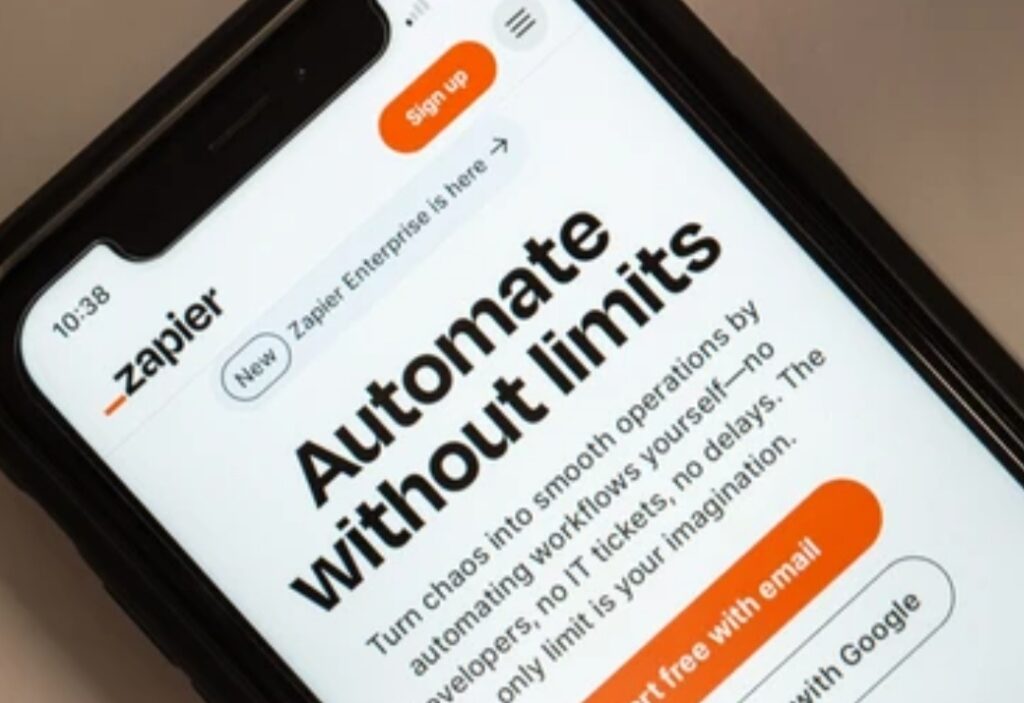
1. Automating Without a Clear Goal 🎯
One of the biggest mistakes beginners make in AI workflow automation is automating just for the sake of it.
Automation should have a specific purpose — like saving time, improving accuracy, or reducing repetitive work.
If you can’t define exactly what problem your automation solves, you risk creating unnecessary complexity.
✅ Do this instead:
Write down your automation goals before you build.
Ask:
- What manual task am I replacing?
- How will I measure its success?
- What outcome do I expect from this automation?
Having a clear intention ensures every automation serves a real function — not just adds digital clutter.
2. Using Vague or Poorly Written Prompts 🗒️
Your ChatGPT automation is only as good as the instructions you give it.
Vague or unclear prompts often lead to irrelevant or inconsistent results.
Example:
❌ “Write an email response.”
✅ “Write a short, professional reply to thank a customer for their inquiry and confirm we’ll respond within 24 hours.”
💬 Pro Tip:
Use structured prompts that include context, objective, and tone.
This helps ChatGPT understand exactly what you want and perform consistently.
3. Ignoring Testing and Debugging Phases 🧩
Many users connect ChatGPT and Zapier, create a few Zaps, and assume everything works perfectly.
That’s a huge mistake.
Without testing, even a small setup error — like a missing data field or formatting mismatch — can cause failed triggers or wrong outputs.
✅ Do this instead:
- Test each Zap manually before activating.
- Review the task history in Zapier.
- Check for logical errors or incorrect data transfers.
Thorough testing ensures your AI workflow automation runs reliably every time.
4. Forgetting to Review or Update Automations Regularly 🔄
Automation is not “set it and forget it.”
As your tools, processes, and business needs evolve, your workflows should too.
Old or outdated Zaps can stop working when:
- Connected apps change APIs.
- File paths or folder names are updated.
- ChatGPT’s output format evolves.
✅ Do this instead:
Review your automations monthly.
Update outdated connections, refresh prompts, and remove redundant Zaps to maintain peak performance.
5. Over-Automating Everything 🌀
Yes, automation saves time — but too much of it can actually backfire.
When you try to automate every little step, you risk losing human judgment, creativity, and personalization.
Not every task needs full automation.
✅ Do this instead:
Automate repetitive, rules-based tasks (like data entry, reminders, or content drafts).
Keep decision-making and creative work for humans.
Balance is key — ChatGPT and Zapier should support your workflow, not replace your human touch.
6. Failing to Organize and Name Zaps Clearly 🧾
When you start building multiple automations, things can quickly get messy.
Unnamed or poorly labeled Zaps make troubleshooting difficult and lead to confusion later.
✅ Do this instead:
Use descriptive titles like “ChatGPT_Email_Reply_Automation” or “Content_Scheduler_Zap.”
Group similar automations into folders and add short notes about their function.
A clean, organized dashboard saves you hours when reviewing or scaling automations later.
7. Not Leveraging Multi-Step or Conditional Logic 🧠
Beginners often use single-step automations that perform only basic actions.
While that’s fine to start with, it limits what your ChatGPT automation can achieve.
Zapier AI integration allows you to create complex multi-step workflows and use conditional logic (Paths) — meaning your automation can respond differently based on inputs or conditions.
✅ Do this instead:
Use “Paths” in Zapier to add if/then logic.
For example:
- If an email contains “urgent,” send an instant alert.
- If it’s a general inquiry, send a polite acknowledgment.
This makes your automations far more intelligent and efficient.
8. Ignoring Data Privacy and Security Concerns 🔒
Every automation passes data between multiple platforms — and that comes with responsibility.
Failing to manage privacy properly can expose sensitive information.
✅ Do this instead:
- Always use secure OAuth connections.
- Avoid storing confidential client data unnecessarily.
- Review permissions and access levels regularly.
Both Zapier and ChatGPT are secure platforms, but you control what data they handle.
Be mindful, especially when automating customer communications or transactions.
9. Not Monitoring Task Limits or Usage ⚙️
Zapier has monthly task limits, and ChatGPT has API usage quotas.
If your automations run too frequently, you might hit those limits — causing failures or unexpected pauses.
✅ Do this instead:
Track your task usage inside Zapier’s dashboard.
Use filters and conditions to limit unnecessary triggers.
Plan your automations based on realistic daily volumes.
💬 Pro Tip:
Upgrade your plan only when your automation system is stable and producing measurable ROI.
10. Skipping Documentation or Backup Plans 🧭
When multiple team members use automation tools, undocumented workflows can create chaos.
If someone edits or deletes a Zap, it can break your entire system.
✅ Do this instead:
Keep a simple record of each Zap:
- What triggers it
- What actions it performs
- Who manages it
- When it was last updated
Documenting your ChatGPT and Zapier workflows ensures everyone understands how the system works — and you can recover quickly if anything goes wrong.
Learn from Mistakes and Keep Improving 🌱
Every successful automation expert has made mistakes — the key is learning from them quickly.
By avoiding these pitfalls, you’ll build a ChatGPT and Zapier automation system that’s stable, smart, and scalable.
Remember: automation is a continuous journey.
The more you monitor, refine, and adapt, the more efficient your digital workflows become.
👉 Review your existing automations today.
👉 Fix one mistake from this list and optimize your AI workflow automation for smoother, smarter performance.
The more precise your setup, the more powerful your automation becomes.
Future of ChatGPT and Zapier Automation: What’s Next for AI Workflows? 🚀
The future of AI workflow automation is more exciting than ever.
With rapid advances in ChatGPT’s capabilities and deeper Zapier AI integrations, the way we automate tasks, communicate, and manage data is undergoing a massive transformation.
What started as simple trigger-and-action automation is now evolving into fully intelligent workflows that think, decide, and adapt — almost like human assistants.
The synergy between ChatGPT and Zapier will continue to redefine productivity, enabling smarter, faster, and more autonomous digital systems across industries.
Let’s explore what’s next in the world of AI-powered automation and how it’s about to reshape the future of work.
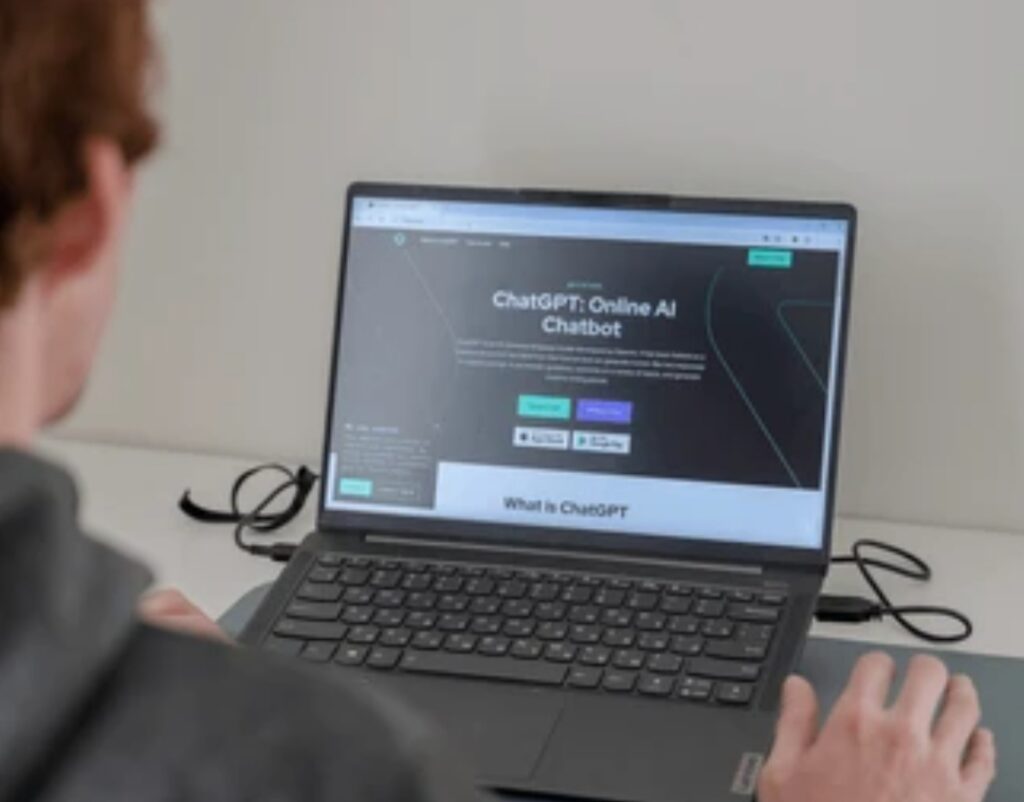
Smarter AI Decision-Making and Context Awareness 🧠
The next big leap in ChatGPT automation is contextual understanding.
Future versions of ChatGPT will go beyond text generation — they’ll understand situations, emotions, and intent in a human-like way.
This means your automations won’t just follow rules; they’ll make judgments.
For example:
- ChatGPT will recognize when a customer’s tone sounds frustrated and automatically send an empathetic response.
- It will decide whether to escalate the message to a support team or handle it autonomously.
Combined with Zapier AI integration, these next-gen workflows will allow automation systems to make data-driven decisions without manual supervision — a true leap toward autonomous business operations.
Seamless Integration Between AI Tools and Everyday Apps 🔗
We’re entering an era where ChatGPT and Zapier will integrate even more deeply with popular platforms — from CRMs and project management apps to marketing tools and eCommerce systems.
Instead of managing separate automations, users will soon have centralized AI hubs that manage everything from one dashboard.
This will make it easier to:
- Sync AI-driven content creation directly with publishing platforms.
- Automate entire customer support pipelines.
- Manage complex workflows with one-click triggers.
💡 Imagine connecting your online store, email marketing tool, and content calendar — and having ChatGPT intelligently generate, schedule, and publish new updates automatically.
That’s the next evolution of AI workflow automation — where systems work together harmoniously without human input.
Personalized and Predictive Automation 💬
Future ChatGPT and Zapier integrations will move from reactive to predictive.
Instead of waiting for a trigger, automation will anticipate your needs based on historical data and behavioral patterns.
For instance:
- Your AI assistant will automatically remind you to follow up on a client before you even realize it’s due.
- It can analyze your performance metrics and recommend improvements in real-time.
- It will generate customized reports or emails tailored to your tone and preferences — without prompts.
This predictive automation will make AI workflows feel truly personalized, acting as a proactive digital co-worker that thinks ahead for you.
The Rise of No-Code AI Super Systems 🧩
One of the biggest game-changers coming soon is the expansion of no-code AI automation platforms.
Right now, Zapier AI integration already allows anyone to automate tasks without writing a single line of code.
But in the near future, these systems will become even more user-friendly and visual — allowing you to build complex automations simply by describing them in plain language.
💬 Example:
You’ll say, “Whenever I receive an email with a contract, save it to Google Drive, summarize it with ChatGPT, and send a Slack notification.”
And within seconds, Zapier will create that entire workflow automatically.
This opens doors for entrepreneurs, small business owners, and creators who want to leverage AI without needing technical knowledge.
The future belongs to no-code AI creators — and tools like ChatGPT and Zapier are leading the way.
Integration with Emerging Technologies — IoT, Voice, and Robotics 🤖
AI automation won’t just stay in the digital workspace.
The integration of ChatGPT automation with Internet of Things (IoT) devices, voice assistants, and even robotics will soon redefine what’s possible.
Imagine this:
- Your voice assistant says, “Hey, I’ve noticed a spike in your website traffic — shall I generate a new SEO report?”
- ChatGPT analyzes it, compiles insights, and Zapier sends you a neatly formatted report via email — instantly.
This merging of physical and digital automation will make workflows more intuitive and interconnected than ever before.
We’re moving toward a future where AI workflow automation extends far beyond the screen — influencing how we live, work, and interact with technology daily.
Ethical Automation and Human-AI Collaboration 🌍
As automation grows smarter, so does the need for ethical AI practices and human oversight.
Future automation systems will prioritize transparency, security, and data responsibility.
Companies will adopt frameworks ensuring that AI workflows align with business ethics, privacy laws, and sustainability goals.
Rather than replacing humans, automation will empower them — allowing professionals to focus on creative, strategic, and high-value work.
The future of ChatGPT and Zapier isn’t about replacing people.
It’s about augmenting human potential with intelligent automation that amplifies what we can achieve.
Continuous Learning and Self-Improving Workflows 🔄
In the next few years, AI workflow automation will evolve into self-improving systems.
That means your automations will learn from data patterns, optimize their own performance, and improve output quality automatically.
For example, if a ChatGPT-generated report gets edited frequently, the AI will learn your preferences and start producing results closer to your ideal format.
Over time, your automation system becomes more personalized, accurate, and efficient — just like a well-trained digital assistant.
This level of adaptability will redefine how professionals and businesses operate — making automation a living, evolving system that grows alongside your goals.
The Future Is Automated, and It’s Smarter Than Ever ⚡
The collaboration between ChatGPT and Zapier marks only the beginning of a much larger revolution.
We’re moving toward a world where AI workflow automation becomes fully integrated into every aspect of our daily lives — from work to personal productivity.
The future is not about doing more — it’s about achieving more with less effort.
By combining creativity, intelligence, and automation, tools like ChatGPT and Zapier will empower individuals and teams to operate at their peak potential.
👉 Start preparing for the next wave of AI-powered automation today.
👉 Explore Zapier AI integration or ChatGPT automation tools to future-proof your workflow.
The earlier you start, the further ahead you’ll be when the next automation revolution arrives.
Conclusion: Embrace the Power of ChatGPT and Zapier for Smarter Workflows 💡
In the modern digital era, time is currency — and automation is the key to multiplying it.
The combination of ChatGPT and Zapier represents a turning point in how we manage work, creativity, and communication.
It’s no longer about working harder but working smarter, and these two tools make that transformation effortless.
By embracing ChatGPT automation, you unlock the potential to turn repetitive, time-consuming tasks into seamless workflows that operate around the clock.
With Zapier AI integration, every piece of your digital ecosystem — from email to spreadsheets to marketing tools — can now work in perfect harmony, guided by artificial intelligence that understands, learns, and acts intelligently.
This isn’t just a productivity upgrade.
It’s a complete shift in how you operate.
What used to take hours can now be accomplished in minutes — automatically, accurately, and intelligently.
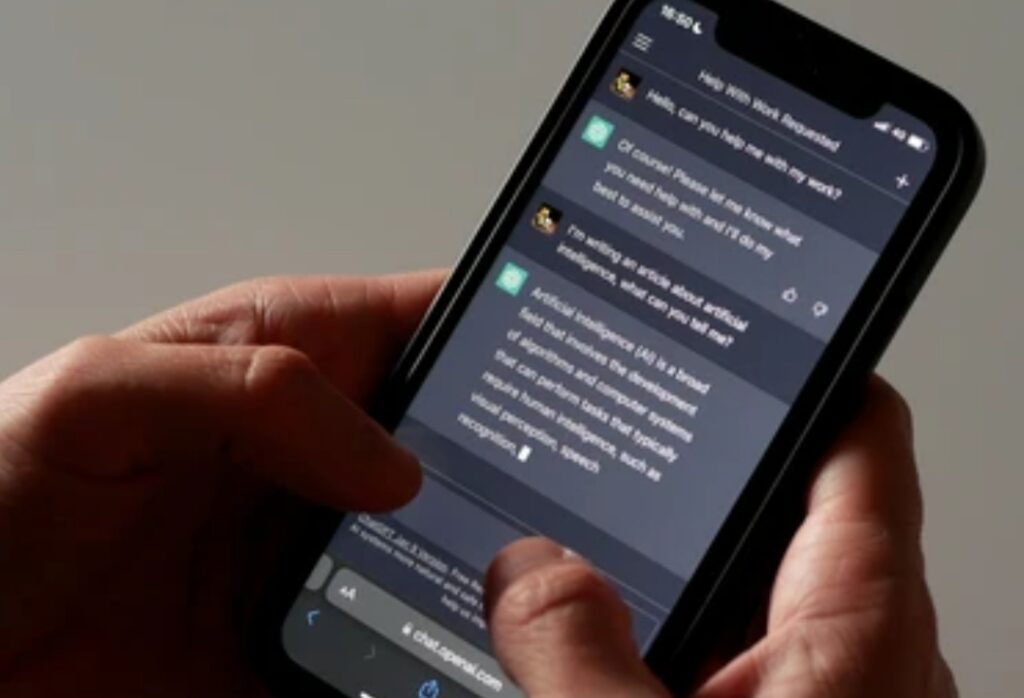
The New Age of Effortless Productivity ⚙️
We’ve officially entered the era of AI workflow automation.
Where humans once juggled dozens of apps and manual steps, ChatGPT and Zapier now handle the heavy lifting.
Imagine starting your day with:
- Automatically summarized emails waiting in your inbox.
- Reports and analytics generated by ChatGPT automation overnight.
- Marketing posts published across multiple platforms — no clicks required.
That’s not the future — that’s today’s reality.
And it’s available to anyone willing to take the first step toward intelligent automation.
💬 Pro Tip:
Start small.
Pick one recurring task — like drafting client replies or collecting form submissions.
Automate it using ChatGPT and Zapier.
Once you experience the time saved, you’ll never look back.
The Power of Human + AI Collaboration 🤝
While AI workflow automation handles precision, humans remain the creative architects.
The real power emerges when both collaborate seamlessly — humans providing strategy, context, and empathy, while AI manages execution, speed, and consistency.
This partnership creates a workflow that’s not just efficient but unmatched in quality and performance.
It allows businesses, freelancers, and creators to scale their operations while maintaining personal touch and authenticity.
ChatGPT and Zapier aren’t here to replace you — they’re here to amplify you.
They help you do more, achieve more, and think bigger — without burning out.
Why Acting Now Gives You an Unfair Advantage 🚀
As AI technology continues to advance, early adopters of automation will stand far ahead of the curve.
Those who integrate ChatGPT automation today will soon operate at a level of efficiency others will struggle to match.
By combining the intelligence of ChatGPT with the connectivity of Zapier, you create a system that continuously improves — learning from your patterns and evolving alongside your business.
In short:
The sooner you automate, the faster you accelerate.
🔥 Power Tip:
Don’t wait until competitors are using automation better than you.
Start today, test small, and expand gradually.
Each step compounds into exponential productivity growth.
Final Words — Step Into the Future of Work Today 🌍
The future belongs to those who automate wisely.
With ChatGPT and Zapier, the power to transform your workflow, save time, and supercharge productivity is already in your hands.
The combination of AI intelligence and automation flexibility gives you the ultimate edge — freeing your mind from repetitive tasks and allowing you to focus on strategy, growth, and creativity.
👉 Don’t just read about automation — experience it.
👉 Start building your first workflow today using ChatGPT and Zapier AI integration.
👉 Let automation handle the busywork while you focus on what truly matters — growth, innovation, and freedom.
Because the future of work isn’t about doing everything yourself.
It’s about letting intelligent systems do it for you.
And that future starts now — with ChatGPT and Zapier.
You might also like :