
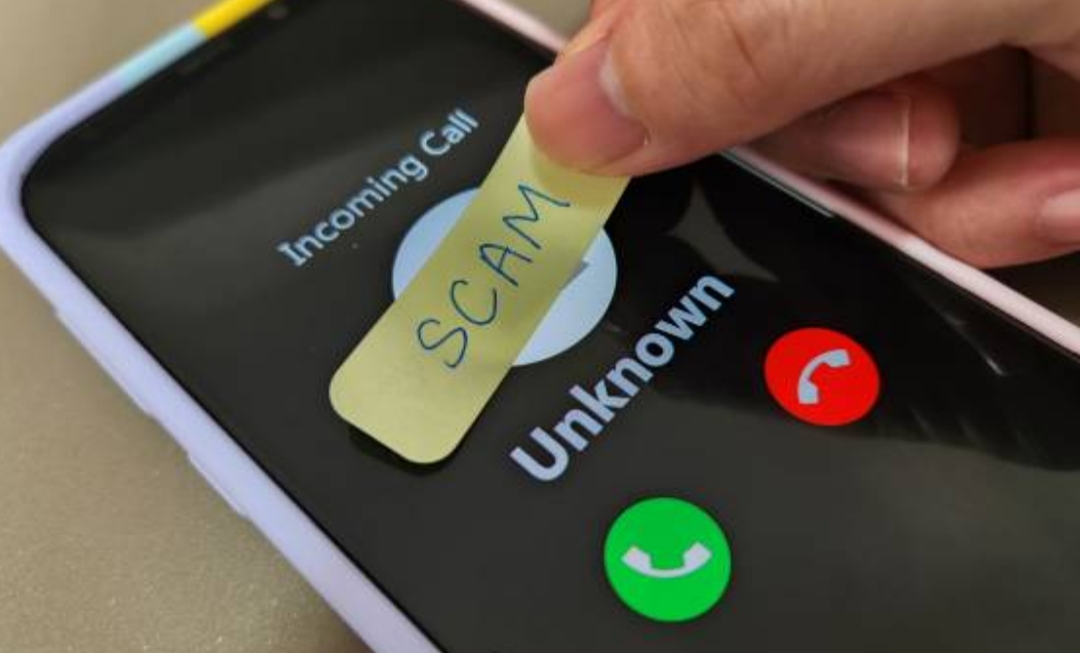
🛑 Introduction – Why You Must Block Spam and Robocalls in 2025
In today’s hyper-connected world, our smartphones are our lifelines — from work to personal communication, everything runs through a call, app, or notification.
But with that convenience comes an incredibly frustrating problem: spam calls and robocalls.
Whether it’s a fake IRS threat, a “you’ve won a cruise” message, or an international number calling at midnight — unwanted calls are no longer just annoying, they’re dangerous.
They can steal your time, invade your privacy, and even lead to scams or data theft.
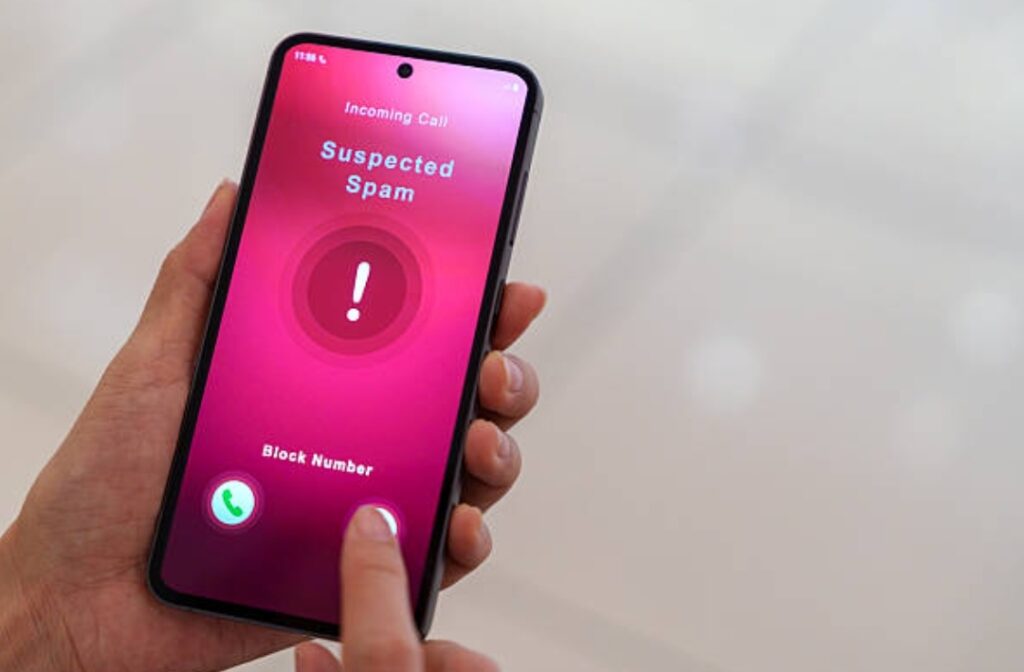
📞 Robocalls — automated voice calls with pre-recorded messages — have become so advanced that some can even imitate real people using AI-generated voices.
And that’s not all.
Spam calls can now bypass basic phone defenses, especially if your number has been leaked or sold on shady data lists.
This rising threat has made phone call security more important than ever.
That’s why learning how to block spam calls on Android and how to block spam calls on iPhone is no longer optional — it’s essential for every mobile user.
Within the first few months of 2025 alone, millions of spam and robocalls have been reported globally, with a shocking number of victims falling for fake offers, tech support scams, and identity theft schemes.
Luckily, stopping these intrusions is possible.
Thanks to modern robocall blocker apps, built-in smartphone settings, and some proactive habits, you can take back control of your phone.
This guide will walk you through every step you need to know to stop spam calls, secure your mobile communication, and finally enjoy peace of mind whenever your phone rings.
We’ll cover both iPhone and Android solutions, using real-world tips, expert-recommended apps, and updated tools designed to stop even the most persistent spam callers in 2025.
If you’ve ever searched:
- “How to block spam calls on Android”
- “How to block spam calls on iPhone”
- “Best robocall blocker app”
… then this is the ultimate guide you’ve been waiting for.
So, if you’re tired of interruptions, scams, and shady numbers blowing up your inbox — you’re not alone, and you’re in the right place.
💡 Pro Tip: You can drastically reduce spam by combining carrier settings, third-party apps, and behavior-based call filters.
👉 Ready to protect your number? Keep reading and discover how to turn your phone into a fortress.
Take back control of your phone today — don’t let scammers win.
Use the tools in this guide to stop spam calls for good and enjoy the privacy you deserve.
🔍 Why You’re Getting Spam and Robocalls in the First Place
Before we dive into how to stop spam calls, it’s crucial to understand why you’re getting them in the first place.
Knowing how these unwanted calls find their way to your phone will help you block spam calls more effectively and prevent future attacks.
Believe it or not, your phone number is more public than you think — and in many cases, you may have unknowingly exposed it.
📂 How Spammers and Robocallers Get Your Phone Number
Spammers use a variety of tactics to collect your phone number:
- Data leaks from websites and apps
Many apps and platforms ask for your number during sign-up.
If their database is ever hacked, your number may be leaked online or sold on black markets. - Social media exposure
If your phone number is listed on your Facebook, Instagram, or LinkedIn profile — or even in posts or comments — it becomes easy pickings for spam bots. - Online contests and free offers
That “Win a Free iPhone” form you filled out?
It likely harvested your phone number and sold it to marketers or spammers. - Public directories and old websites
If you’ve ever registered a business, used Craigslist, or listed your number on a forum, your info may still be floating around online. - Random number generation (spoofing)
Some robocallers use tech to generate random phone numbers in your area code, hoping to trick you into picking up a “local call.”
🎯 Common Types of Spam and Robocalls in 2025
Understanding the types of calls you’re getting helps you block robocalls more effectively.
Here are the most common spam calls reported this year:
- IRS or Government Scams
Callers claim to be from tax or legal authorities demanding urgent payment. - Tech Support Scams
Pretending to be from Apple, Microsoft, or “Google Support,” scammers try to access your device remotely. - Fake Package Delivery Notices
You receive a call saying your package can’t be delivered unless you confirm personal details. - Prize or Lottery Scams
“You’ve won a trip to the Bahamas!” — but you must pay taxes or fees first. - Charity Scams and Political Calls
Some are legitimate, but many are spoofed robocalls posing as donation requests. - Auto Warranty and Insurance Scams
One of the most common spam robocalls targeting vehicle owners with fake warranty offers.
💥 The Real Dangers Behind Spam Calls
Spam calls aren’t just annoying — they can be financially and emotionally damaging.
Here’s what makes them truly dangerous:
- Scam potential: Some robocalls are linked to identity theft, phishing, or financial fraud.
Answering or pressing buttons may confirm your number is active. - Call spoofing: They may use fake caller IDs that appear to be from local or trusted sources.
- Malware links via SMS follow-ups: A robocall may be followed by a malicious text with links that can infect your phone.
- Data profiling: Just answering the call can reveal the best time to contact you or confirm your number is real.
🔐 What You Can Do Right Now
If you’re wondering what steps to take next, here are a few quick actions to minimize your exposure:
- Don’t answer unknown numbers. Let them go to voicemail.
- Never press buttons during a robocall. It confirms you’re a real person.
- Use a robocall blocker — which we’ll cover in detail in the next sections.
- Avoid putting your number on public websites unless necessary.
- Use a secondary number (like Google Voice) for online registrations or shopping.
💡 Pro Tip:
Even replying with “STOP” in some cases may trigger more spam if it’s from an illegitimate source.
Don’t wait until your inbox is full of scams — learn to identify and block spam calls before they trick you.
Keep reading to explore the most effective ways to protect your Android and iPhone today.
📱 How to Block Spam Calls on Android (Step-by-Step Guide for 2025)
If you’re an Android user constantly asking yourself “how to block spam calls on Android?”, you’re not alone.
Spam and robocalls have become more frequent than ever, and the good news is — Android phones have powerful tools to help you block them.
In this section, you’ll learn step-by-step instructions to block robocalls using built-in Android features, Google Phone app settings, and the best third-party robocall blocker apps in 2025.
Let’s dive in.
⚙️ Enable Built-In Spam Call Blocking on Android
Most Android phones today come with built-in spam protection, especially if you’re using the default Google Phone app.
Follow these steps to enable it:
- Open the Phone app (Google’s Phone by default).
- Tap the three-dot menu in the top-right corner.
- Select Settings > Caller ID & Spam.
- Toggle on both:
- See caller and spam ID
- Filter spam calls
- See caller and spam ID
✅ This automatically blocks known spam numbers and prevents them from ringing your phone.
Your phone will silently block robocalls marked as spam by Google’s global spam filter.
💡 Pro Tip: This feature uses Google’s powerful spam detection database, which updates constantly based on user reports worldwide.
📵 Manually Block a Phone Number on Android
If you keep getting spam calls from the same number:
- Go to your Call History in the Phone app.
- Tap and hold the number you want to block.
- Select Block/report spam.
✅ This will not only block the number but also report it to Google’s anti-spam system — helping other users too.
You can view or edit your blocked numbers list in:
Phone App > Settings > Blocked Numbers
📲 Use Google Assistant to Screen Suspicious Calls (Pixel Devices)
If you own a Google Pixel, you get access to the Call Screen feature, powered by Google Assistant.
Here’s how to use it:
- When a call comes in, tap Screen Call instead of answering.
- Google Assistant will answer the call for you, asking the caller to state their reason.
- You’ll see a live transcript in real time and can decide to answer, block, or report the call.
This feature is incredibly effective at identifying robocalls and scammers that hang up when screened.
🧰 Carrier-Level Blocking Services (AT&T, Verizon, T-Mobile, etc.)
Most mobile carriers now offer built-in spam blocking services.
Here’s a quick breakdown:
| Carrier | Service Name | Cost | Features |
| AT&T | Call Protect | Free/Paid | Automatic fraud call blocking |
| Verizon | Call Filter | Free/Paid | Robocall detection & spam filters |
| T-Mobile | Scam Shield | Free | Scam Likely alerts, Caller ID |
✅ You can enable these via your carrier app or by calling customer support.
🚫 Silence Unknown Callers (Samsung Phones Only)
On Samsung Galaxy phones:
- Go to Phone App > Settings > Block numbers.
- Toggle on Block unknown/private numbers.
This will stop calls from numbers not saved in your contact list.
However, use this with caution if you’re expecting calls from new contacts (like deliveries, job interviews, or support agents).
🔐 Bonus Tips for Better Phone Call Security on Android
To maximize your phone call security:
- Don’t answer unknown numbers, even if they look local.
- Never give personal information over a phone call you didn’t initiate.
- Use a secondary number (like Google Voice) for websites, shopping, or contests.
- Regularly update your robocall blocker apps to ensure you have the latest spam database.
Tired of spam calls hijacking your day.
Use these Android tools right now to silence robocalls for good — and take back your privacy.
Download a trusted robocall blocker today and protect your phone from future threats.
🍏 How to Block Spam Calls on iPhone (Step-by-Step Guide for 2025)
If you’re an Apple user wondering “how to block spam calls on iPhone?”, you’re in luck.
Apple’s iOS system provides several built-in options to help you stop spam calls, block robocalls, and strengthen your phone call security — no third-party apps needed (unless you want more advanced control).
Let’s walk through the latest, most effective methods to block spam calls on iPhone in 2025 — step-by-step.
🛑 Use iPhone’s Built-in Silence Unknown Callers Feature
Since iOS 13, Apple has offered a native way to silence unknown callers.
This is one of the best ways to avoid spam and robocalls without missing important calls from your contacts.
Here’s how to turn it on:
- Go to Settings.
- Tap on Phone.
- Scroll down and select Silence Unknown Callers.
- Toggle the switch to ON.
✅ Calls from people in your contacts, recent calls, Siri suggestions, and Messages will ring as usual.
❌ All other numbers will go straight to voicemail without ringing your phone.
💡 Note: The caller can still leave a voicemail, so if it’s a legit call, you won’t miss it entirely.
📛 Block Specific Numbers on iPhone (Manual Blocking)
If you keep getting harassed by a specific spam number, you can block it manually:
- Open the Phone app > Recents tab.
- Tap the “i” icon next to the number.
- Scroll down and tap Block this Caller.
✅ This will stop calls, texts, and FaceTime from that number.
You can manage blocked numbers in:
Settings > Phone > Blocked Contacts
🛡️ Enable iOS’s Built-in Spam Call Identification
If you’re in a supported region, Apple lets you use call identification and blocking apps that integrate directly with your iPhone’s dialer.
You’ll need to:
- Download a trusted robocall blocker app (like Hiya or RoboKiller — we’ll cover these next).
- Go to Settings > Phone > Call Blocking & Identification.
- Enable the app under “Allow These Apps To Block Calls And Provide Caller ID.”
✅ Now spam calls will be labeled (or blocked) based on real-time databases.
🔐 Carrier-Based Spam Protection for iPhone
Even if you’re using an iPhone, your mobile carrier can also provide robocall blocking services.
Here’s a summary of carrier services you can enable:
| Carrier | iPhone-Compatible Spam Blocker | Free/Paid | Highlights |
| AT&T | Call Protect | Free/Paid | Detects & auto-blocks spam/fraud |
| Verizon | Call Filter | Free/Paid | Labels scam likely & blocks spam |
| T-Mobile | Scam Shield | Free | Caller ID + block high-risk numbers |
✅ Just download their respective apps from the App Store and follow their setup guide.
🧠 Pro Tips to Boost Phone Call Security on iPhone
Here are some bonus security tips you can start applying today:
- Use “Do Not Disturb” with allowed contacts only
Go to: Settings > Focus > Do Not Disturb > People to allow only saved contacts to call. - Don’t answer unfamiliar numbers, especially if it says “Scam Likely” or is a suspicious local number.
- Report spam calls directly in the Phone app
After ending a suspicious call, tap “Report” if prompted. - Use a secondary number or Apple’s Hide My Email/Number for signups
This keeps your main number protected when registering for services or giveaways.
You don’t have to tolerate spam calls hijacking your iPhone
Turn on call blocking tools now and get back your peace of mind.
Download a top-rated robocall blocker app today — and stay one step ahead of scammers.
🧰 Best Tools and Apps to Block Spam Calls (for Android & iPhone)
If you’re looking for a powerful way to stop spam calls, protect your privacy, and take full control of your phone’s security, then installing a dedicated robocall blocker app is a smart move.
While Android and iPhone both offer solid built-in spam call protection features, third-party apps often provide real-time protection, smarter call filtering, and customized controls you won’t find natively.
In this section, we’ll explore the best anti-spam call apps in 2025 that are fully compatible with both Android and iOS devices — all trusted by millions and recommended by tech security experts.
These apps are regularly updated, AI-powered, and built to give you peace of mind.

🌟 Hiya – Community-Powered Call Protection
Hiya is one of the most popular and reliable robocall blocker apps available on both Android and iPhone.
Why users love it:
- Identifies spam, fraud, and robocalls using a global community database.
- Blocks suspicious numbers automatically.
- Offers caller ID, reverse lookup, and spam alerts in real-time.
Best for: People who want an easy-to-use, no-nonsense app to stop spam calls.
✅ Free with premium upgrade options.
🤖 RoboKiller – AI-Powered Spam Blocking with Answer Bots
RoboKiller takes things a step further with its smart blocking technology and fun, effective Answer Bots that actually waste spammers’ time.
Top features:
- Real-time spam number blocking using AI and machine learning.
- Custom call blocking rules and filters.
- Play hilarious Answer Bots to trap telemarketers.
Best for: Users who want aggressive spam protection and don’t mind a little fun while doing it.
✅ Free trial available. Paid plans offer full features.
🧠 Truecaller – All-in-One Caller ID & Spam Protection
Truecaller is an all-in-one caller identification app with powerful anti-spam features.
It’s a community-driven app that tags and blocks spam, scam, and telemarketing numbers in real-time.
Why it’s trusted worldwide:
- Warns you instantly when a call is from a flagged number.
- Allows call recording, message filtering, and contact backup.
- Excellent in regions with limited robocall protection.
Best for: Users in international markets or those who want one app to handle everything from SMS spam to calls.
✅ Free and Premium versions available.
🔐 Carrier-Supported Tools (Built-In but Underrated)
If you’re not ready to download a third-party app, your mobile carrier likely offers free spam call protection tools.
Here’s a quick summary of the most popular carrier apps in 2025:
| Carrier | Tool Name | Platform | Key Features |
| AT&T | Call Protect | Android/iOS | Auto-block fraud calls, alerts for suspected spam |
| Verizon | Call Filter | Android/iOS | Blocks spam calls, caller ID for unknown numbers |
| T-Mobile | Scam Shield | Android/iOS | Caller ID + “Scam Likely” tags, block list management |
✅ Most are free with basic features, but offer paid upgrades for advanced filtering.
📲 Should You Use More Than One Robocall Blocker?
In short: No.
Using multiple spam blocking apps can cause:
- Conflict between filters
- Duplicate notifications
- Possible missed calls from real contacts
🔍 Best Practice:
Choose one high-quality robocall blocker that fits your needs, enable your carrier’s default spam filter, and use your phone’s built-in tools alongside it.
This combo provides maximum protection without interference.
💡 Expert Tips to Choose the Right Spam Call Blocker
Not sure which app to use?
Here’s what to look for:
- ✅ Real-time spam database updates
- ✅ Customizable call-blocking rules
- ✅ Integration with your device’s native settings
- ✅ High ratings and positive user reviews
- ✅ Minimal battery drain
Pro Tip: Avoid apps that request unnecessary permissions or sell your call data. Privacy matters.
Don’t let robocalls invade your peace of mind.
Choose one of these top-rated robocall blocker apps today — and enjoy safer, quieter calls starting now!
Your privacy is worth protecting — do it now, not later.
🔒 Advanced Phone Call Security You Can Enable Today (Ultimate Protection Guide)
If you’re serious about phone call security, it’s time to go beyond just blocking a few spam numbers.
In 2025, spammers and robocallers have become more advanced — using AI, number spoofing, and database leaks to reach you.
But the good news?
You have access to powerful, advanced-level security tools and settings that can fortify your phone like a digital fortress — whether you’re using an Android or iPhone.
This section reveals the best advanced call security features, tools, and hidden settings you can enable right now to stop spam calls, reduce robocalls, and maintain your digital privacy.
🧱 Enable Enhanced Caller Verification (STIR/SHAKEN Protocol)
STIR/SHAKEN is a call authentication framework used by carriers to verify that a call is from a legitimate source.
What it does:
✅ Verifies the caller ID information is not spoofed
✅ Helps your phone identify “Verified Calls” vs. “Scam Likely” or unknown numbers
✅ Now mandatory across major U.S. carriers in 2025
How to enable:
No action needed — but make sure your carrier supports it and your OS is up to date.
Look for the “Verified” label on incoming calls to know it’s working.
📱 Use Google’s Verified Calls (Android Only)
Google Verified Calls is a powerful built-in feature for Android users using the default Phone app (Pixel and other major Android brands).
What it does:
- Shows caller name, business logo, and reason for calling before you answer.
- Helps you distinguish real business calls from spam or scams.
- Works with businesses registered in Google’s Verified Call Program.
To enable it:
- Open Phone app > Settings > Caller ID & Spam
- Toggle on Verified Calls and Filter spam calls
✅ This drastically reduces chances of answering fake calls pretending to be businesses or banks.
🔐 Activate iPhone’s Communication Safety Settings
For iOS users, Apple provides new security layers in 2025 with advanced Communication Safety settings.
These aren’t just for spam — they protect against phishing, scam links, and inappropriate contact attempts, especially for kids and teens.
How to enable:
- Go to Settings > Screen Time
- Tap Communication Safety
- Enable for Contacts Only or limit by screen time rules
✅ Works across Phone, FaceTime, and Messages
Bonus Tip: Combine this with Silence Unknown Callers for an extra shield.
🛡️ Secure Your Voicemail (Hackers Love This Entry Point)
Spam calls often target voicemail systems — especially if your PIN is weak or if visual voicemail isn’t password-protected.
Here’s what to do:
- Change your voicemail password to a strong, random PIN (not your birthday or last 4 digits).
- Disable remote voicemail access if not needed.
- If you use visual voicemail, lock your phone with biometrics.
Extra Tip:
Avoid leaving sensitive info on voicemail greetings — scammers may use it to phish details.
🔐 Use Advanced Third-Party Firewall Apps (Android-Only Option)
Apps like Call Control, Should I Answer, or NoPhoneSpam provide firewall-like behavior on Android phones.
These can:
- Auto-reject foreign and toll-free numbers
- Create smart rules based on number patterns (e.g., spoofed area codes)
- Whitelist/blacklist numbers with full control
✅ Especially helpful for business users who need high-volume call filtering.
🌐 Use eSIM or Secondary Numbers for Online Activity
One modern tactic to protect your real number from spam leaks?
Use a second number (or virtual number) via:
- Google Voice
- Burner App
- Hushed
- Your carrier’s eSIM option
Best for:
Signing up for promotions, contests, trials, or unknown services where you don’t trust the source.
✅ Keeps your primary phone number off the dark web and out of spam databases.
🚨 Enable Spam Reporting to Crowdsource Protection
When you report a number as spam:
✅ You’re not just protecting yourself — you’re helping millions of others.
Here’s how:
- Use built-in Spam Reporting in Google’s Phone app or iPhone call history
- Report scam numbers to the FTC, FCC, or Malaysia’s MCMC (depending on your country)
- Encourage others to do the same
This feeds the global spam-blocking AI systems that power apps like Truecaller, RoboKiller, and Hiya.
💡 Pro Tip:
Enable both device-level and network-level protection for layered security — like an onion, the more layers, the harder it is to reach your real number.
Robocallers evolve fast — but you can stay ahead.
Activate these advanced phone call security features now and slam the door on spam, scams, and snoopers.
Don’t just block… outsmart them.
🛑 How to Prevent Spam Calls in the Future (Pro Tips & Best Practices)
Stopping spam calls is one thing — but keeping them from ever reaching you again? That’s the ultimate goal.
Even if you’ve installed the best robocall blocker, enabled phone call security, and blocked known numbers, new spam numbers pop up every day.
To win the long game, you need preventive habits, smart usage techniques, and a few privacy-focused tools that will help you stay off the radar of telemarketers and phone scammers.
This section gives you step-by-step methods to stop spam calls from coming back — permanently.

📵 Don’t Share Your Phone Number Carelessly
One of the main ways spammers get your number? You give it to them — unintentionally.
Avoid the following traps:
- Signing up for sketchy newsletters or promotions
- Posting your number on social media profiles or forums
- Using your primary number when registering on unknown websites
Better solution:
👉 Use a burner number, Google Voice, or a second eSIM line for online activities.
👉 Keep your main phone number private — treat it like your password.
Tip: Never list your phone number publicly unless absolutely necessary.
🛡️ Register Your Number with the National Do Not Call Registry
In many countries, you can officially opt out of telemarketing calls.
Here’s how:
- USA: DoNotCall.gov
- Malaysia: MCMC’s Do Not Call Service
- UK: Telephone Preference Service (TPS)
✅ Once registered, legitimate companies are legally prohibited from calling you for marketing purposes.
🚨 But beware: Scammers don’t follow laws — so while this helps reduce legit marketing spam, it won’t stop all robocalls.
📲 Silence Unknown Callers (Built-in Phone Features)
Both Android and iPhone offer a feature to auto-silence calls from unknown numbers, sending them directly to voicemail.
iPhone (iOS 13 and up):
- Go to Settings > Phone
- Enable Silence Unknown Callers
Android (varies by device):
- Open the Phone app > Settings > Blocked numbers
- Toggle on Block unknown/private numbers
✅ This is an excellent method to stop first-time spam calls without missing calls from your contacts.
🤝 Use Contact Whitelisting for Important Numbers Only
A powerful strategy is to only allow calls from:
- Contacts in your address book
- Work/emergency contacts
- Family members
All others go straight to voicemail or are blocked entirely.
You can do this with:
- Focus Mode on iPhone (under Settings > Focus > Phone Calls)
- Call Control or Should I Answer on Android (third-party whitelist apps)
Ideal for:
Seniors, kids, or professionals who need only priority calls to get through.
🔄 Keep Your OS and Apps Updated
Spammers constantly evolve — and so should your phone’s defense systems.
Why this matters:
- Updates patch vulnerabilities in spam detection
- Google and Apple roll out spam call filtering improvements
- Security patches help fight caller ID spoofing
🔄 Keep your Phone app, spam-blocking apps, and device OS updated at least once a month.
Pro Tip: Turn on auto-updates for security-critical apps like Google Phone, Truecaller, and Hiya.
🧠 Be Cautious with App Permissions
Some free apps sell your phone number to data brokers.
Avoid installing:
- Unknown third-party caller ID apps
- Free apps with vague privacy policies
- Apps that ask for unnecessary permissions like access to contacts or call logs
Smart move:
Use official apps from trusted developers and always check reviews and permission requests before installing anything.
💬 Report Spam Calls (Don’t Just Block)
When you report a spam call:
- It adds the number to global databases
- Helps other users avoid the same scam
- Signals to app developers and authorities about new scam trends
Where to report:
- Inside apps like Hiya, RoboKiller, Truecaller
- Google’s Phone app: Tap “Report Spam” after a suspicious call
- Official spam reporting sites (like the FTC or your country’s telecom authority)
📣 The more reports, the smarter the global robocall blocker network becomes.
💥 Consider Using a Premium Spam Call Protection Service
If you’re overwhelmed by spam calls or run a business where call security is critical, consider upgrading to a premium service.
Features include:
- AI call screening
- Cloud-based blacklist sync
- Geo-based spam filters
- 24/7 database updates
Top premium providers in 2025 include:
- RoboKiller Premium
- Hiya Premium
- Call Control Pro
- Nomorobo
Yes, they cost a few dollars a month — but for many users, that peace of mind is priceless.
🧠 Expert Insight:
Preventing spam calls isn’t about using one tool — it’s about building habits.
From smart number management to updated security settings, a layered approach is the most effective strategy to stay safe in the long run.
Take action today to future-proof your phone.
Don’t just wait for the next spam call — be one step ahead.
Enable these spam call prevention techniques now and enjoy a quieter, safer digital life.
❓ Frequently Asked Questions (FAQs) About Blocking Spam Calls
If you’re still wondering how to stop spam calls for good, you’re not alone.
Below are the most common and critical questions users ask about how to block spam calls on Android, iPhone, and how to keep their phone call security airtight.
❓ Why am I getting so many spam calls lately?
Spammers use auto-dialing software and phone number databases to flood users with robocalls.
Your number could have been:
- Scraped from public directories or websites
- Leaked from a hacked database
- Purchased through shady third-party data brokers
- Shared when you signed up for online services or giveaways
Pro Tip:
Use temporary or secondary numbers for online forms and keep your primary number private.
📵 How do I block spam calls on Android phones?
If you’re wondering how to block spam calls on Android, here’s a step-by-step breakdown:
- Open the Phone app
- Tap Settings > Caller ID & Spam
- Enable Filter spam calls and Verified calls
- Use third-party robocall blocker apps like Truecaller, Hiya, or RoboKiller
✅ Bonus: Many Android devices also have built-in options to block unknown or private numbers.
🍎 How do I block spam calls on iPhone?
To block spam calls on iPhone, follow these updated steps:
- Go to Settings > Phone
- Turn on Silence Unknown Callers
- Add specific numbers to your Blocked Contacts list
- Report suspicious calls via the Recents tab in the Phone app
Optional Add-on:
Use apps like RoboKiller, Nomorobo, or Hiya for iOS for automatic spam detection and blocking.
🤔 What’s the best robocall blocker app in 2025?
Here are the top-rated and most effective robocall blocker apps this year:
- RoboKiller – Best for AI call screening and auto-responses
- Hiya – Powerful free and premium options with global spam database
- Truecaller – Great for caller ID and spam number detection
- Call Control – Strong custom block lists and local spam protection
💡 Tip: Choose one based on your device and region.
🔐 Is it safe to use third-party call-blocking apps?
Yes — as long as you:
- Choose apps from reputable developers
- Read privacy policies
- Check user reviews and ratings
- Only give necessary permissions
Apps like RoboKiller, Hiya, and Truecaller are widely trusted and have transparent privacy standards.
🚫 Can I stop spam texts along with calls?
Yes — most call-blocking apps also block spam texts.
For built-in options:
On Android:
- Use Google Messages > Spam Protection
On iPhone:
- Go to Settings > Messages > Filter Unknown Senders
✅ You can also report spam texts to your carrier by forwarding them to 7726 (SPAM) in many countries.
🛡️ Will blocking a spam number stop them permanently?
Not always.
Most spammers use random or spoofed numbers, so blocking one may not stop others.
However, over time:
- Spam blocking apps learn patterns
- Your phone gets better at auto-detecting spam
- New numbers are added to global blocklists
📣 Don’t give up — the more spam you report, the smarter your phone gets.
📲 What is caller ID spoofing and how can I protect against it?
Caller ID spoofing happens when scammers fake their number to look like a trusted contact (like your area code or a business).
To protect yourself:
- Never trust a number just because it “looks local”
- Use apps that flag spoofed or suspicious calls
- Turn on Verified Calls/Caller ID features on Android
- Silence unknown callers on iPhone
✅ The STIR/SHAKEN protocol in 2025 has drastically reduced spoofing success on major carriers.
📞 Should I answer calls from unknown numbers?
No — unless you’re expecting a call.
Answering unknown numbers:
- Confirms your number is active
- May lead to more spam calls
- Could expose you to scams or social engineering attempts
📵 Let it go to voicemail. If it’s legit, they’ll leave a message.
Ready to stop robocalls for good?
Take the smart route — block, report, and prevent.
Equip your phone with the best robocall blocker and protect your digital peace today.
🧾 Final Thoughts: Take Control of Your Call Experience
In today’s hyper-connected world, your phone should be a tool of convenience, not a source of daily disruption from robocalls and phone scams.
Whether you’re using an Android device or iPhone, there are now powerful tools, smart settings, and privacy strategies that can drastically cut down or even eliminate unwanted calls.
Let’s recap the key takeaways:
✅ Recap — What You Can Do Today
- Enable built-in spam filters on your Android or iPhone
- Use trusted robocall blocker apps like RoboKiller, Hiya, or Truecaller
- Silence unknown callers for better phone call security
- Report and block spam numbers to improve detection globally
- Keep your phone number private and use burner numbers when needed
- Stay updated with the latest iOS/Android security features
💡 Pro Tip — Go Beyond Blocking
Blocking spam is only part of the battle.
You need to take a preventive, proactive approach.
- Monitor app permissions
- Stay alert for spoofing scams
- Use whitelisting features for ultimate control
- Register with your country’s Do Not Call list
- Educate others, especially seniors and children, about scam awareness
📲 By combining tech tools with smart behavior, you’ll drastically improve your phone call security and enjoy a more peaceful digital life.
⚠️ Don’t Wait Until It’s Too Late
Spam calls aren’t just annoying — they’re often entry points for financial scams, identity theft, and fraud.
Every time you answer a suspicious call, you’re giving spammers data they can exploit.
That’s why it’s critical to take control before the damage happens.
🔐 Your Digital Peace Starts Now
✅ Whether you’re researching how to block spam calls on Android, trying to stop spam calls on your iPhone, or just need a robocall blocker that works — this guide gives you everything you need to take back your phone.
Don’t wait for the next spam call to ruin your day.
Protect your number. Shield your privacy. Reclaim your peace.
👉 Start today by installing the best robocall blocker app and customizing your phone’s spam protection settings.
Your future self will thank you.
You might also like :