

What Is Ergonomic Tech? 🧠💻
What Does Ergonomic Technology Mean and Why It Matters 🔍
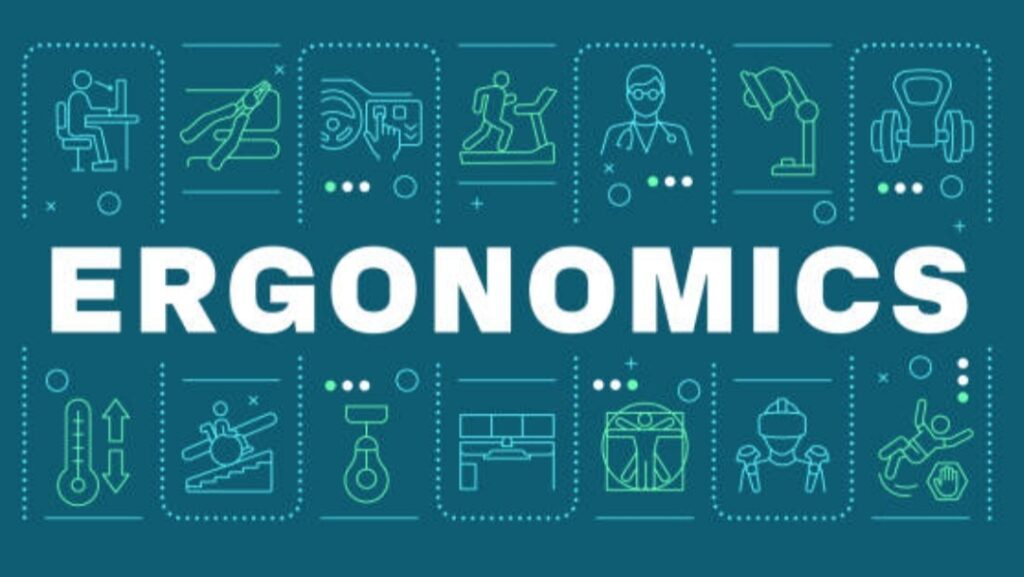
In today’s digital-first world, the concept of ergonomic technology is gaining momentum—and for all the right reasons.
Whether you’re working at a desk for 8+ hours or gaming into the night, your health and productivity can take a hit if your tech setup isn’t aligned with your body’s natural posture.
So, what exactly does it mean?
Ergonomic tech refers to tools, devices, and digital solutions specifically designed to fit the user—not the other way around.
Rather than forcing people to adapt to uncomfortable setups, ergonomic technology adapts to the individual’s natural posture, range of motion, and physical needs to ensure maximum comfort, efficiency, and long-term well-being.
🧩 Definition:
Ergonomic technology encompasses a wide range of user-centered hardware and accessories that are scientifically designed to reduce strain, increase comfort, and prevent injuries caused by repetitive tasks and poor posture.
This includes everything from adjustable standing desks, vertical mice, and monitor risers to ergonomic chairs, split keyboards, and voice-activated assistants.
✅ The key benefit?
It helps eliminate repetitive strain injuries (RSIs), back and neck pain, digital eye strain, and even mental fatigue—issues that plague millions of remote and office workers today.
📈 The Benefits of Ergonomic Tech are becoming impossible to ignore as more companies, freelancers, and health professionals embrace smarter workspaces to:
- Reduce stress-related absenteeism
- Increase daily energy and output
- Improve focus and attention span
- Prevent long-term disability and discomfort
🗣️ Bottom line: If you want to protect your health, boost productivity, and stay comfortable while using technology, embracing ergonomic tech is no longer a luxury—it’s a necessity.
And the best part?
You don’t need a full office makeover to get started.
Top Examples of Ergonomic Devices That Boost Comfort and Health 🖱️🪑💼
With a growing demand for healthier work environments, the market is now full of innovative, science-backed ergonomic gadgets designed to support you from head to toe.
Here are some of the most powerful and proven ergonomic tech devices that deliver incredible value for your workspace and overall wellness:
🖱️ 1. Vertical Ergonomic Mouse
A vertical mouse may look strange at first glance, but it’s one of the most powerful upgrades you can make.
Unlike traditional mice that twist your forearm, vertical mice allow for a more natural handshake position, reducing pressure on your wrist and tendons.
🔹 Best For:
Gamers, graphic designers, coders, and anyone suffering from wrist fatigue or carpal tunnel syndrome.
Why it matters:
Vertical mice support natural joint alignment, improve hand placement, and minimize repetitive strain.
➡️ This is one of the most affordable ergonomic devices with massive long-term benefits.
The benefits of ergonomic tech really shine with tools like these that prevent chronic discomfort and improve workflow.
⌨️ 2. Split or Curved Ergonomic Keyboards
Standard flat keyboards force your hands and wrists into awkward angles.
Ergonomic keyboards—especially split or curved designs—encourage a more neutral wrist alignment, promoting better typing posture and minimizing strain.
🔹 Best For:
Writers, data entry professionals, and anyone who spends long hours typing.
💡 Insider Tip: Some models come with integrated wrist support and programmable hotkeys for increased efficiency.
🪑 3. Adjustable Ergonomic Chair
A high-quality ergonomic chair is not just a seat—it’s your spine’s best friend.
These chairs offer lumbar support, adjustable armrests, seat height, and headrests to ensure your posture remains aligned during long work sessions.
🔹 Why it’s essential:
Bad seating is a direct cause of lower back pain, fatigue, and even reduced lung capacity due to slouching.
Key Features to Look For:
- Dynamic lumbar support
- Breathable mesh backing
- Multi-angle tilt adjustments
- Height and depth adaptability
Bonus: A good ergonomic chair boosts blood circulation and reduces pressure on your hips and tailbone.
🖥️ 4. Monitor Risers & Adjustable Stands
Are you constantly looking down at your laptop screen?
You could be unknowingly creating neck and shoulder strain.
📏 A monitor riser or laptop stand can elevate your screen to eye level, correcting your neck alignment and reducing upper back stress.
Pro Tip:
Position your monitor 20 inches from your eyes and adjust the top of the screen to sit just below eye level for optimal comfort.
🪄 5. Sit-Stand Desks (Standing Desks)
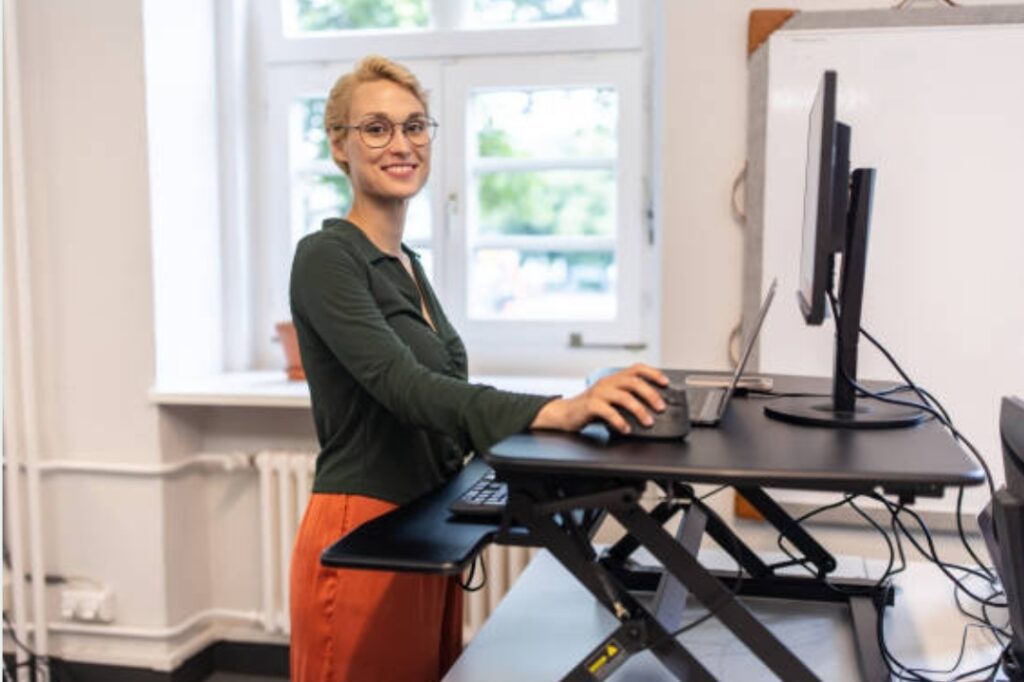
Sit-stand desks—also known as height-adjustable desks—allow you to alternate between sitting and standing throughout your day.
🔥 This is one of the most transformative ergonomic upgrades you can make.
🔹 Health Benefits:
- Encourages natural movement
- Reduces sedentary fatigue
- Improves circulation and core engagement
- Burns more calories during the day
Pro Tip:
Use the Pomodoro technique—25 minutes sitting, 5 minutes standing—to keep energy levels high and prevent fatigue.
🧠 6. Ergonomic Accessories & Smart Gadgets
Don’t overlook the smaller details that make a huge difference:
- Footrests: Promote blood flow and improve hip alignment
- Anti-fatigue mats: Reduce foot and leg fatigue when standing
- Blue light blocking glasses: Prevent digital eye strain
- Voice-activated assistants: Reduce repetitive keyboard or screen interactions
Summary of Key Ergonomic Tech Devices 📋✅
Here’s a quick recap of top ergonomic tech devices to upgrade your health-focused workspace:
- Vertical Ergonomic Mouse 🖱️
- Split/Curved Keyboards ⌨️
- Adjustable Ergonomic Chairs 🪑
- Monitor Risers and Stands 🖥️
- Sit-Stand Desks (Standing Desks) 🪄
- Ergonomic Accessories & Smart Assistants 🧠
Each of these plays a unique role in eliminating discomfort and boosting daily productivity.
Final Thoughts on Embracing Ergonomic Tech for Modern Workspaces 💼🌿
Modern workplaces—whether in the office or at home—must evolve to support the physical and mental well-being of users.
That’s where the benefits of ergonomic tech come into play in a massive way.
By integrating even a few of the ergonomic solutions listed above, you can:
- Drastically reduce physical discomfort
- Prevent long-term injuries
- Improve your energy, focus, and efficiency
- Feel better at the end of every workday
📣 Don’t wait until the pain starts to take action!
→ Start upgrading your setup today with smart ergonomic tech tools like a vertical mouse, ergonomic chair, or adjustable desk to future-proof your health.
Take control of your comfort.
Invest in yourself.
Your body will thank you.
✅ Ready to Upgrade Your Setup?
👉 Browse the best ergonomic devices now to build a healthier, happier workspace!
→ Explore Top Ergonomic Gear Here
Why Ergonomic Tech Matters in 2025 and Beyond ⏳🌍
The Modern Work Reality — Why Comfort Is No Longer Optional 🧑💻📉
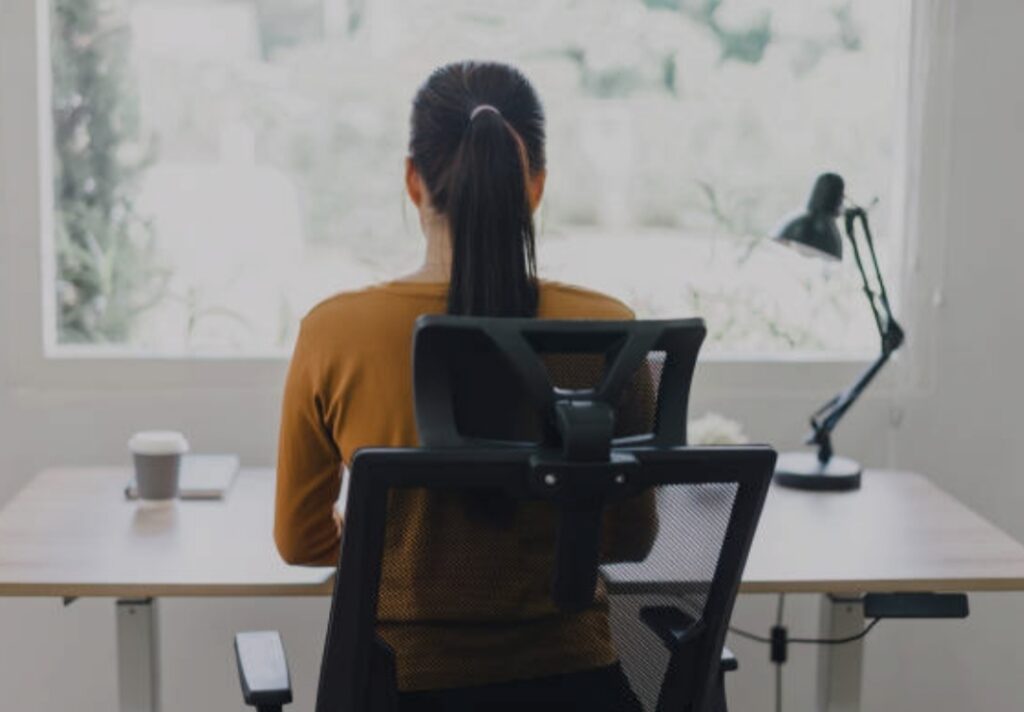
We are deep into the digital era, and in 2025, the workplace has evolved more than ever.
With the rise of remote work, hybrid offices, and tech-intensive roles, people are spending more time than ever in front of screens.
But there’s a serious downside:
📉 Over 70% of remote workers report experiencing physical pain or fatigue due to poor workstation setups.
This has brought ergonomic tech into the spotlight—not as a luxury, but as a must-have solution for long-term health and performance.
The benefits of ergonomic tech go beyond comfort.
They help modern professionals avoid burnout, improve posture, and stay energized and mentally focused throughout the day.
Data-Backed Benefits of Ergonomic Tech in 2025 📊✅
Here are some recent stats that prove why investing in ergonomic technology is more critical than ever:
- 🧠 Ergonomic interventions reduce musculoskeletal disorders (MSDs) by up to 60%, according to recent occupational health studies.
- 💼 Companies that implement ergonomic programs see a productivity increase of up to 25% and fewer sick days.
- 🧍♀️ Alternating between sitting and standing can reduce the risk of obesity and heart disease by up to 50%.
- 👁️ Workers using blue light filters or eye-level monitors report 40% less eye strain and better sleep patterns.
These findings make it clear:
The benefits of ergonomic tech aren’t just trending—they’re transforming the workplace.
Whether you’re managing a team, running a business, or freelancing from home, ergonomic tools are now essential for:
- 🔋 Sustaining energy throughout the day
- 📈 Maintaining peak productivity
- 🩺 Preventing injuries and long-term physical strain
And as we move into a more AI-assisted, tech-heavy future, ergonomics will only grow in importance.
Why Ergonomics Is the Foundation of Future-Proof Workspaces 🚀🏢
In 2025 and beyond, successful workspaces are not defined by ping-pong tables or bean bags.
They are defined by ergonomic intelligence—spaces designed around human needs first.
Here’s why ergonomic technology is the future of work:
🔹 Human-Centered Design Is the New Standard
Gone are the days of one-size-fits-all furniture and tech tools.
People now demand customizable, adaptive environments that support health, posture, and mental clarity.
Ergonomic tech delivers exactly that with features like:
- Adjustable angles, heights, and positions
- Smart integrations with fitness and posture apps
- User-tracking AI that auto-optimizes your setup
🔹 The Rise of Health-Conscious Employees
Today’s workers are more health-conscious, data-driven, and proactive.
They understand that a bad chair or keyboard setup can lead to:
- Carpal tunnel syndrome
- Tech neck and spinal issues
- Chronic fatigue and joint pain
With wearables and fitness apps now tracking posture and productivity, there’s zero excuse to ignore ergonomic solutions.
🔹 AI and Ergonomics Are Merging
Smart desks, posture-correcting apps, and voice-activated ergonomic systems are becoming mainstream.
Example?
- AI-powered desks that adjust automatically based on user posture and schedule
- Chairs that send reminders to stretch or adjust position
- Keyboards that measure typing strain in real-time
This is what the future of ergonomic tech looks like—and it’s here today.
Workplace Injuries and Burnout Are Costing Businesses Billions 💸⚠️
A poorly designed workstation doesn’t just hurt the user—it impacts the bottom line.
Studies show:
- 💰 Over $1 billion is spent annually on ergonomic-related injuries
- 🕒 Companies lose 17+ workdays per employee per year to RSI and neck/back pain
If you’re a business owner, investing in ergonomic technology is one of the smartest ways to boost:
- Team productivity
- Employee satisfaction
- Overall health and wellness
And if you’re working solo from home?
Ergonomic upgrades can help you maximize your focus, creativity, and energy.
Ergonomic Tech and Mental Wellness 🧘♀️💡
Believe it or not, ergonomic tech doesn’t just affect your physical well-being—it impacts your mind too.
Sitting in pain, slouching, or struggling with eye strain can silently drain your mood and focus.
Here’s how the benefits of ergonomic tech extend into mental clarity and well-being:
- Reduces stress and discomfort, allowing for clearer thinking
- Boosts motivation with comfortable and empowering workstations
- Prevents decision fatigue by optimizing physical efficiency
- Improves mood and emotional resilience
In short, when your body feels better—your mind performs better.
How Ergonomic Tech Supports Hybrid & Remote Work Models 🏠🌐
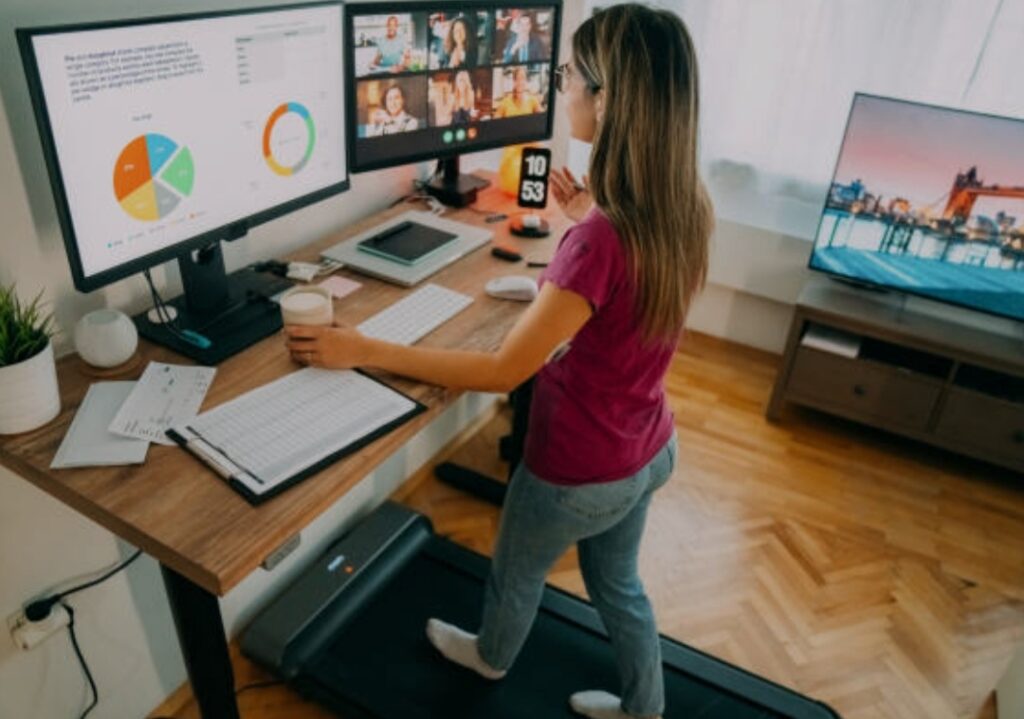
As remote and hybrid work continues to dominate in 2025, ergonomic tech becomes the backbone of productive home offices.
Here’s how:
✅ Portability & Adaptability:
Modern ergonomic tools are designed to fit small spaces and work across setups.
✅ Wireless & Smart Integration:
Most ergonomic gadgets today are Bluetooth-enabled, voice-activated, or app-controlled, making them ideal for flexible environments.
✅ Compact Yet Powerful:
From foldable sit-stand desks to smart wrist supports, you don’t need a full office to go ergonomic.
✨ Pro Tip:
Start small with one or two ergonomic upgrades—like a vertical mouse or adjustable laptop stand—and build your setup over time.
Don’t Wait—Take Control of Your Work Health Now 🚨💪
The longer you wait to upgrade your setup, the higher your risk of injury, burnout, and low energy.
The benefits of ergonomic tech are scientifically backed, widely proven, and easy to access.
So why delay?
→ Now is the time to future-proof your body and productivity.
✅ Take Your Workspace from Tired to Transformational
🛒 Ready to elevate your home office or corporate setup?
👉 Browse the top ergonomic tech tools here and start making powerful, pain-free changes today.
→ Don’t just work. Work smarter. Work healthier. Work ergonomically.
The Benefits of Ergonomic Tech: A Deep Dive ⚙️🧠
In today’s hyper-connected world, ergonomic technology is not just about fancy office gear—it’s about safeguarding your health, energy, and productivity.
From reducing chronic pain to enhancing focus, the benefits of ergonomic tech are backed by science and loved by professionals.
Let’s break it down.

Improved Posture and Reduced Physical Strain 🪑✅
One of the most immediate and noticeable benefits of ergonomic technology is better posture.
Traditional office setups often cause you to hunch forward or sit in unnatural positions.
Over time, this leads to:
- Neck stiffness
- Back pain
- Hip and wrist discomfort
- Chronic fatigue
But with ergonomic chairs, standing desks, and monitor arms, your body is placed in its natural alignment.
These tools:
- Support your spinal curve
- Keep your feet flat
- Maintain eye-level viewing
- Allow for natural wrist movement
This drastically reduces the strain on your muscles and joints, allowing you to sit or stand for longer—without feeling drained.
And this isn’t just about comfort—good posture boosts confidence, alertness, and even how others perceive you.
Boosted Productivity and Focus ⚡🧑💼
Ergonomics isn’t just about the body—it’s about the brain too.
When you’re not distracted by aches and discomfort, your mind can stay laser-focused on tasks.
Research shows that employees with ergonomic setups experience:
- 20%+ increase in task performance
- Fewer breaks due to discomfort
- Higher output with lower fatigue
Here’s how ergonomic tech supercharges productivity:
- Wrist-friendly keyboards and vertical mice reduce tension that leads to brain fog
- Anti-glare screen filters and adjustable lighting reduce eye fatigue
- Sit-stand desks keep blood flowing and energy high throughout the day
The bottom line?
A comfortable body leads to a sharper mind—and sharper minds get things done.
Prevention of Workplace Injuries 🩺⚠️
Did you know that musculoskeletal disorders (MSDs) are one of the top causes of lost work time?
Without proper tech, you’re risking:
- Carpal tunnel syndrome
- Sciatic nerve pain
- Repetitive strain injuries (RSIs)
- Shoulder and upper back tension
But ergonomic solutions are specifically engineered to prevent these issues.
That’s the core benefit of ergonomic tech—it’s designed for the human body.
By promoting movement, support, and alignment, you’re not just treating pain—you’re avoiding it altogether.
Long-Term Cost Savings 💰💡
Think ergonomic tech is expensive?
Think again.
While some premium ergonomic tools can feel like an investment, they pay off fast by:
- Reducing doctor and physiotherapy visits
- Cutting down on medication for pain relief
- Decreasing sick days and burnout
- Enhancing work output and efficiency
In fact, companies that prioritize ergonomics see an ROI of $2 to $6 for every $1 spent.
So whether you’re an individual professional or a business owner—ergonomic upgrades are smart financial decisions.
Enhanced Comfort During Long Work Hours ⏱️🧘♂️
Let’s face it—we’re working longer hours than ever.
With the rise of gig work, digital nomads, and global collaboration, many of us spend 8+ hours per day at our desks.
That’s a long time to be uncomfortable.
Ergonomic accessories like:
- Memory foam seat cushions
- Lumbar support chairs
- Footrests and arm supports
- Adjustable desk converters
…make those hours much more bearable.
You feel less tension, more energy, and a greater sense of physical ease—even after a full day’s grind.
Empowering Remote Workers & Home Offices 🏠🔧
Remote work isn’t going away.
If anything, it’s becoming the norm.
But here’s the problem:
Most home offices are not ergonomically sound.
Kitchen chairs, low desks, poor lighting—they’re all culprits of chronic strain.
That’s where ergonomic tech becomes a game-changer for work-from-home professionals.
With tools like:
- Portable sit-stand desks
- Laptop risers
- Compact ergonomic keyboards
- Bluetooth vertical mice
…you can build a fully ergonomic setup in any space.
Even if you’re working from a small apartment, you can create a space that supports your health.
Ergonomic Tech in the Digital Age — It’s Not Optional Anymore 🔄🌐
In 2025, with our screen time at an all-time high, ignoring ergonomics is like driving without a seatbelt.
The benefits of ergonomic tech are more than just a trend—they’re a necessity.
Whether you’re gaming, coding, designing, writing, or leading Zoom meetings all day, your setup must support your body and mind.
Because your body is your first tool.
✅ Transform Your Setup, Transform Your Life
Are you still battling daily back pain or sore wrists?
→ It’s time to stop suffering and start thriving.
Check out the best ergonomic keyboards, adjustable chairs, and smart standing desks now to completely level up your workday.
→ One smart switch today can prevent years of discomfort tomorrow.
→ Your body will thank you. Your future self will thank you.
Choosing the Right Ergonomic Tech for You 🎯🖥️
When it comes to reaping the benefits of ergonomic tech, choosing the right gear is absolutely critical.
The wrong equipment—even if labeled “ergonomic”—can actually worsen your discomfort and waste your money.
Whether you’re a remote worker, corporate employee, gamer, or creative professional, the ergonomic tools you select must suit your unique body, work style, and environment.
Let’s walk through a comprehensive guide to help you choose the perfect ergonomic tech setup—tailored just for you.

Assess Your Daily Work Routine and Pain Points ⏰☝️
Before you buy anything, take a moment to reflect:
- How many hours do you sit each day?
- Where do you feel discomfort—neck, back, wrists, eyes?
- Do you use a laptop or desktop?
- Do you work in one space or move around?
- Do you need to switch between sitting and standing?
Your answers will dictate what type of ergonomic tech will benefit you the most.
Tip: If you notice regular stiffness, fatigue, or eye strain, that’s your body asking for change.
Identifying your weak points is the first step to making powerful ergonomic improvements.
Ergonomic Chairs — Your Spine’s Best Friend 🪑✨
A poor-quality chair is the enemy of good posture.
Investing in a high-quality ergonomic chair can literally change how you feel by the end of the day.
Look for chairs with:
- Adjustable lumbar support
- Seat depth customization
- Headrests for neck support
- Breathable mesh or memory foam padding
- 4D armrests (adjustable in all directions)
Popular ergonomic chairs:
- Secretlab Titan Evo — great for gamers and long-hours users
- Herman Miller Aeron — premium support for professionals
- Autonomous ErgoChair Pro — excellent balance of price and features
Pro tip: Your chair should allow your feet to rest flat on the floor and your knees to be at a 90° angle.
Sit-Stand Desks — For Movement and Energy ⬆️⬇️
Sitting all day can kill your energy levels and your back.
Enter: the sit-stand desk.
With these adjustable desks, you can alternate between sitting and standing throughout your day—keeping your body active and your mind alert.
When choosing one, consider:
- Electric vs. manual height adjustment
- Weight capacity for multiple monitors
- Stability at full height
- Built-in memory presets
Top picks:
- FlexiSpot E7 — powerful motor and budget-friendly
- Uplift V2 — customizable and sturdy
- Fully Jarvis — eco-friendly and beautifully designed
Bonus Tip: Pair it with an anti-fatigue mat to reduce strain on your feet while standing.
Keyboards and Mice — Tiny Tools, Huge Impact ⌨️🖱️
Your wrists and hands are especially vulnerable to repetitive strain injuries like carpal tunnel.
That’s why your keyboard and mouse need to be designed with ergonomics in mind.
Ergonomic Keyboards should offer:
- Split key design to reduce wrist strain
- Negative tilt to align wrist positioning
- Tactile keys for better responsiveness
Best ergonomic keyboards:
- Kinesis Freestyle2 — ideal for wide arm spacing
- Logitech Ergo K860 — beautiful curve and wrist pad
- Microsoft Sculpt — affordable and intuitive
Ergonomic Mice offer:
- Vertical or trackball design
- Natural hand grip positioning
- Customizable DPI settings for sensitivity
Top ergonomic mice:
- Logitech MX Vertical
- Anker Ergonomic Vertical Mouse
- Kensington Expert Trackball Mouse
Monitor Placement — Protect Your Eyes and Neck 🖥️👁️
Your monitor height and distance can affect:
- Neck tension
- Eye fatigue
- Overall posture
Optimal setup tips:
- Top of the screen should be at or slightly below eye level
- Distance should be 20–30 inches from your face
- Use monitor arms or risers to achieve the right height
- Consider a curved or ultrawide display for multitasking
Recommended tools:
- VIVO Monitor Arm Mount
- Ergotron LX Desk Mount Arm
- BoYata Adjustable Laptop Stand (for laptop users)
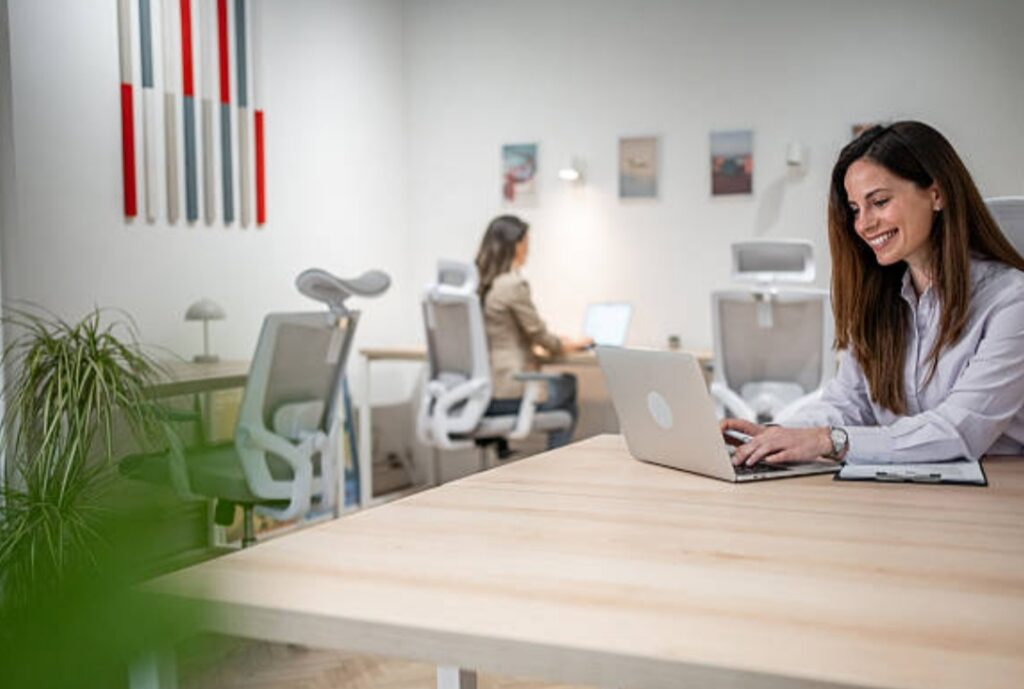
Lighting and Visual Ergonomics 💡👓
Bad lighting can cause eye strain, headaches, and poor focus.
Upgrade your workspace with:
- LED desk lamps with adjustable brightness and color temperature
- Screen light bars to reduce glare
- Blue light blocking filters or glasses
- Natural daylight positioning if available
Great picks:
- BenQ e-Reading LED Desk Lamp
- Baseus Monitor Light Bar
- GUNNAR Blue Light Glasses
You’ll instantly feel a difference in clarity and comfort.
Match Your Tech to Your Environment and Lifestyle 🌍📐
If you work in a:
- Small apartment: Look for compact or foldable ergonomic gear
- Shared space: Opt for quiet, wireless tools
- Mobile work setup: Invest in portable, lightweight ergonomic gadgets
Your ergonomic tech should adapt to your lifestyle—not the other way around.
✅ Ready to Upgrade Your Setup for Real Results?
→ Don’t just wish for comfort—build it.
Browse the top-rated ergonomic tech accessories to craft a pain-free, energy-boosting workspace today.
→ Your desk should work for you—not against you.
→ Make the smart move and feel the difference from Day One.
Tips for Integrating Ergonomic Tech into Daily Life 🧠⚙️
The benefits of ergonomic tech are only as powerful as how you use it.
Buying the best chair, mouse, or sit-stand desk means nothing if you don’t integrate these tools into your daily habits.
Below are practical, expert-approved tips to seamlessly incorporate ergonomic technology into your daily routine—so your body and mind stay sharp, energized, and pain-free.
Let’s turn smart gear into smart habits.
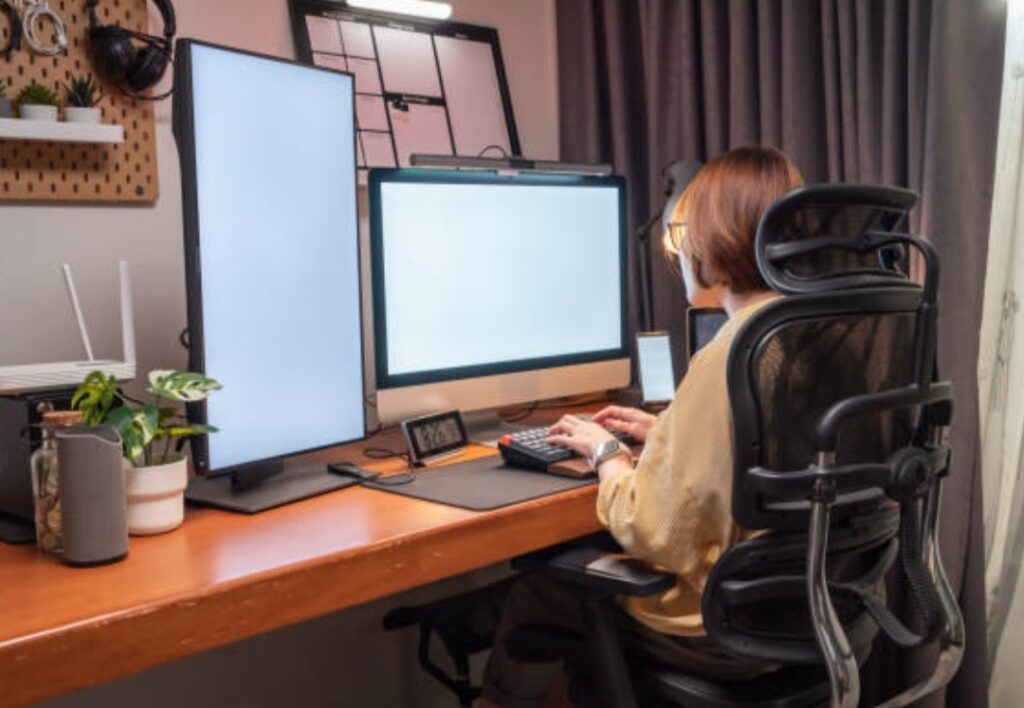
Start with Small, Sustainable Changes ✅
One of the biggest mistakes people make is trying to overhaul their entire workspace overnight.
Instead, focus on gradual changes.
Here’s how to start small:
- Begin by replacing your mouse with a vertical ergonomic model
- Add a laptop riser and external keyboard if you’re a laptop user
- Test a basic sit-stand desk converter before going full-electric
- Use a lumbar pillow or footrest to immediately improve posture
Small ergonomic upgrades can snowball into big health benefits without overwhelming your workflow.
Create a Daily Ergonomic Check-In Routine ⏱️
Set 1–2 reminders during your workday to run a quick posture and equipment check.
Ask yourself:
- Are your feet flat on the floor?
- Are your wrists floating and neutral—not bent?
- Is your monitor at eye level?
- Are your shoulders relaxed?
Use a free tool like Google Calendar or PostureMinder app to prompt you with 1-minute check-ins.
Consistency builds awareness—and awareness leads to long-term ergonomic success.
Use Tech That Encourages Movement 🕺
Even the best ergonomic tools can’t replace natural body movement.
Try to use tech that actively promotes motion throughout the day:
- Sit-stand desks encourage you to switch positions every 30–60 minutes
- Desk bikes or under-desk ellipticals help improve circulation
- Standing mats reduce fatigue and encourage micro-adjustments
- Active stools or balance chairs keep your core engaged
Tip: Set a recurring reminder to change your posture or walk for 2–5 minutes each hour.
Combine Ergonomic Tech with Stretching and Microbreaks 🧘
To maximize the benefits of ergonomic tech, you should combine it with movement rituals throughout your workday.
Try:
- 20–20–20 rule: Every 20 minutes, look at something 20 feet away for 20 seconds
- Simple wrist and neck stretches at your desk
- Standing up while on phone calls
- Shoulder rolls every hour
Use tools like the Stretchly app or ErgoTimer to remind you to take healthy breaks.
Note: Ergonomics isn’t only about the tools—it’s about how you engage your body consistently.
Keep Your Workspace Clutter-Free and Intentional ✨
A cluttered desk creates tension and distracts you from proper posture.
Your ergonomic setup should be:
- Clean, minimal, and distraction-free
- Designed for ease of movement
- Laid out with essential items within arm’s reach
- Aligned with your dominant side (mouse, phone, notepad)
Consider using cable organizers, monitor arms, and desk trays to improve your setup.
Tip: Try the “Zen Workspace Method”—a minimalist approach to boost mental clarity and physical comfort.
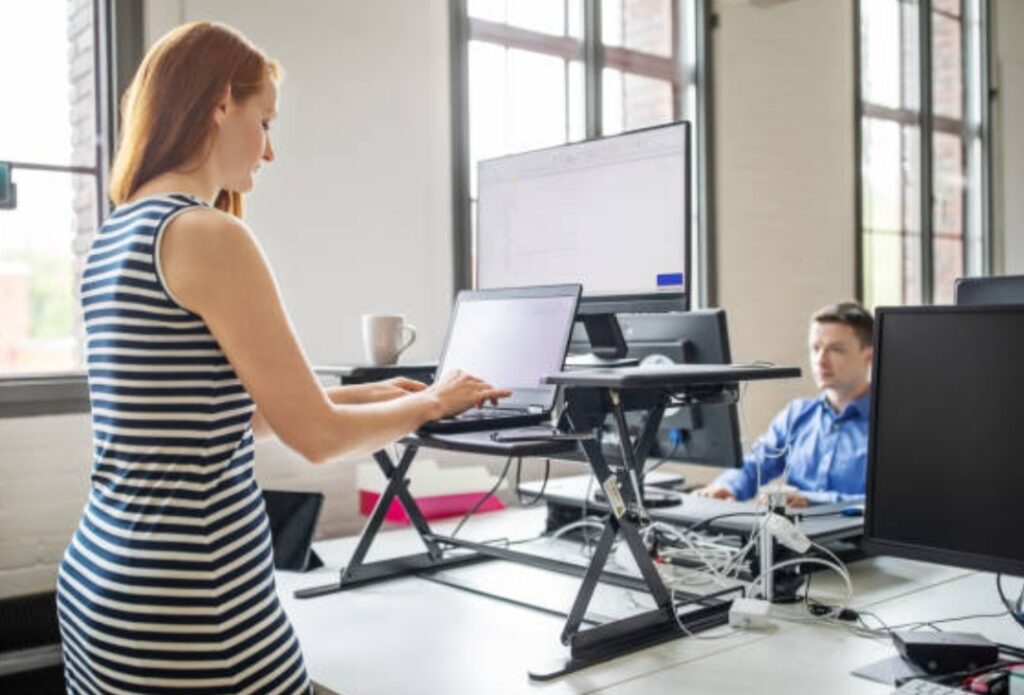
Customize Settings for Your Body and Workflow ⚙️
One-size-fits-all never works with ergonomics.
Make sure to:
- Adjust your chair height to align your knees and hips at 90°
- Customize your monitor height and tilt for eye-level viewing
- Calibrate keyboard and mouse sensitivity for lower hand strain
- Save sit/stand presets based on your most used heights
Some ergonomic tech tools come with smart sensors or AI apps that adapt based on usage.
Explore apps like Logi Options+ (for Logitech devices) to personalize your workflow.
Make Ergonomics a Habit, Not a One-Time Fix 🔁
It takes time and discipline to form ergonomic habits.
Here’s how to make it stick:
- Pair ergonomic actions with existing habits (e.g., stand while checking emails)
- Keep visual cues (like sticky notes or colored desk mats) to remind you
- Track your progress weekly using a journal or wellness app
- Celebrate small wins—less back pain, better posture, more focus
Remember: You’re not just upgrading your desk. You’re upgrading your lifestyle.
✅ Don’t Just Use Ergonomic Tech—Live It
→ Start building powerful, posture-positive habits today.
→ Your body will thank you with more energy, fewer aches, and better focus.
→ Check out our curated ergonomic gear collection designed to help you move smarter, sit better, and work longer—without pain.
How to Set Up an Ergonomic Workspace (With Step-by-Step Guide) 🧑💻✨
Creating a truly ergonomic workspace isn’t just about buying fancy equipment—it’s about optimizing your setup for long-term comfort, health, and productivity.
Whether you’re working from home or in a corporate office, setting up your environment the right way will unlock the full benefits of ergonomic tech, helping you avoid injuries, reduce fatigue, and supercharge your focus.
Below is a step-by-step guide to building the ideal ergonomic workstation.

Step 1 – Start with Your Chair
Your chair is the foundation of your ergonomic workspace.
A high-quality ergonomic chair supports your spine’s natural curves and promotes neutral posture.
Checklist for an ideal ergonomic chair:
- Adjustable seat height (your knees should be level with your hips)
- Lumbar support that maintains the natural S-curve of your lower spine
- Adjustable armrests to keep elbows at 90°
- Seat depth that allows 2–3 inches between the back of your knees and the seat edge
- Swivel and caster wheels for ease of movement
Power Tip: If you’re not ready to invest in a full chair, use a lumbar pillow or seat cushion to instantly improve your posture.
Check out our top ergonomic chair recommendations
Step 2 – Position Your Desk and Monitor Correctly
Your monitor should be positioned to reduce neck and eye strain.
Here’s how to do it:
- Monitor should be at eye level, with the top third of the screen aligned with your eyes
- Keep monitor 20–30 inches away (about arm’s length)
- Use a monitor riser or adjustable arm if needed
- If you use two screens, place the primary one directly in front of you
- Avoid glare from windows or lighting
If you’re using a laptop full-time, pair it with a laptop stand, external keyboard, and mouse to avoid hunching.
Step 3 – Optimize Keyboard and Mouse Placement
Poor hand and wrist placement is a top cause of repetitive strain injuries like carpal tunnel.
Ergonomic placement tips:
- Keyboard and mouse should be close to your body
- Your wrists should be straight (neutral) while typing or using a mouse
- Elbows bent at 90° and close to your torso
- Use wrist rests if you’re on the keyboard for extended periods
- Choose an ergonomic mouse like a vertical or trackball model
- Consider split keyboards or mechanical models for better alignment
Upgrade to an ergonomic keyboard + mouse bundle here
Step 4 – Improve Lighting and Screen Clarity
Eye strain is a serious concern in poorly lit or over-lit workspaces.
To create an eye-friendly setup:
- Use adjustable LED desk lamps with warm, indirect lighting
- Avoid harsh overhead lights or direct sunlight hitting your monitor
- Use blue light filters on screens
- Adjust text size and contrast for easier reading
- Follow the 20-20-20 rule: every 20 minutes, look at something 20 feet away for 20 seconds
Tip: Apps like f.lux automatically adjust screen temperature based on the time of day.

Step 5 – Create a Workflow That Encourages Movement
Even with the best gear, sitting in one position for hours can cause stiffness and poor circulation.
Ergonomic workflow best practices:
- Alternate between sitting and standing every 30–60 minutes
- Use a sit-stand desk or desk converter
- Add a standing mat for extra support
- Take short microbreaks every 30–60 minutes
- Walk or stretch between tasks or meetings
- Set reminders with tools like Stretchly or Time Out app
Bonus Tip: Keep a water bottle nearby to stay hydrated, which also encourages you to get up and refill it.
Step 6 – Keep Essentials Within Reach
Reaching too far or twisting frequently can lead to shoulder and back pain.
Setup checklist:
- Place the items you use most (phone, notepad, pen) within arm’s reach
- Use a headset if you’re often on calls
- Organize with desk trays, shelves, and drawers
- Keep cables tidy with cable organizers or clips
This reduces unnecessary strain and promotes smooth, fluid movements throughout your workday.
Bonus Tip – Personalize Your Ergonomic Setup
Every body is different—your setup should match your unique height, habits, and preferences.
Customization ideas:
- Set sit/stand desk presets for your height
- Adjust lighting angles for glare-free work
- Use programmable keys or shortcut buttons for common tasks
- Add plants or artwork to boost mood and reduce stress
Your workspace should be as comfortable as your favorite hoodie and as efficient as your favorite app.
✅ Ready to Build Your Dream Ergonomic Setup?
→ Take control of your comfort today.
→ Upgrade to an ergonomic workspace that supports your health, productivity, and focus—long-term.
→ Explore our full range of ergonomic gear handpicked by experts and start transforming your workspace now.
Common Mistakes to Avoid in Ergonomics Tech ⚠️
While ergonomic technology offers game-changing benefits, many people unknowingly sabotage their results by using their tools the wrong way—or making easy-to-fix mistakes.
Avoiding these missteps is key to unlocking the full benefits of ergonomic tech, preventing injuries, and ensuring lasting comfort and productivity.
Let’s break down the most common ergonomic tech mistakes and how to correct them.
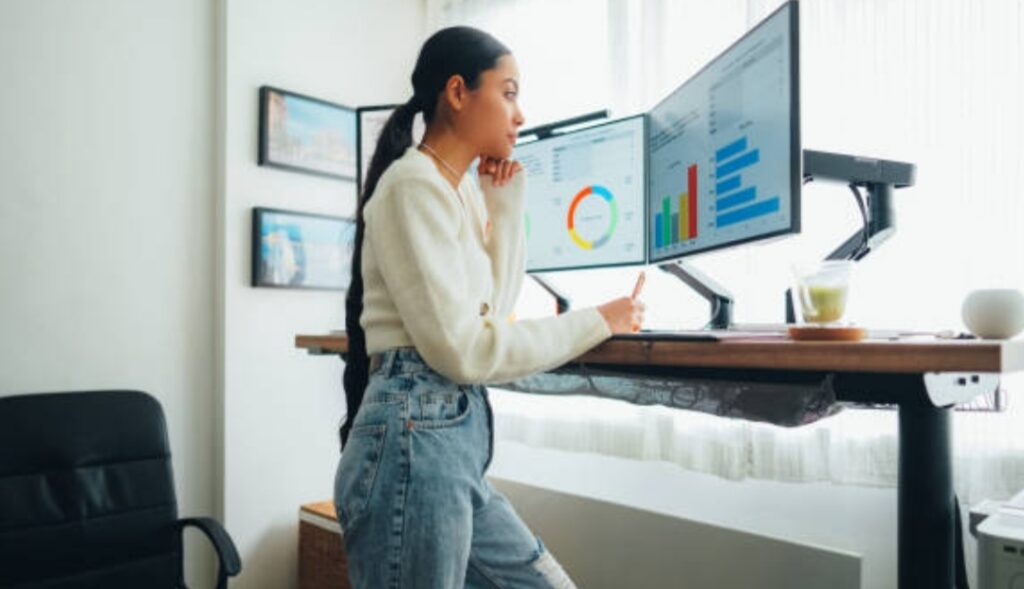
Mistake #1 – Treating Ergonomic Tech as a One-Time Fix
Simply buying an ergonomic chair or mouse doesn’t automatically fix posture or prevent fatigue.
The Fix:
Ergonomics is a habit, not a product. You must combine ergonomic gear with good posture, regular movement, and conscious workstation habits.
Tip: Set daily reminders to check your posture and switch positions often. Pair your ergonomic tech with posture coaching apps for real-time feedback.
Mistake #2 – Ignoring Proper Setup and Adjustments
Even the best ergonomic tools can harm more than help if not adjusted correctly.
Examples of poor setups:
- Monitor too low or high → neck pain
- Armrests too high → shoulder tension
- Chair too low → hip compression
- Desk too high → wrist strain
The Fix:
Customize everything to your body’s proportions. Use a mirror or ask a colleague to assess your posture. Most ergonomic gear comes with adjustment guides—use them!
Mistake #3 – Overlooking Movement Throughout the Day
Ironically, ergonomic setups can lead people to sit even longer because they feel “safe” or “supported.”
The Fix:
Even in a perfectly ergonomic position, movement is critical. Use a sit-stand desk, take microbreaks, stretch regularly, and alternate between sitting and standing every hour.
Remember: Motion is lotion for your joints.
Mistake #4 – Buying the Wrong Type of Ergonomic Tech
Not all ergonomic tech suits everyone. What works for a 6-foot-tall programmer may not fit a 5-foot-tall designer.
The Fix:
Before purchasing, measure your desk height, arm length, and chair needs. Read user reviews and return policies. Look for adjustable models that can fit multiple body types.
Pro Tip: Start with affordable ergonomic add-ons (like footrests or laptop risers) before investing in premium gear.

Mistake #5 – Prioritizing Style Over Function
Many fall into the trap of buying sleek, minimalist ergonomic gear that looks great—but fails to support proper posture.
The Fix:
Always choose function first. Look for certifications (like BIFMA or ANSI) and reviews from real users who’ve tested the gear long-term.
Choose ergonomic tools that combine performance with aesthetics—don’t compromise on health for looks.
Mistake #6 – Poor Cable and Workspace Management
A cluttered or tangled workspace undermines the flow and function of even the best ergonomic setups.
The Fix:
- Use cable organizers and trays
- Keep essential items within arm’s reach
- Avoid placing items in awkward, twist-inducing positions
- Invest in monitor arms and keyboard trays to free up desk space
Minimal clutter = maximum comfort.
Mistake #7 – Not Evaluating Tech After Use
Ergonomic needs change over time—especially as your work habits evolve.
The Fix:
Regularly review and reassess your setup every few months. Ask:
- Am I experiencing new pain or tension?
- Is my chair or monitor still aligned?
- Has my posture improved—or worsened?
If not, tweak your gear or routine. Ergonomics is an ongoing journey, not a one-time destination.
✅ Avoid These Mistakes—Maximize the Benefits of Ergonomic Tech Today
→ Don’t let simple oversights limit your comfort and productivity.
→ Learn from these common pitfalls and make your ergonomic investment actually work for you.
→ Explore our expert-approved ergonomic tech solutions that are built to last, easy to adjust, and optimized for real-world use.
FAQs – Your Most Asked Questions About Ergonomic Tech Answered ❓
If you’re just starting your ergonomic journey—or looking to optimize your current setup—you likely have questions.
Here are the most common FAQs around ergonomic technology, answered clearly and concisely to help you make informed decisions and get the full benefits of ergonomic tech.

What is ergonomic tech and why is it important?
Ergonomic tech refers to tools and devices designed to support the natural posture and movement of the human body during work.
These include ergonomic chairs, keyboards, mice, desks, and monitor arms.
They reduce physical strain, improve posture, boost productivity, and prevent repetitive strain injuries (RSIs).
Using ergonomic tech is important because it promotes long-term health, comfort, and efficiency—especially for people working long hours at a desk.
What are the top benefits of ergonomic tech?
Here are the main benefits of ergonomic tech:
- Reduces back, neck, and wrist pain
- Improves posture and spinal alignment
- Minimizes risk of long-term musculoskeletal disorders
- Enhances comfort and energy throughout the workday
- Increases focus and overall productivity
- Supports healthy blood flow and circulation
- Encourages active movement with tools like sit-stand desks
View our top ergonomic picks that offer these benefits
How can I tell if my current workspace is ergonomic?
You can assess your workspace by checking these key indicators:
- Your monitor is at eye level and arm’s length away
- Your feet are flat on the floor or on a footrest
- Your chair supports your lower back
- Your keyboard and mouse allow your wrists to remain straight
- You experience little to no strain after long periods of work
If any of these are missing, it’s time to upgrade your setup to get the full benefits of ergonomic tech.
Is ergonomic equipment really worth the investment?
Yes—100%.
While ergonomic equipment may cost more upfront, the long-term benefits far outweigh the expense.
It can help prevent chronic pain, reduce time off work due to injury, and even improve your daily comfort and mental focus.
Think of it as an investment in your health, productivity, and quality of life.
Can I make my workspace ergonomic on a budget?
Absolutely!
You don’t need to buy all-new expensive gear.
Budget-friendly ergonomic tips:
- Use a stack of books to raise your monitor
- Add a small cushion or rolled towel for lumbar support
- Adjust chair height with pillows or seat risers
- Use a standing desk converter instead of a new desk
- Add a wrist rest or ergonomic mousepad for under $20
You can start small and gradually improve your workspace over time.
Explore affordable ergonomic tools here
How long does it take to feel the benefits of ergonomic tech?
Many people feel immediate relief from discomfort once they switch to ergonomic tools.
However, for long-term postural improvements or injury recovery, it may take a few days to a few weeks of consistent use and movement.
Consistency and correct usage are key to maximizing benefits.
Can ergonomic tech help with existing pain or injuries?
Yes, ergonomic tech can help manage and reduce existing pain caused by poor posture or repetitive strain.
It’s not a substitute for medical treatment, but tools like lumbar chairs, vertical mice, and split keyboards can significantly reduce strain.
Pro Tip: If you suffer from chronic pain, consult with a physical therapist or occupational specialist to ensure you’re choosing the right ergonomic solutions.
How often should I reassess or adjust my ergonomic setup?
You should reassess your setup:
- Every 3–6 months
- When you change your desk, chair, or monitor
- If you start to feel discomfort again
- When your job duties or hours change
Your body evolves—so should your workspace.
✅ Still Have Questions? We’ve Got You Covered
→ Ready to dive deeper into the world of ergonomic tech?
→ Browse our expert guides and hand-picked ergonomic tools that support your comfort, posture, and productivity.
→ Don’t guess—build your perfect workspace today.
Conclusion – Unlock the Full Benefits of Ergonomic Tech Today
Ergonomic technology isn’t just a trend—it’s a transformational approach to how we work, move, and care for our health in a digital-first world.
From preventing pain to boosting focus, the benefits of ergonomic tech can’t be overstated.
By investing in the right equipment and using it properly, you empower yourself to work smarter, feel better, and thrive longer—whether at home, in the office, or on the go.

Final Takeaways:
- Don’t wait for discomfort to turn into chronic pain.
- Ergonomic tools are designed to work with your body, not against it.
- Even small changes, like adjusting your monitor height or switching to a vertical mouse, can yield powerful results.
- Focus on posture, movement, and proper tool setup to maximize results.
- Combine smart products with healthy habits for long-term well-being and peak productivity.
Ready to Experience the Life-Changing Benefits of Ergonomic Tech?
→ Don’t let another day go by battling fatigue, pain, or poor posture.
→ Discover the best ergonomic solutions that align with your lifestyle and start building a healthier workspace today.
→ Your body—and your future self—will thank you.
Take action now.
Your health is your greatest asset—protect it with ergonomic tech built for real results.
Final Thought – Your Journey to a Healthier Work Life Starts Here
In a world where we spend hours at desks and screens, making ergonomic choices isn’t optional—it’s essential.
The benefits of ergonomic tech are within your reach.
Start small, stay consistent, and choose products that adapt to you—not the other way around.
Whether you’re upgrading your home office, optimizing a corporate desk, or just seeking relief from daily discomfort, the right tech can make all the difference.
You deserve a workspace that supports your health, energy, and ambition.
You might also like :