
Introduction – Why You Must Take Digital Eye Strain Seriously 👁️💻
In today’s hyper-connected digital world, we spend hours glued to screens — whether it’s working on laptops, scrolling through smartphones, or binge-watching Netflix on tablets.
While technology enhances productivity and entertainment, it also brings along a silent yet serious problem: digital eye strain.
Also known as Computer Vision Syndrome (CVS), this modern-age issue affects millions of people globally, and often goes unnoticed until symptoms worsen.
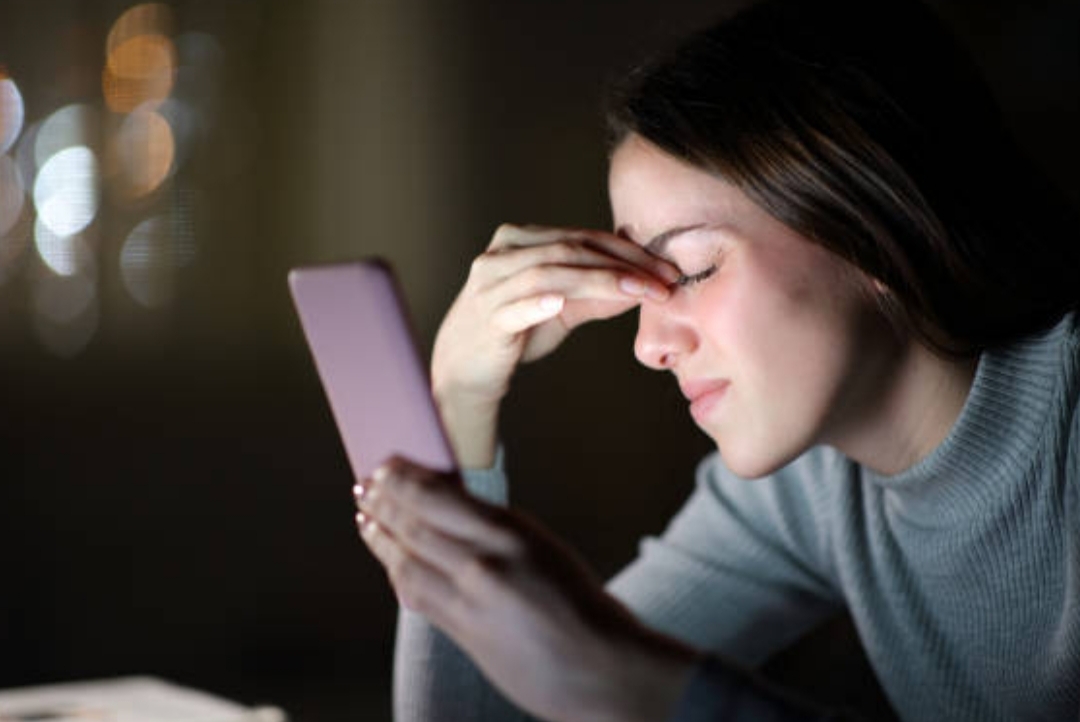
If you’ve ever experienced burning eyes, blurred vision, or throbbing headaches after extended screen time, you’re not alone.
These are classic signs of what’s now called screen fatigue — a condition that’s quickly becoming an epidemic among remote workers, students, gamers, and even casual device users.
That’s why understanding the right eye strain tech tips is no longer optional — it’s absolutely critical for your eye health, productivity, and long-term well-being.
The good news?
You don’t have to give up screen time entirely.
Instead, by following proven techniques to reduce blue light, improve screen ergonomics, and practice better digital habits, you can dramatically reduce screen fatigue and keep your eyes fresh and focused throughout the day.
In this guide, we’ll walk you through practical, science-backed strategies to protect your vision while still enjoying the benefits of modern technology.
Whether you’re working 9–5 in front of a computer, gaming until late at night, or scrolling on TikTok before bed — these tips are custom-designed for everyday screen users like you.
✨ By the end of this post, you’ll discover:
- How to adjust your settings to instantly reduce blue light
- Why screen fatigue happens — and how to stop it
- Expert-approved eye strain tech tips that actually work
- The best free tools and accessories to save your eyesight
- Simple lifestyle changes that deliver long-term eye protection
So, if you’re tired of battling dry eyes, fuzzy focus, or sleep troubles after screen time — keep reading.
Because your eyes deserve better care, and we’re here to show you exactly how to do that — step by step.
🔔 Don’t wait until it’s too late — protect your vision now with these simple yet powerful eye care tools and blue light solutions.
👉 Scroll down and start transforming your screen habits today!
What Causes Eye Strain When Using Devices? 💡👓
Before we dive into the solution, it’s important to understand why screen fatigue happens in the first place.
Digital eye strain — or screen fatigue — occurs when your eyes are overworked by prolonged screen exposure without proper rest, protection, or adjustment.
Unlike printed text, digital screens emit blue light, flicker continuously, and often present contrast issues — all of which contribute to eye discomfort and vision fatigue over time.
Let’s break down the top culprits behind digital eye strain so you can identify exactly what’s affecting your eyes 👇

1. Excessive Exposure to Blue Light from Screens 🌐
Blue light is a high-energy visible (HEV) light emitted by phones, tablets, TVs, and computer monitors.
While some exposure during the day is fine, excessive and extended exposure — especially at night — can:
- Disrupt your sleep-wake cycle (melatonin suppression)
- Cause eye fatigue and blurred vision
- Lead to long-term eye health concerns like macular degeneration
When blue light enters your eyes, it penetrates deeper than other light wavelengths and causes strain on the retina.
This is why one of the most effective eye strain tech tips is to immediately reduce blue light using night shift settings or blue light filtering software/tools.
2. Staring Too Long Without Breaks 🕒
Our eyes aren’t built to stare at a glowing screen for hours without a break.
When you forget to blink or focus intensely for too long, your eyes dry out and the ciliary muscles (used for focusing) get fatigued.
Lack of blinking also leads to dry eyes — one of the earliest signs of screen fatigue.
🔁 Pro tip: Follow the 20-20-20 Rule
Every 20 minutes, look at something 20 feet away for at least 20 seconds.
This simple habit can drastically reduce digital eye strain.
3. Poor Lighting and Glare in Your Environment 💡🌞
Improper lighting in your workspace can double the stress on your eyes.
Too much brightness causes screen glare, while low light forces your eyes to work harder to focus.
Common issues include:
- Sitting near a sunny window without curtains
- Having overhead fluorescent lights reflecting off the screen
- Not using a desk lamp when working at night
✅ Fix: Use anti-glare screen protectors, dim ambient lights, and position screens at a comfortable angle.
4. Incorrect Screen Settings and Display Issues 🔧📱
Most people use screens with default brightness, small text, or cold blue tones — which can overstimulate the eyes.
Common eye stressors include:
- High brightness in a dark room
- Tiny fonts that force you to squint
- Low contrast between text and background
- Low refresh rates causing screen flicker
✨ Tip: Calibrate your display settings for eye comfort — this is one of the simplest yet powerful eye strain tech tips.
5. Poor Ergonomics and Posture 📏🪑
Believe it or not, how you sit and position your device can directly impact eye fatigue.
A screen that’s too close or too high can force your eyes into unnatural angles, increasing strain.
💡 The ideal screen setup should:
- Be 20–28 inches from your face
- Sit slightly below eye level
- Be tilted slightly upward to match your natural eye gaze
Also, sitting with poor posture can cause neck tension, leading to strain on your eyes and temples.
6. Using Multiple Screens or Devices at Once 📺📱💻
Switching between multiple devices or screens quickly forces your eyes to re-focus constantly, which creates a strain loop.
This is common among remote workers or gamers using dual monitors, tablets, and phones simultaneously.
🚨 If you find yourself constantly shifting between screens, take extra measures to reduce blue light, increase font size, and take more frequent breaks.
✅ Summary List – Key Causes of Digital Eye Strain:
- Blue light overexposure from screens
- Lack of blinking and screen breaks
- Poor lighting and environmental glare
- Incorrect display settings (brightness, font, contrast)
- Improper screen distance and posture
- Multi-screen multitasking overload
🛡️ Important Reminder: Identifying these causes is the first step toward eliminating screen fatigue.
Now that you know the triggers, it’s time to fight back with the right solutions in the next section.
👉 Keep reading to discover the Top 10 Proven Eye Strain Tech Tips to Reduce Blue Light and Defeat Screen Fatigue for Good!
🎯 Don’t wait until blurry vision or headaches kick in — act now to protect your eyes with simple daily changes. Your future self will thank you!
Symptoms of Screen Fatigue You Shouldn’t Ignore ⚠️👀
In the early stages, digital eye strain may seem harmless — maybe just a mild headache or a little dryness in your eyes.
But over time, these small signs can grow into chronic discomfort, reduced productivity, and even long-term vision issues.
This is why it’s critical to recognize the warning signs of screen fatigue early, so you can take action before it starts to affect your work performance, sleep quality, and overall health.
Whether you’re a student, remote worker, gamer, or digital nomad, here are the most common symptoms of eye strain caused by prolonged device use 👇

1. Dry, Irritated, or Burning Eyes 🔥
One of the first symptoms people notice is a persistent dry or gritty feeling in the eyes.
This happens because when we stare at screens, we blink 50% less than usual — reducing the natural moisture on the eye’s surface.
Symptoms may include:
- A burning or stinging sensation
- Red or bloodshot eyes
- The need to constantly rub your eyes
- Sensitivity to wind or air conditioning
🔁 Eye strain tech tip: Make it a habit to blink more frequently, or use lubricating eye drops to refresh your vision during long screen sessions.
2. Blurred or Double Vision 🌀
Blurred vision is another key symptom of screen fatigue, especially after extended screen sessions.
You might notice:
- Letters becoming fuzzy while reading
- Difficulty shifting focus between devices
- Vision doubling when you glance up from your screen
These are signs that your eye muscles are overworked, and struggling to maintain a sharp focus.
📌 Solution: Take frequent breaks using the 20-20-20 rule, and adjust font sizes to reduce eye strain.
3. Headaches or Eye Pressure 🎯
Constant squinting or staring at high-brightness screens can trigger tension headaches — especially around the temples, forehead, or behind the eyes.
This happens due to ocular muscle fatigue and blue light overexposure.
You may experience:
- A dull ache behind the eyes
- Sharp pressure in the forehead
- Migraines that worsen with continued screen use
💡 Using tools to reduce blue light and adjusting your monitor’s contrast and brightness can dramatically ease these symptoms.
4. Neck, Shoulder, and Upper Back Pain 💢
You might wonder — what does posture have to do with eye strain?
A lot, actually.
Poor posture while using screens forces your head forward and down, straining the muscles around your neck and shoulders.
Over time, this can trigger referred pain, leading to discomfort not just in your eyes, but also in your upper body.
✅ Tip: Align your screen at eye level and sit in a chair with proper lumbar support to relieve pressure on both your eyes and spine.
5. Difficulty Focusing on Distant Objects 🔍
If your eyes feel “stuck” in close-up mode after using a phone or computer for hours, this is called accommodative spasm.
It’s a temporary condition where your eyes have trouble adjusting from near vision (your screen) to far vision (across the room or outside).
This is a clear sign of ocular muscle fatigue and shouldn’t be ignored.
🛑 Letting this continue may affect your ability to drive or react to visual cues in your environment.
6. Increased Light Sensitivity or Glare Sensitivity 🌟
If bright lights or screen glare feel blinding or uncomfortable, you may be experiencing photophobia, a common result of blue light overexposure.
Symptoms include:
- Squinting or shielding your eyes under bright light
- Discomfort when switching from a dark screen to a bright area
- Needing to dim lights to feel at ease
🎯 Quick fix: Use blue light filters or apps like f.lux, and enable night mode to ease your screen’s harshness during night use.
7. Sleep Disturbances and Circadian Rhythm Disruption 🌙💤
Perhaps one of the most overlooked — yet serious — consequences of screen fatigue is poor sleep.
Exposure to blue light before bedtime interferes with your body’s melatonin production — making it harder to fall asleep or get deep rest.
Signs include:
- Tossing and turning at night
- Waking up tired despite 7–8 hours of sleep
- Trouble staying asleep through the night
🛌 To prevent this, avoid screens at least 1 hour before bed, or wear blue light blocking glasses during evening screen time.
✅ Quick Symptom Checklist (Use this as a Self-Test):
- Eyes feel dry, red, or irritated
- Blurred or double vision after screen time
- Frequent headaches or pressure behind the eyes
- Neck or back stiffness after long work sessions
- Trouble focusing when looking away from screen
- Heightened sensitivity to glare or light
- Insomnia or sleep issues after device use
🎯 If you answered “yes” to 3 or more symptoms, it’s time to take serious steps to prevent long-term damage to your eyes.
🛡️ Good news: These symptoms can be reversed or reduced with the right eye strain tech tips, tools, and lifestyle changes — which we’ll cover next.
📣 Protect your vision before it’s too late — recognize these symptoms and take action with smart digital habits today!
👉 Keep scrolling to learn the Top 10 Expert Eye Strain Tech Tips that will instantly upgrade your screen experience.
Top 10 Eye Strain Tech Tips to Protect Your Vision 🛡️📱
Now that you understand the causes and symptoms of screen fatigue, it’s time to take control of your eye health.
The good news?
You don’t have to give up screen time completely.
Instead, by implementing these top 10 proven eye strain tech tips, you can reduce blue light, prevent digital eye strain, and boost your daily comfort — even if you spend 8+ hours a day on screens.
Each of these tips is scientifically backed, easy to follow, and designed for modern screen users like you.
Let’s dive in 👇

1. Use Blue Light Filter Apps and Night Mode 🌙📱
One of the most effective ways to reduce blue light instantly is by activating your device’s night mode or installing blue light filtering software.
💡 These tools automatically adjust your screen’s color temperature from harsh blue to warmer amber tones — especially useful in the evening.
✅ Tools to try:
- f.lux for Windows and Mac
- Night Light on Windows 10/11
- Night Shift on iPhone/iPad
- Digital Wellbeing or Night Mode on Android
📌 Bonus: Some monitors come with built-in “Eye Care Mode” — be sure to enable it in your display settings.
2. Invest in Blue Light Blocking Glasses 👓🔵
Even if your screen has a filter, wearing blue light blocking glasses adds an extra layer of protection — especially helpful if you switch between multiple devices daily.
These specially coated lenses:
- Block a percentage of blue light wavelengths
- Reduce glare and reflections
- Improve contrast and reduce eye fatigue
💼 Ideal for office workers, students, and gamers.
🔗 Check out bestselling blue light glasses with anti-glare coating for all-day comfort.
3. Follow the 20-20-20 Rule ⏳👀
This simple rule is a game-changer for minimizing digital eye strain.
📌 Here’s how it works:
Every 20 minutes, look at something 20 feet away for at least 20 seconds.
This gives your eye muscles a quick rest and helps prevent focus fatigue.
💡 Set a recurring reminder or install a free app like EyeLeo or Stretchly to stay on track.
4. Adjust Screen Brightness and Contrast Settings 🌈🔧
If your screen is too bright in a dark room — or too dim during the day — it forces your eyes to work harder to adjust.
This imbalance can lead to screen fatigue, tension headaches, and blurred vision.
✅ Pro tips:
- Match screen brightness with surrounding light
- Increase text contrast for easier reading
- Use “Dark Mode” on apps and browsers to reduce glare
🖥️ Calibrate your monitor or use tools like f.lux or Iris to auto-adjust brightness throughout the day.
5. Use Anti-Glare Screen Protectors or Matte Monitors ✨📺
Glare from overhead lights, windows, or sunlight can reflect off your screen and stress your eyes.
🔁 Fix: Install an anti-glare screen protector or use matte-finish monitors to eliminate reflective surfaces.
✅ Benefits include:
- Softer visuals with reduced sharpness
- Less eye squinting in bright rooms
- Enhanced focus without distraction
🌟 Browse affordable anti-glare filters designed for laptops, tablets, and phones.
6. Blink More Often and Stay Hydrated 💧👁️
Blinking keeps your eyes moist, but screen users blink less than half as often as normal — leading to dryness, irritation, and burning sensations.
🔁 Practice conscious blinking every few minutes and use artificial tear drops if necessary.
💦 Also, drink plenty of water throughout the day — hydration impacts your tear production and eye comfort.
7. Take Regular Tech Breaks and Digital Detoxes 🚶♂️📵
Your body and eyes need a reset.
📌 Schedule 5–10 minute breaks every hour.
During these breaks:
- Step away from screens
- Look out a window or at natural light
- Stretch your body and reset your posture
🛑 Consider a weekly “screen-free” hour to detox and allow full visual recovery.
8. Optimize Your Device Setup for Eye Comfort 🪑🖥️
Ergonomics matter.
The way your screen is positioned can make or break your visual comfort.
📐 Follow these guidelines:
- Place the screen 20–28 inches from your eyes
- Position the top of the screen just below eye level
- Use an adjustable chair with back support
- Avoid placing screens near windows that reflect sunlight
🎯 Bonus: Invest in a monitor riser, adjustable stand, or ergonomic workstation like this one.
9. Increase Font Size and Enable Zoom Features 🔍📲
Reading small text puts unnecessary pressure on your eyes.
Instead of squinting, simply increase the default font size or zoom in on documents/webpages.
✅ Most devices and browsers let you:
- Adjust system-wide font size
- Use Ctrl + Plus (Windows) or Command + Plus (Mac) to zoom
- Enable screen magnifier tools
📱 On phones, go to Accessibility > Display > Font Size to adjust.
10. Switch to Eye-Friendly Devices or E-Ink Screens 📘📖
For heavy readers or students, switching to E-ink-based devices like Kindle is a vision-saving move.
Unlike LCD or OLED, E-ink screens have:
- No blue light
- No screen flicker
- Paper-like readability
📚 Ideal for reading PDFs, eBooks, or academic research without tiring your eyes.
✨ Many tablets now offer “eye protection modes” — be sure to enable them in the settings menu.
✅ Bonus Tips (Quick Wins):
- Use a cool-colored wallpaper to reduce brightness strain
- Apply a matte finish screen protector on phones
- Switch to “dark mode” or sepia view in eReaders and apps
- Schedule annual eye exams if you use screens regularly
- Download blue light reminder apps like Twilight, Iris Mini, or EyeCare
✅ Summary List: Top Eye Strain Tech Tips at a Glance
- Enable blue light filters or night mode
- Wear blue light blocking glasses
- Follow the 20-20-20 rule
- Adjust screen brightness and contrast
- Install anti-glare protection
- Blink often and stay hydrated
- Take scheduled tech breaks
- Use ergonomic screen placement
- Increase text size
- Choose eye-friendly reading devices
🔥 Don’t let screen fatigue sneak up on you.
Start using these eye strain tech tips today to enjoy longer screen time without the pain, pressure, or fatigue.
👉 Make small changes now — your eyes will thank you later.
🌟 Click here to explore blue light protection tools and accessories that work instantly!
Bonus – Use Eye Care Apps and Vision Tracking Tools 📲🧠
While traditional methods like blinking more and adjusting brightness work wonders, technology itself can also be part of the solution.
Thanks to modern innovation, there are now powerful eye care apps and vision tracking tools that help you monitor, manage, and improve your screen habits — right from your devices.
Whether you’re on Android, iOS, Windows, or macOS, these tools offer personalized reminders, blue light filtering, posture feedback, and even screen break alerts.
If you’re serious about reducing screen fatigue and practicing long-term digital wellness, these apps are your secret weapons 🔐.
Let’s explore the top-rated digital solutions to reduce blue light and implement the most effective eye strain tech tips automatically.

1. f.lux – Smart Blue Light Filtering for PC & Mac 🌙🖥️
f.lux is one of the most trusted apps for reducing blue light exposure on desktops and laptops.
It automatically adjusts your screen’s color temperature based on the time of day.
🧠 Features include:
- Warmer tones at night to help you sleep
- Daylight settings to reduce strain during work hours
- Adjustable brightness and transition speed
✅ Available for: Windows, Mac, Linux
🔗 Install f.lux for free and start protecting your eyes today
2. EyeLeo – Friendly Eye Exercise Reminder 🦁💻
EyeLeo is a free Windows app that encourages you to take scheduled eye breaks.
It works in the background and gently interrupts your workflow with reminders to look away or perform quick eye exercises.
🔄 Key features:
- Customizable short and long break intervals
- Mini eye exercises with on-screen guidance
- Disables screen temporarily to enforce breaks
💪 Perfect for office workers and students.
📥 Download EyeLeo to build healthy screen habits
3. Iris – All-in-One Eye Care & Monitor Calibration Tool 🧪🌈
Iris goes beyond blue light filters — it helps adjust screen brightness without PWM flicker, which is another cause of eye fatigue.
It includes modes for reading, working, coding, and gaming.
🌟 Why users love Iris:
- Prevents flickering even at low brightness
- Reduces glare and adjusts contrast dynamically
- Includes productivity timers and blinking reminders
🔧 Compatible with: Windows, Mac, Linux
🔗 Try Iris Pro for advanced screen fatigue solutions
4. Twilight – Blue Light Filter for Android Devices 🌅📱
For Android users, Twilight is a must-have.
It overlays a red filter on your screen at night to minimize melatonin suppression and promote better sleep.
🛌 Features include:
- Automatic adjustment based on sunset/sunrise
- Fine-tuning for color intensity and temperature
- Battery-friendly performance
📲 Install Twilight on your Android device and sleep better tonight
5. Time Out – Mindful Break Reminders for Mac Users 🍃⌛
If you’re on macOS, Time Out is a minimalist app that helps you take regular micro-breaks.
It gently fades your screen and encourages you to step away or breathe.
🧘 Key benefits:
- Reduces eye fatigue and stress
- Prevents neck and shoulder tension
- Fully customizable intervals and messages
🎯 Download Time Out from the Mac App Store for free
6. Windows Night Light & macOS Night Shift – Built-In Solutions 🔧🌗
You don’t need to install anything extra — most modern operating systems now include native blue light filters:
- Windows Night Light: Go to Settings > System > Display > Night Light
- Mac Night Shift: Go to System Preferences > Displays > Night Shift
- iPhone/iPad Night Shift: Settings > Display & Brightness > Night Shift
- Android Blue Light Filter: Settings > Display > Night Light or Eye Comfort
✅ Tip: Set these to activate automatically at sunset for effortless protection.
✅ Summary Table – Best Eye Care Apps & Tools
| Tool/App | Platform | Purpose | Free Version |
| f.lux | Windows/Mac/Linux | Blue light filter | ✅ |
| EyeLeo | Windows | Break reminders & exercises | ✅ |
| Iris | All platforms | Screen calibration & eye care | ⚠️ Limited |
| Twilight | Android | Blue light filter | ✅ |
| Time Out | macOS | Break timers & wellness | ✅ |
| Built-in Night Modes | All platforms | Blue light reduction | ✅ |
🎯 Pro Tip: Pair one software solution with a physical tool like blue light glasses for maximum eye protection across all your devices.
⚠️ Don’t leave your eye health to chance.
Start using these powerful, free tools to effortlessly integrate eye strain prevention into your daily routine.
✨ Take charge of your screen habits today — your eyes will feel the difference!
🔗 Explore recommended apps and tools here to protect your vision right now!
When to See an Eye Specialist 👩⚕️👁️
Most cases of screen fatigue and digital eye strain can be managed with proper breaks, posture, and eye strain tech tips.
But sometimes, symptoms persist — or even worsen — despite your best efforts.
That’s when it’s crucial to stop guessing and seek professional help from an optometrist or ophthalmologist.
Ignoring chronic eye issues may lead to permanent vision changes, migraines, and even undiagnosed eye diseases.
Here’s how to know when it’s time to get expert advice 👇

1. Persistent Blurred Vision or Focus Problems 🔍
Occasional blur after hours of screen time is normal.
But if you notice that text remains fuzzy even after resting your eyes — or you struggle to shift focus between near and far — it may be a sign of:
- Refractive errors (nearsightedness, farsightedness)
- Early presbyopia (age-related focus loss)
- Digital eye fatigue that needs correction
📌 A specialist can test your vision and recommend prescription glasses or vision therapy.
2. Frequent Headaches That Don’t Go Away ⚠️
If you’re experiencing daily headaches, especially around the temples, forehead, or behind the eyes, it could mean your eyes are working too hard.
Common culprits include:
- Undiagnosed astigmatism
- Eye misalignment
- Incorrect screen ergonomics
🧠 An eye doctor will help rule out underlying visual stress conditions that simple eye strain tech tips can’t fix alone.
3. Double Vision or Eye Pain 🔄😣
Double vision (also known as diplopia) should never be ignored.
This may signal issues with:
- Eye coordination
- Nerve-related eye movement disorders
- Muscle fatigue caused by overuse
Sharp pain behind the eyes or constant soreness may also suggest optic nerve irritation or hidden infection.
✅ Book an appointment immediately if these occur regularly.
4. Increased Light Sensitivity or Glare Intolerance 🌟😵
If bright lights, screens, or sunlight have become painful to look at, it may be a sign of:
- Photophobia
- Corneal inflammation
- Eye strain linked to neurological conditions
This type of screen fatigue should be evaluated professionally, especially if accompanied by headaches or nausea.
5. Worsening Night Vision or Halos Around Lights 🌃🛑
Seeing halos or experiencing poor night vision after screen use could signal more than just fatigue.
You may be dealing with:
- Cataracts
- Early signs of glaucoma
- Digital strain affecting your retinal sensitivity
💡 A specialist can perform in-depth tests like retinal imaging or tonometry to catch issues early.
6. Dry Eyes That Don’t Improve with Drops 💧🧪
If you’re constantly using lubricating eye drops and still feel dryness or burning, you could have:
- Chronic Dry Eye Syndrome
- Blocked meibomian glands
- Tear film imbalance
Your doctor may recommend treatments like:
- Punl plugs
- Meibomian gland expression
- Prescription drops like cyclosporine (Restasis)
7. Any Vision Changes Affecting Daily Life 🚨
If your symptoms begin interfering with:
- Reading
- Driving
- Working
- Sleeping
… then it’s no longer just screen fatigue — it’s a vision health warning.
👩⚕️ Only a licensed professional can provide a personalized diagnosis and rule out more serious conditions.
✅ Signs You Need to See an Eye Specialist – Quick Checklist:
- Constant blurred vision
- Daily or severe headaches
- Ongoing dry eyes even with drops
- Light sensitivity that interferes with work
- Eye pain or pressure
- Double vision
- Halos or poor night vision
- Trouble focusing despite rest
- Eye strain symptoms lasting more than 2 weeks
🧠 Pro Tip: Get a comprehensive eye exam once a year — especially if you spend more than 4–6 hours daily on screens.
This is one of the most overlooked eye strain tech tips — but it’s also the most critical for long-term eye health.
🚨 Don’t ignore your eyes when they’re screaming for help.
If you’re experiencing any of the symptoms above, take them seriously.
👉 Book an appointment with a certified eye specialist and get a professional opinion before things worsen.
💬 Your eyes are not replaceable — invest in proper care now to preserve your vision for life.
FAQs – Common Questions About Eye Strain & Digital Vision Health 🙋♂️👓
Understanding and preventing eye strain, screen fatigue, and blue light exposure doesn’t have to be complicated.
To help you take control of your digital eye health, we’ve compiled a list of the most frequently asked questions — along with short, direct answers for instant clarity.
These are the answers your readers are searching for on Google 👇

Q1. What is digital eye strain, and how does it occur?
Digital eye strain, also known as Computer Vision Syndrome, happens when your eyes are overworked by prolonged screen exposure without proper rest, blinking, or lighting.
It’s caused by blue light, screen glare, poor posture, and unoptimized device settings.
Q2. What are the most common symptoms of screen fatigue?
Common symptoms include:
- Dry or burning eyes
- Blurred or double vision
- Headaches
- Light sensitivity
- Neck and shoulder pain
- Difficulty focusing
If symptoms last more than a few days, it’s best to consult an eye care professional.
Q3. Can blue light really damage your eyes?
Blue light from screens won’t immediately damage your eyes, but long-term exposure can cause visual fatigue, disrupt sleep, and contribute to retinal stress.
Reducing blue light with filters or glasses can help protect your eye health.
Q4. Do blue light blocking glasses really work?
Yes, blue light blocking glasses help reduce glare, improve focus, and ease eye fatigue — especially when switching between multiple digital devices during the day.
They’re most effective when used alongside screen filter apps and regular breaks.
Q5. How often should I take breaks to avoid eye strain?
Follow the 20-20-20 rule:
Every 20 minutes, look at something 20 feet away for 20 seconds.
This reduces eye muscle fatigue and refreshes your focus.
Q6. What’s the best way to set up my screen ergonomically?
Keep your screen:
- 20–28 inches away from your eyes
- Slightly below eye level
- Free from glare or direct sunlight
Use a monitor riser or laptop stand to maintain ideal posture.
Q7. Can eye strain lead to permanent damage?
No, digital eye strain is usually temporary and doesn’t cause permanent damage.
But if left unmanaged, it can lower your productivity, disturb your sleep, and exacerbate other vision problems.
Q8. What apps can help me prevent digital eye strain?
Some of the best eye care apps and tools include:
- f.lux (blue light filter)
- EyeLeo (eye break reminder)
- Iris (screen calibration and color control)
- Twilight (Android blue light filter)
- macOS Night Shift / Windows Night Light
These tools are highly recommended for daily screen users.
Q9. Should I see an eye doctor for screen-related eye issues?
Yes.
If you experience persistent headaches, vision changes, or discomfort that doesn’t go away, it’s best to see an eye specialist.
An eye exam can rule out underlying conditions and help you find long-term solutions.
Q10. Can kids and teens get digital eye strain too?
Absolutely.
Children are just as susceptible — if not more — to screen fatigue, especially with increased e-learning, tablets, and phones.
Parents should encourage frequent breaks, enable blue light filters, and limit screen use before bedtime.
👓 Still staring at your screen without protection?
👉 Now’s the time to apply these powerful tips, download the right apps, and equip your eyes with the care they truly need.
🌟 Your vision is priceless — treat it like it is!
Final Thoughts – Recap & Takeaway 🎯👁️
By now, it’s clear: eye strain isn’t just a minor annoyance — it’s a growing digital-age health issue that can impact your focus, sleep, and overall productivity.
But the best part?
You can prevent it.
With just a few simple tweaks to your screen habits, settings, and environment, you can effectively reduce blue light exposure, avoid screen fatigue, and protect your eyesight — both now and long into the future.
Let’s quickly recap what we’ve covered in this guide to mastering eye strain tech tips 👇

✅ Quick Recap: What You’ve Learned
- What causes eye strain when using devices: blue light, posture, screen glare, and more
- Symptoms to watch out for, from blurry vision to sleep issues
- Top 10 expert-approved eye strain tech tips, including the 20-20-20 rule, blue light filters, and screen setup
- Powerful apps and tools that automate eye care and break reminders
- When to see a specialist, and which warning signs require professional help
🌟 The Takeaway: Small Steps, Big Impact
You don’t have to stop using your favorite devices — you just need to use them smarter.
The modern lifestyle may demand screens, but it doesn’t have to cost you your comfort or clarity.
By applying just a few of these eye strain tech tips, you’ll:
- Feel less tired at the end of the day
- Sleep better without blue light interference
- Maintain sharp, healthy vision for years to come
- Work longer without discomfort or pressure behind the eyes
💡 Here’s What You Should Do Right Now:
✅ Enable blue light filters on all your devices
✅ Download free apps like f.lux, EyeLeo, or Twilight
✅ Apply the 20-20-20 rule every hour
✅ Invest in anti-glare tools or blue light glasses for extra protection
✅ Book a vision screening if symptoms persist
👁️🗨️ Your eyes do so much for you — now it’s your turn to protect them.
Take action today.
Apply these strategies and explore the best eye comfort tools and apps to safeguard your vision in this screen-first world.
💬 Don’t wait until the strain becomes pain — start caring for your eyes now.
You might also like :