
Introduction – The Secret Power Behind Smart Assistants 🔍
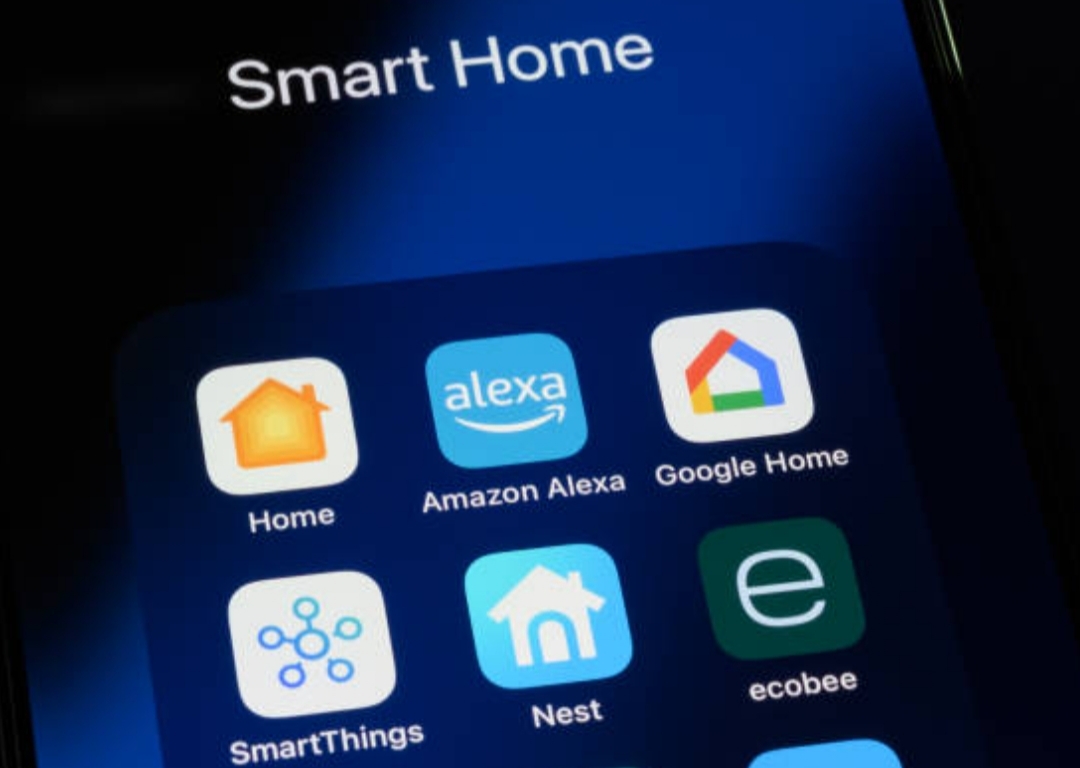
In today’s fast-paced digital world, smart assistants like Amazon Alexa and Google Home have become the heartbeat of modern smart homes.
From turning on lights with a simple voice command to managing your schedule hands-free, these virtual assistants are revolutionizing how we live, work, and relax.
Yet, most users barely scratch the surface of what these powerful devices can actually do.
What if you could unlock secret commands, set up hidden routines, and discover Alexa hidden tips and Google Home tricks that make your home feel truly futuristic?
What if your voice assistant could anticipate your needs, save you time every morning, and even entertain you when you’re bored?
That’s exactly what this guide is about — helping you tap into the full potential of your smart assistant through smart assistant hacks that go far beyond the basics.
Why You’re Probably Not Using Your Smart Assistant to Its Full Potential ⚙️
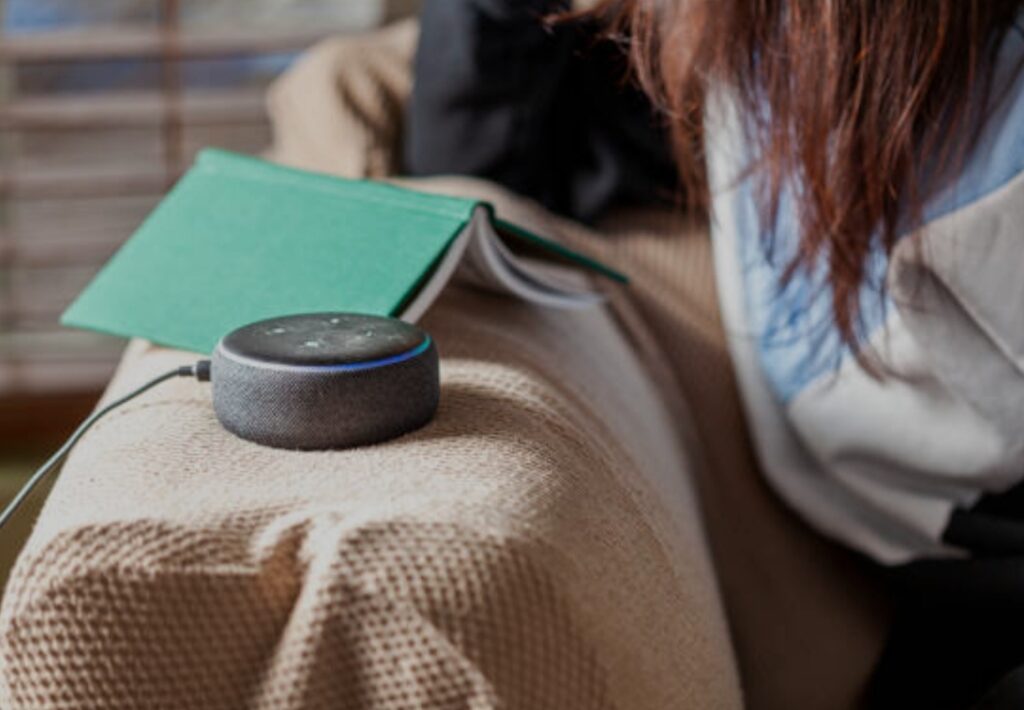
Let’s be honest — most people use Alexa or Google Home for simple tasks:
✅ Asking for the weather
✅ Playing music
✅ Setting alarms or reminders
But these are just the tip of the iceberg.
Underneath these simple commands lie hundreds of hidden voice commands, advanced automations, and secret settings that can completely transform your experience.
Think about it this way: you’ve bought a high-performance sports car but are only using it to drive to the grocery store.
That’s exactly what happens when you don’t explore the deeper layers of Alexa and Google Home.
With a few voice shortcuts, clever routines, and smart integrations, you can turn your assistant into your personal butler, fitness coach, home security guard, or even entertainment manager.
👉 Pro Tip: Many users don’t realize that both Alexa and Google Assistant receive frequent updates that add new features — meaning what was impossible last year might be a reality today.
Keeping up with these updates ensures you always have the smartest home on the block.
The Rise of AI-Powered Living Spaces 🤖
We are now living in the age of connected intelligence.
Every month, more homes are being powered by voice automation, IoT (Internet of Things), and AI-powered routines that simplify everyday tasks.
Imagine this:
☀️ You say, “Alexa, good morning,” and your assistant automatically turns on the lights, starts your favorite playlist, and reads out today’s weather forecast.
🌙 At night, one command like “Hey Google, bedtime,” dims the lights, locks your doors, and lowers your thermostat.
That’s not science fiction — it’s real, and you can do it right now with the right Alexa hidden tips and Google Home tricks.
These systems are designed to learn your preferences and behaviors over time.
As AI becomes more advanced, your smart assistant will start predicting what you need before you even ask.
For example:
- Notifying you to leave earlier for work due to traffic.
- Reminding you to reorder groceries based on your past habits.
- Suggesting playlists that match your current mood or activity.
In short, your voice assistant can become your personal digital concierge.
Why You Should Master These Hidden Tricks (and What You’ll Gain) 💡
So, why bother learning these smart assistant hacks?
Because mastering them will give you:
- Total convenience: Control your entire home using just your voice.
- Time-saving routines: Automate tasks like turning off appliances, checking emails, or starting your morning news briefing.
- Smarter home energy use: Set up energy-efficient routines that lower power consumption automatically.
- Better entertainment: Unlock hidden commands for jokes, quizzes, and games.
- Enhanced security: Use voice commands to monitor cameras, sensors, and smart locks.
These features are not just “cool extras” — they’re lifestyle upgrades that simplify your day-to-day living.
Plus, they make your smart home feel truly intelligent rather than just connected.
What You’ll Learn in This Guide 📘
In this in-depth guide, you’ll explore:
- Top Alexa hidden tips you’ve probably never tried before.
- Lesser-known Google Home tricks that can save you time and impress your guests.
- Smart assistant hacks that tie everything together for full automation.
You’ll learn how to:
- Set up custom routines that trigger multiple actions with a single phrase.
- Activate hidden voice commands for entertainment and productivity.
- Sync third-party apps and devices for seamless control.
- Boost privacy and security while using your smart assistant safely.
Each section of this article dives deep into actionable steps — not just theory.
By the end, you’ll know exactly how to turn your Alexa or Google Home from a simple gadget into a powerful daily companion that genuinely improves your quality of life.
Get Ready to Unlock the Secrets 🔑
If you’re ready to make your smart assistant work smarter, not harder, this is the guide you’ve been waiting for.
Whether you’re a new user or a seasoned smart home enthusiast, there’s always something new to uncover.
💬 Stay tuned — because once you master these Alexa hidden tips and Google Home tricks, your daily routine will never be the same again.
👉 Pro Tip: Bookmark this article or save it for later so you can come back whenever new Alexa or Google updates roll out — we’ll keep you ahead of the curve.
⚡ Ready to unleash the full potential of your smart home? Scroll down and start discovering the secrets today!
Alexa Hidden Tips You Probably Didn’t Know 🗣️
Amazon Alexa has evolved far beyond a simple voice assistant.
It’s now a powerful AI-driven smart hub capable of managing your lights, music, reminders, entertainment, and even your home security — all through spoken commands.
But here’s the truth: most users barely utilize 30% of Alexa’s real capabilities.
If you’ve ever wondered what your Echo device can really do, then you’re about to uncover a world of Alexa hidden tips that can make your daily life smoother, faster, and more intelligent.
Below are the most practical and little-known Alexa tricks that even experienced users rarely take advantage of — and once you start using them, you’ll wonder how you ever lived without them.

1. Create Custom Routines for Effortless Automation ⚙️
One of Alexa’s most underrated features is the ability to create custom routines.
This means you can automate multiple tasks with a single command — saving time and adding a touch of convenience to your daily life.
For example:
- Say, “Alexa, good morning,” and she can:
- Turn on your lights ☀️
- Start your coffee machine ☕
- Read the weather forecast
- Play your favorite motivational playlist 🎵
- Turn on your lights ☀️
Or create a “Goodnight” routine that automatically turns off all lights, locks your doors, and lowers your thermostat.
How to set it up:
- Open the Alexa app → Tap “More” → Select “Routines.”
- Create a new routine.
- Choose your trigger (e.g., a voice phrase or a specific time).
- Add multiple actions (music, smart home control, news, etc.).
✅ Pro Tip: Use routines to schedule energy-saving tasks, like turning off unused plugs or appliances at night.
With this feature, your home begins to anticipate your habits, creating an automated lifestyle that feels almost magical.
2. Use Whisper Mode & Follow-Up Mode for a Natural Conversation 🗨️
Ever wanted Alexa to respond quietly while someone’s sleeping?
That’s where Whisper Mode comes in — one of the most useful Alexa hidden tips that many users overlook.
Simply say, “Alexa, turn on Whisper Mode.”
Once enabled, Alexa will whisper back when you whisper to her — perfect for late-night queries or when you don’t want to wake anyone up.
Next, activate Follow-Up Mode, which allows you to speak multiple commands without saying “Alexa” each time.
After answering your question, Alexa will keep listening for a few seconds, so you can naturally continue the conversation.
🧠 Example:
You: “Alexa, what’s the weather?”
Alexa: “It’s 22°C and sunny.”
You: “And play my morning playlist.”
That’s it. No wake word repetition, no interruptions — just smooth, intelligent interaction.
✅ Pro Tip: To turn it on, open the Alexa app → Devices → Echo & Alexa → Device Settings → Follow-Up Mode → Toggle “On.”
3. Drop-In and Announcements – Talk to Every Room Instantly 📣
Want to call your kids to dinner without yelling through the house?
Say hello to Drop-In, one of the best Alexa smart home tricks for families.
Drop-In allows you to instantly connect to other Echo devices in your home (or even trusted contacts).
It works like an intercom — you can listen, talk, or broadcast messages throughout your home.
Example Commands:
- “Alexa, drop in on the kitchen.”
- “Alexa, announce: Dinner is ready!”
Alexa will then broadcast your message to every Echo speaker in your network.
It’s quick, efficient, and eliminates the need to shout across rooms.
✅ Pro Tip: You can use this feature even when you’re away from home through the Alexa app, perfect for checking in on pets or family.
4. Unlock Hidden Entertainment Commands and Easter Eggs 🎮
Alexa isn’t all work and productivity — she’s got a playful side too.
There are tons of hidden entertainment commands that can surprise, amuse, or even impress your friends.
Try saying:
- “Alexa, open The Magic Door” – an interactive storytelling game.
- “Alexa, tell me something interesting.”
- “Alexa, rap for me.”
- “Alexa, play 20 Questions.”
These Alexa Easter eggs make your assistant more than a tool — she becomes your companion for games, jokes, and interactive fun.
🎧 Bonus Tip: You can also ask Alexa to find hidden playlists or relaxing sounds, such as “Alexa, play rainforest sounds” or “Alexa, open Ambient Noise.”
5. Master Smart Home Control with Voice Groups 🏠
If you’ve got multiple smart devices, Alexa can handle them all — lights, plugs, cameras, thermostats, and more.
But the true power comes when you group them using Smart Home Groups.
For instance:
- Group all bedroom lights together → Say, “Alexa, turn off bedroom lights.”
- Group your entire living room → Say, “Alexa, movie time,” and watch her dim the lights and turn on your TV.
This feature transforms your Echo into the ultimate smart home controller, capable of managing your environment with just a few words.
✅ How to do it:
- Open Alexa App → Devices → Plus (+) → Add Group.
- Choose “Smart Home Group” and name it (e.g., “Living Room”).
- Add devices to that group.
You can even include Scenes created through smart light apps like Philips Hue or Kasa to make your home feel cinematic.
6. Use Alexa Guard for Extra Security 🔒
Safety is another overlooked benefit of Alexa.
By enabling Alexa Guard, your device can listen for unusual sounds — such as glass breaking, alarms, or suspicious noises — when you’re away.
When Alexa detects something unusual, she’ll send an alert straight to your phone.
How to activate:
Say, “Alexa, I’m leaving.”
Alexa will switch to Guard Mode and start monitoring your home.
You can also upgrade to Alexa Guard Plus for additional features like emergency calls or security patrol alerts (available in selected regions).
✅ Pro Tip: Integrate Alexa Guard with your smart lighting system to make it seem like someone’s home while you’re away — a brilliant deterrent against burglars.
7. Use Alexa to Track Packages and Deliveries 📦
If you frequently shop on Amazon, Alexa can track your orders and notify you about deliveries automatically.
Simply say:
- “Alexa, where’s my package?”
- “Alexa, track my order.”
She’ll tell you your shipment status, estimated delivery date, and even announce when it’s delivered to your doorstep.
Combine this with notifications and Echo Show visuals, and you’ll never miss a package again.
Final Thoughts on Alexa Hidden Tips ✨
The more you explore Alexa, the more you realize how limitless her potential truly is.
From productivity to home automation, entertainment to security — there’s a hidden feature for every lifestyle.
Most importantly, these Alexa hidden tips are designed to save you time, make life easier, and transform ordinary tasks into extraordinary experiences.
💡 Want to make your smart home truly smart? Try implementing one new Alexa routine or hidden feature every day this week and see how your daily routine evolves!
Don’t forget to check out the latest Alexa accessories to maximize your Echo’s capabilities and take your automation setup to the next level.
Google Home Tricks to Supercharge Your Smart Living 🚀
If you thought Google Home was only good for playing music or answering quick questions, think again.
Google Home — now powered by Google Assistant AI — is far more intelligent, adaptable, and interactive than most people realize.
With a few Google Home tricks and hidden commands, you can turn your speaker or Nest Hub into a personal assistant, translator, home controller, and even entertainment center.
These smart assistant hacks can automate your entire lifestyle and transform how you live, work, and relax — all hands-free.
Below, you’ll discover the most powerful and lesser-known Google Home features that can make your daily life smarter, faster, and more efficient.

1. Create Personalized Routines for a Smarter Day 🌞
Just like Alexa, Google Home lets you build custom routines that execute multiple commands with one phrase.
This is one of the most powerful Google Home tricks to simplify repetitive daily tasks.
Example Routine:
Say, “Hey Google, good morning,” and it can:
- Turn on your smart lights 💡
- Give you the weather forecast 🌦️
- Read your schedule from Google Calendar 🗓️
- Start your favorite podcast or music 🎧
- Give you real-time traffic updates 🚗
You can also create nighttime, workout, or study routines for different parts of your day.
How to set it up:
- Open the Google Home app → Tap “Routines.”
- Select “+” to create a new routine.
- Choose a trigger phrase or schedule.
- Add multiple actions and save.
✅ Pro Tip: You can now use home and away triggers — when you leave home, Google can automatically turn off your lights, adjust the thermostat, and arm your security system.
2. Interpreter Mode – Your Personal Live Translator 🌍
One of the most impressive Google Home hidden features is Interpreter Mode, perfect for travelers, multilingual families, or anyone learning a new language.
Simply say:
- “Hey Google, be my Spanish interpreter.”
- “Hey Google, help me speak Japanese.”
Your Google Assistant will instantly translate your speech in real-time and read it aloud in the target language.
It’s like having a personal translator in your living room.
✅ Pro Tip: Use this feature in hotels, business meetings, or while traveling to bridge communication gaps seamlessly.
3. Broadcast Messages Across All Devices 📢
Why shout across rooms when Google can do it for you?
With Broadcast, you can send voice messages to every Google Home or Nest speaker in your home at once.
Just say:
- “Hey Google, broadcast ‘Dinner is ready!’”
or - “Hey Google, tell everyone we’re leaving in 10 minutes.”
Every connected device will play your message instantly.
You can even reply using another speaker — making it one of the most convenient Google Home tricks for families.
💡 Bonus Tip: Use Broadcast to send reminders or motivational notes to yourself or family members during the day.
4. Unlock Fun Hidden Commands and Easter Eggs 🎮
Google Home isn’t just functional — it’s fun, too.
There are countless Easter eggs and hidden voice commands designed to entertain and surprise you.
Try these commands:
- “Hey Google, make me laugh.”
- “Hey Google, tell me a riddle.”
- “Hey Google, surprise me.”
- “Hey Google, do you know Alexa?” 😉
- “Hey Google, self-destruct!” (Spoiler: it’s hilarious.)
🎬 You can also say, “Hey Google, play trivia,” or “Hey Google, let’s play a game,” for interactive fun with family and friends.
These Google Home hidden features keep your device engaging and full of personality — proving that AI can be both useful and entertaining.
5. Control Third-Party Smart Devices Like a Pro 🏠
Google Home can integrate with thousands of third-party smart devices, including:
- Smart plugs 🔌
- Thermostats 🌡️
- Security cameras 📷
- Robot vacuums 🤖
- Lighting systems 💡
Instead of opening multiple apps, you can control everything using simple voice commands like:
- “Hey Google, turn on the living room lights.”
- “Hey Google, show me the front door camera.”
- “Hey Google, set the temperature to 22 degrees.”
Pro Setup Tip:
- Open the Google Home app → Tap “+” → “Set up device.”
- Choose “Works with Google” and link your smart devices (Philips Hue, TP-Link, Nest, etc.).
Once connected, Google becomes your universal smart home control center.
✅ Advanced Hack: Create “device groups” (like Kitchen, Bedroom, Living Room) to control multiple gadgets with a single command.
6. Use Continued Conversation for Seamless Interaction 🗣️
Tired of saying “Hey Google” every time?
Activate Continued Conversation — one of the best Google Assistant tips for natural dialogue.
Once enabled, Google will keep listening for a few seconds after responding, allowing you to continue talking without repeating the wake phrase.
Example:
You: “Hey Google, what’s the weather today?”
Assistant: “It’s sunny and 30°C.”
You: “And what about tomorrow?”
✅ How to enable it:
Open Google Home App → Settings → Assistant → Continued Conversation → Turn on.
This creates a smoother, more human-like experience that feels less robotic and more conversational.
7. Unlock Ambient Sounds for Relaxation and Focus 🎶
Need help sleeping, focusing, or meditating?
Google Home has a collection of ambient sounds that can instantly change your mood or atmosphere.
Say:
- “Hey Google, play rain sounds.”
- “Hey Google, play fireplace sounds.”
- “Hey Google, play white noise.”
You can even add them to bedtime routines or relaxation sessions.
💡 Pro Tip: Combine ambient sounds with smart lighting scenes for the ultimate relaxation setup. Example: “Hey Google, activate Zen Mode” → Lights dim + rain sounds start.
8. Manage Multiple Users with Voice Match 👥
Google Home supports Voice Match, a feature that recognizes different voices and personalizes responses.
It’s especially useful in shared households.
When you say, “Hey Google, what’s on my calendar?” it’ll automatically pull your events — not someone else’s.
How to set up Voice Match:
- Open Google Home app → Settings → Voice Match.
- Add your voice profile by following the prompts.
- Repeat for each family member.
✅ Benefit: Personalized results for reminders, messages, playlists, and commute info — all from one device.
9. Use Google Home as a Personal Assistant and Productivity Tool 🧠
With built-in Google Workspace integration, your Google Home can help organize your entire day.
Try saying:
- “Hey Google, create a new calendar event.”
- “Hey Google, add milk to my shopping list.”
- “Hey Google, send a message to contact.”
You can also connect third-party task apps like Todoist or Any.do to boost productivity further.
💼 Bonus Hack: Use Google Assistant Notes & Lists to sync your shopping list directly with your phone for easy access when you’re out.
Final Thoughts on Google Home Tricks 🌟
Your Google Home is far more than a voice speaker — it’s your personal AI companion, productivity coach, and home manager all in one.
By using these Google Home tricks, smart assistant hacks, and hidden features, you can unlock a whole new level of efficiency and convenience in your daily routine.
The secret is simple: the more you explore, the smarter your home becomes.
💡 Start experimenting with these Google Home tricks today and watch your home transform into a voice-controlled powerhouse!
👉 Don’t forget to check out the latest Google Home-compatible devices to make your automation setup even smarter.
Smart Assistant Hacks for Maximum Productivity ⚡
We all love the convenience of voice commands, but what if your smart assistant could do more — like manage your calendar, boost your productivity, or even help you save time while working from home?
That’s exactly what these smart assistant hacks are designed for.
Both Alexa and Google Home can act as your personal digital secretary, handling tasks, automating reminders, and even optimizing your home for focus and relaxation.
Whether you’re working remotely, running errands, or just want to live smarter, these next-level hacks will help you unlock the full potential of your AI-powered home assistant.
Below are the top smart assistant productivity tricks that can make your daily routine more efficient and your lifestyle more effortless.

1. Use Voice Shortcuts for Faster Actions 🎯
One of the simplest yet most powerful smart assistant hacks is creating voice shortcuts — custom phrases that trigger multiple actions or routines at once.
Instead of saying long commands like:
“Hey Google, turn on the living room light, play relaxing music, and set the thermostat to 24°C,”
You can simply say:
“Hey Google, it’s movie time.” 🎬
Likewise, Alexa users can say:
“Alexa, let’s go,” to trigger a routine that turns off the house lights, locks the doors, and gives you traffic updates.
These shortcuts are time-saving, efficient, and make your smart home feel truly intelligent.
✅ Pro Tip: Use simple, memorable phrases that match your lifestyle — like “Focus mode,” “Chill time,” or “Good night.”
How to Set Up:
- In the Alexa App, go to Routines → Create Routine → Add Voice Command.
- In the Google Home App, go to Routines → Add Starter → Voice Command.
These small tweaks create huge time savings throughout your day.
2. Sync Your Calendar, Tasks, and Reminders ⏰
One of the most underrated features of smart assistants is calendar and task integration.
You can link your Google Calendar, Outlook, or Apple Calendar and get hands-free scheduling updates.
Say things like:
- “Hey Google, what’s on my schedule today?”
- “Alexa, add a meeting at 2 PM with Sarah.”
- “Hey Google, remind me to call the client at 4.”
Your assistant will automatically schedule the event or reminder for you — no typing needed.
💼 Productivity Boost Hack:
- Use Alexa’s “Reminders & Alarms” feature to manage deadlines.
- Connect Google Home to Google Tasks or Todoist for seamless to-do list management.
✅ Bonus Tip: Pair your assistant with a smart display like Echo Show or Nest Hub to see your upcoming meetings and reminders at a glance.
3. Automate Your Work Routine 💻
Imagine starting your workday without even touching your laptop.
You simply say:
“Alexa, start my workday.”
Alexa or Google Home can then:
- Turn on your smart lights
- Play background focus music
- Read your first meeting of the day
- Start your coffee maker
- Give you the latest business headlines
That’s the power of automation routines — the heart of modern smart assistant hacks.
How to Set Up:
- Open the app → Create a “Workday” routine.
- Add actions like “Play Spotify,” “Read my calendar,” and “Announce today’s news.”
- Optionally, set it to trigger automatically at a certain time (e.g., 8 AM weekdays).
✅ Pro Tip: Add a “break reminder” action in your routine to help you stretch and avoid burnout.
With this setup, your home office feels automated, efficient, and distraction-free.
4. Multi-Room Audio for Focus and Motivation 🎶
Need motivation while working or cleaning?
Use multi-room audio, one of the coolest smart home productivity hacks, to play your favorite playlists throughout your house.
Say:
- “Hey Google, play focus music on all speakers.”
- “Alexa, play chill beats everywhere.”
This feature keeps you in the zone whether you’re working, cooking, or cleaning — without manually connecting to each device.
✅ Setup:
In the Alexa or Google Home app, create an audio group and link all your speakers.
Then, simply command your assistant to play music to that group.
Pro Tip: Try focus playlists like “Deep Focus,” “Lo-Fi Beats,” or “Morning Energy.”
They can dramatically boost productivity and creativity.
5. Manage Multiple Smart Homes or Rooms with Ease 🏡
If your home is packed with smart gadgets, this is where your assistant becomes a true command center.
With Google Home and Alexa, you can manage multiple rooms or even different properties effortlessly.
You can control lighting, temperature, and security systems from anywhere — even when you’re not at home.
Say:
- “Hey Google, turn off all lights in my second floor.”
- “Alexa, check the security camera at the garage.”
This is one of the most practical smart assistant hacks for users managing multi-room setups or vacation homes.
✅ Pro Tip: Assign devices to “Rooms” in your app to make control smoother and commands shorter.
6. Control Energy Use with Smart Automations 💡
Smart assistants can help you reduce your electricity bills without sacrificing comfort.
By combining voice commands with automation, you can monitor and control your energy use efficiently.
Examples:
- “Alexa, turn off all lights when I leave.”
- “Hey Google, lower thermostat by 2 degrees.”
- “Alexa, activate Eco Mode.”
Pair your assistant with smart plugs, smart thermostats, and energy monitors to make your home both eco-friendly and cost-efficient.
✅ Pro Tip: Set routines that turn off non-essential devices automatically at night or when you leave home.
7. Keep Your Data Private with Voice Controls 🔐
Privacy matters — and both Alexa and Google Home have built-in settings to give you full control.
You can review, delete, or mute your voice history easily.
Say:
- “Alexa, delete what I just said.”
- “Hey Google, delete my last conversation.”
You can also manage privacy from the app:
- Go to Settings → Privacy → Voice History.
✅ Bonus Tip: Set your devices to auto-delete voice recordings every 3 or 18 months for extra peace of mind.
These privacy features ensure your assistant remains helpful without compromising your personal data.
8. Use Smart Assistants as a Learning and Information Tool 📚
Your assistant isn’t just for commands — it’s also an incredible learning companion.
Ask it to explain topics, summarize articles, or even quiz you.
Try these:
- “Hey Google, summarize today’s news.”
- “Alexa, what’s the definition of blockchain?”
- “Hey Google, quiz me on world capitals.”
Both assistants can read audiobooks, answer trivia, or pull research summaries — perfect for students, writers, and lifelong learners.
✅ Pro Tip: Connect your Kindle or Audible account to Alexa for hands-free reading and study sessions.
9. Combine Alexa and Google Together for Ultimate Automation 🤝
Yes, you can use both Alexa and Google Home together!
While they don’t directly communicate, you can integrate them using IFTTT or smart home hubs like SmartThings.
Example:
- Use Alexa to control entertainment (Fire TV, music).
- Use Google Home to manage your calendar and reminders.
This hybrid setup lets you leverage the strengths of each assistant and achieve total automation control.
✅ Pro Tip: Connect both assistants through smart automation hubs to create unified commands and scenes.
Work Smarter, Live Smarter 💼
These smart assistant hacks aren’t just about convenience — they’re about reclaiming time, improving focus, and making technology work for you.
By mastering these tricks, you can transform your home into an ecosystem that learns, adapts, and evolves with your lifestyle.
✨ Start using these smart assistant hacks today and experience what true automation feels like!
The more you explore, the more your Alexa and Google Home become personal allies in productivity and daily efficiency.
Don’t forget to discover the latest smart home gadgets to unlock even more hidden capabilities for your assistant.
FAQs – Hidden Alexa & Google Home Tricks You Should Know 🤖

Q1: What are some secret Alexa commands most people don’t know?
Some of the best Alexa hidden tips include commands like:
- “Alexa, good morning” – gives you a personalized daily update.
- “Alexa, tell me something interesting” – shares random facts.
- “Alexa, play my Flash Briefing” – summarizes your favorite news sources.
- “Alexa, where’s my stuff?” – tracks your Amazon deliveries.
- “Alexa, drop in on room name” – instantly connect with Echo devices in other rooms.
✅ Pro Tip: You can also say “Alexa, surprise me” to discover fun Easter eggs, jokes, or mini-games built into Alexa.
Q2: How do I make my Google Home do more advanced tricks?
Unlock Google Home tricks by connecting it to other smart apps and routines.
Try these advanced commands:
- “Hey Google, tell me something good” – delivers positive news stories.
- “Hey Google, start my workday” – launches your custom routine with weather, news, and calendar updates.
- “Hey Google, find my phone” – calls your phone even if it’s on silent.
- “Hey Google, broadcast ‘Dinner’s ready!’” – sends announcements to all devices in your home.
✅ Bonus Hack: Link your Google Assistant to services like Spotify, Philips Hue, and IFTTT for automation that feels like real AI magic.
Q3: Can Alexa and Google Home work together?
Yes!
While they don’t natively sync, you can connect both using IFTTT, Home Assistant, or SmartThings hubs.
For example:
- Use Google Home for reminders and routines.
- Use Alexa for entertainment control and Echo-compatible devices.
This dual setup gives you the best of both worlds — true smart assistant hacks that optimize automation across platforms.
Q4: How can I make my smart assistant more private and secure?
Both assistants have strong privacy features.
Here’s how to take control:
- For Alexa: Say “Alexa, delete what I just said” or go to Settings → Privacy → Voice History.
- For Google Home: Say “Hey Google, delete my last conversation” or open My Activity → Voice & Audio.
✅ Extra Tip: Enable auto-delete for voice recordings every 3 or 18 months for maximum privacy protection.
Q5: What are the best smart assistant hacks for productivity?
Some top smart assistant hacks to boost daily productivity include:
- Creating custom routines like “Start my day” or “Work mode.”
- Using voice shortcuts for quick actions.
- Syncing your calendar and reminders hands-free.
- Automating home lighting and devices during work hours.
- Enabling multi-room audio for focus playlists.
These automation habits save time and keep you organized — whether you’re working from home or managing daily chores.
Q6: Can Alexa or Google Home learn my daily habits?
Yes, both assistants use AI learning to adapt over time.
They recognize your frequently used commands, preferred routines, and even your favorite music genres.
For example:
- Alexa might suggest actions based on past habits (like “Would you like to start your morning playlist?”).
- Google Home can adjust smart light brightness automatically during specific hours.
✅ Pro Tip: Enable “suggested actions” in your app settings to let your assistant evolve with your routine.
Q7: Do smart assistants work without Wi-Fi?
Unfortunately, both Alexa and Google Home need a Wi-Fi connection for most commands.
However, you can still use offline features such as:
- Bluetooth playback (play music directly from your phone).
- Alarms and timers (pre-set before disconnection).
✅ Upgrade Tip: For more reliability, consider a dual-band Wi-Fi setup to prevent connection drops during routines.
Q8: How can I make Alexa or Google Home sound more natural or fun?
You can easily change their voices or add character voices!
- Alexa: Go to Settings → Device Settings → Alexa’s Voice and pick new tones or celebrity voices.
- Google Home: Say “Hey Google, change your voice” and choose from multiple voice styles (including male/female or regional accents).
✅ Fun Trick: Enable “continued conversation” so you can talk naturally without repeating “Hey Google” or “Alexa” each time.
Q9: What’s the best way to discover more Alexa and Google Home features?
To stay updated with the latest Alexa hidden tips and Google Home tricks, try:
- Visiting the Alexa Skills Store or Google Assistant Explore page.
- Asking directly:
- “Alexa, what new features do you have?”
- “Hey Google, what can you do?”
Both assistants regularly get new updates and hidden skills that make them smarter every month.
- “Alexa, what new features do you have?”
Q10: Is it worth having both Alexa and Google Home in the same house?
Absolutely — if you know how to integrate them properly.
Having both gives you access to each ecosystem’s strengths:
- Alexa: Better for smart home device control and Amazon integrations.
- Google Home: Better for search results, reminders, and contextual understanding.
✅ Smart Tip: Use Alexa in common areas (like the living room) and Google Home in workspaces for maximum flexibility and efficiency.
Final Words:
Whether you’re chasing Alexa hidden tips or mastering Google Home tricks, the key is experimentation.
Every voice assistant has layers of untapped features that can make your home more efficient, entertaining, and future-ready.
✨ Try at least one new smart assistant hack today — your daily routine will never feel the same again!
Conclusion – Mastering Alexa Hidden Tips and Google Home Tricks for Smarter Living 🏠
As smart homes evolve, voice assistants like Amazon Alexa and Google Home have become more than just convenient gadgets — they’re digital partners that simplify your life, entertain your family, and make your home truly intelligent.
Whether you’re commanding Alexa to brew your morning coffee or asking Google to dim the lights for movie night, these devices hold incredible potential when you learn their hidden features and smart assistant hacks.
The truth is, most users barely scratch the surface of what these smart assistants can do.
By exploring Alexa hidden tips such as custom routines, whisper mode, and Alexa Guard, or testing out Google Home tricks like broadcasts, personal routines, and IFTTT integrations, you can completely transform how you interact with technology daily.

💡 Key Takeaways:
- Both Alexa and Google Home can automate your lifestyle with just a few simple commands.
- You can create custom voice routines to control lights, locks, appliances, and music automatically.
- Hidden features like drop-ins, follow-up mode, and continued conversation make interactions natural and fluid.
- Advanced smart assistant hacks allow you to link services like Spotify, Philips Hue, and smart plugs for full automation.
- Both assistants continuously update their capabilities — meaning there’s always something new to discover.
🚀 Why You Should Start Using These Tricks Today
Imagine waking up to your favorite playlist, having your blinds open automatically, and your coffee brewed — all without lifting a finger.
That’s the magic of smart automation done right.
Learning these Alexa hidden tips and Google Home tricks doesn’t just make life easier — it gives you control, convenience, and a futuristic lifestyle that once seemed impossible.
If you’re still using your smart speaker just to play music or set alarms, you’re missing out on 90% of what it can truly do.
Start experimenting with automation today and unleash the full potential of your smart assistant.
✨ Final Thoughts and Next Steps
Your smart assistant is only as powerful as the user behind it.
Now that you’ve learned the most effective smart assistant hacks, take a few minutes to explore and set up one or two new features today.
Once you see how effortless it becomes to manage your home, you’ll never want to go back.
➡️ Ready to upgrade your smart home experience? Explore recommended Alexa and Google Home accessories to take your automation to the next level.
Don’t forget to bookmark this guide — new features and updates roll out frequently, and you’ll want to stay ahead of the curve.
Pro Tip: For the best experience, regularly check for software updates in your Alexa and Google Home apps.
These updates often introduce new hidden features, improved security, and performance enhancements that make your device even smarter.
In summary:
Mastering these Alexa hidden tips, Google Home tricks, and smart assistant hacks will help you create a home that’s not just connected — but intuitively intelligent.
It’s time to let your home work for you, not the other way around.
💬 Try it now:
Say “Alexa, surprise me,” or “Hey Google, tell me something new” — and start your journey into the world of smarter, more enjoyable living.
You might also like :